

 Reply With Quote
How much space do you have to work with?
/usr is where most of the "weight" is; make it bigger if your planning on installing more packages.


Greetings everyone,
After reading the Debian install and security howtos, I've decided that I should move /var, /usr and /tmp to their own partitions, using the Knoppix home directory howto as a guide. Thing is, I don't know how my fstab should look like and how big the partitions should be.
I would like to ask for input for the layout I plan (below).
Partition sizes:
/tmp – 50 mb (or 500?)
/var – 3 gb (or 2?)
/usr – 4 gb
/ – 500 mb
Am I on the right track? Are these partition sizes okay or are they excessive? This computer is the one I'll be using for home. In the future I do plan on setting it up to host web pages as well.
fstab additions:
/dev/hda9 /usr ext2 rw 0 2
/dev/hda6 /tmp ext2 rw 0 2
/dev/hda7 /var ext2 rw 0 2
Do these entries look okay? Or should it be:
/dev/hda9 /usr ext2 defaults 1 2
/dev/hda6 /tmp ext2 defaults 1 2
/dev/hda7 /var ext2 defaults 1 2
I don't know what the numbers at the end mean... I just took these from various sample I found in LQ and Google.
Any thoughts?
- Bryan
How much space do you have to work with?
/usr is where most of the "weight" is; make it bigger if your planning on installing more packages.
60 gigs... It's an 80 gig hard drive but Win2K has the first 20.... I also have a second 60 gig drive I just mainly use for storing mp3s, pictures and virtual CD files... and that's around 30 gigs so I have around 30 gigs more to spare on that other drive.
I know that's a lot of room but I don't want to over do it though. I'd rather use the (spare) room for my work, my scans, mp3s and other stuff everyone else at home puts into my box.
Right now, I have an installfest bonanza on my box... Fedora, Knoppix, Gnoppix, Morphix... but enough of that. I just want one to get some work done.
I was actually planning on installing Woody but then it hit me that I may just as well install Knoppix and move the partitions around.
It also just hit me that I probably can't opt for a 500 mb / partition since the / directory is what I have to start with (can you resize that using qtparted?).
Yes I believe so, although I have never tried it.can you resize that using qtparted?
How much space is being used of that 60?60 gigs
Do you have a home directory for every distribution, or a single home directory used by all distributions? If you're planning on having millions of distributions on the same box, it is a good idea to have an extra partition for your home directory.
By tha way, make sure your partitions(/usr and all that) are taggged for auto in fstab, otherwise you may have a few unexpected surprises.
Right now all of them have their own /home directories (and/or partitions).
I was trying them out so the scheme I used sufficed... now I'm past that and just plan on having one.
One sounds good. You may even want a second so in case something goes wrong, you'll have something to fall back on.Right now all of them have their own /home directories (and/or partitions).
I was trying them out so the scheme I used sufficed... now I'm past that and just plan on having one.
True, but I can always rely on the live CD can't I? I also have Knoppix on a FAT32 partition which I boot from a floppy... I think it's what you call a 'Poor man's install'.
Right now I'm worried about resizing the / partition. I've managed to resize my swap partition before so I know qtparted can do the job... it's just that the / partition has real data on it. Hmmm...
/tmp is really tiny on both my systems, 50MB should be fine. Everything else looks Ok, however I would go with journalled filesystems for *everything* except /boot. This is what my fstab entries look like:
--The two numeric entries at the end are for dump and fsck, see ' man fstab '.Code:/dev/hdb1 / reiserfs defaults,noatime,rw 0 1 /dev/hde11 /mnt/squid reiserfs defaults,noatime,noexec 0 0 /dev/hda2 /mnt/extra2 ext3 defaults,noatime,noexec,rw 0 0 /dev/hda12 /mnt/bkps reiserfs defaults,noatime,notail,rw 0 0
--I'd recommend two things with all that hard drive space: Dedicate a partition (20Gig?) for backups, and consider setting up a Squid proxy server.
http://www.squid-cache.org/
--If you want more info on that, I'll be happy to send you a copy of my config and some basic instructions.
Originally Posted by bxb32001
Ooooooooo... thanks Dave, your the MAN!
 Posting Permissions


Acer Predator Helios Neo 16S AI 16" i9 275HX 2S RTX 5070 Ti 32GB 1TB SSD Refurb
$1671.47

Dell Latitude 14" Laptop Computer Intel i5 Up To 32GB RAM 1TB SSD Windows 11 Pro
$316.61

Samsung 2.5" 870 EVO SSD SATA III 250GB 500GB 1TB Internet Solid State Drive Lot
$90.00
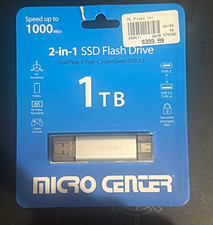
Micro Center 2-in-1 SSD Flash Drive 1TB USB-A/USB-C USB 3.2 Gen 2 10Gbps
$240.00

SAMSUNG T7 Portable SSD 1TB Indigo Blue USB 3.2 Gen2 External MU-PC1T0H/AM
$159.99
Dell Precision 7560 i7-11850H 2.5GHz 32GB 1TB NVMe 15.6" T1200 No OS: Fair
$459.00

External SSD 1TB 2TB 4TB Portable Hard Drive USB 3.0 Type-C High Speed PC Mac
$19.99

Netac 2TB 1TB 500GB Internal SSD M.2 NVMe PCIe3.0 Solid State Drive lot
$129.99
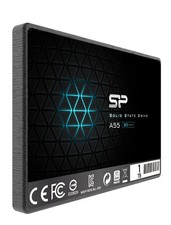
Silicon Power 1TB SSD 3D NAND A55 SLC SATA III 2.5" SSD Laptop XBOX PS3 PC
$119.99

Toshiba DT01ACA100 1 TB 3.5" SATA III 3.5 in Desktop Hard Drive
$24.99
