-
Senior Member
registered user
missing files
Well, I found the answer and I don't like it. It seems that you can't specify the same physical device for the location of the persistent home directory and for the location of the partition to use when running from hd. I had:
tohd=/dev/hdb2 and
home=/dev/hdb2.
When I changed to
home=/dev/hda1 it worked. There was never a warning or error message when setting these up.
Similar Threads
-
By ricardomardi in forum General Support
Replies: 2
Last Post: 06-13-2005, 10:15 PM
-
Replies: 2
Last Post: 04-13-2005, 10:23 PM
-
By RoadKill in forum The Lounge
Replies: 4
Last Post: 01-04-2005, 05:12 AM
-
By xaviers2002 in forum Hdd Install / Debian / Apt
Replies: 6
Last Post: 10-12-2004, 10:55 PM
-
By evirus in forum General Support
Replies: 0
Last Post: 05-07-2004, 02:16 AM
 Posting Permissions
- You may not post new threads
- You may not post replies
- You may not post attachments
- You may not edit your posts
-
Forum Rules

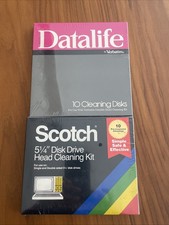
Vintage 5.25" Floppy Disk Drive Cleaning Kit Lot (1 Scotch 3M + 1 Verbatim) NOS
$49.00

Vintage HP Hewlett Packard 2112A 21MX 1000 M-Series 16-Bit Minicomputer
$419.99

Vintage Jetway J-620BF Socket 370 Celeron AT Motherboard SiS 620 Brand New
$75.00

Vintage ECS Micro-ATX Desktop Case | Beige/Dark Grey | *READ*
$80.00
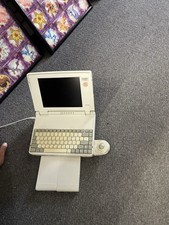
Vintage Toshiba Satellite Laptop T1910CS With Adapter, Mouse, Manual-Parts Only
$150.00

Vintage Mainframe Computer Disk Drive Pack Dyson SMD 5 Level Disks
$79.00
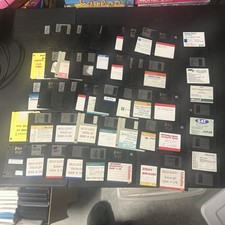
Lot of 52 Vintage Various 3.5" Floppy Disks Untested Sold As Parts (B4)
$49.99
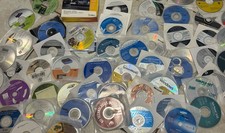
Mixed Lot Of Vintage Software And Drivers - Install Discs - CDs - 94 Pieces
$85.00

Vintage 1986 Goldenrod Research Corp CP/M Desktop Computer Syste w/Keyboard
$350.00

Vintage Toshiba Satellite 4090XDVD Intel Celeron 400Mhz Retro - Powers up Cards
$57.59



 Reply With Quote