

 Reply With Quote
I found this page a couple of days ago it may help.Originally Posted by Whatsup!


Linux newbie here...managed a HD install on a dell inspiron 1100 laptop.
i love knoppix...my wireless card works without any extra effort too...
My USB mouse works but the touchpad doesnt work ...Its a synaptics one
00:00.0 Host bridge: Intel Corp. 82845G/GL [Brookdale-G] Chipset Host Bridge (rev 03)
Flags: bus master, fast devsel, latency 0
Memory at e8000000 (32-bit, prefetchable) [size=128M]
Capabilities: <available only to root>
00:02.0 VGA compatible controller: Intel Corp. 82845G/GL [Brookdale-G] Chipset Integrated Graphics Device (rev 03) (prog-if 00 [VGA])
Subsystem: Dell Computer Corporation: Unknown device 0149
Flags: bus master, fast devsel, latency 0, IRQ 10
Memory at f0000000 (32-bit, prefetchable) [size=128M]
Memory at e0000000 (32-bit, non-prefetchable) [size=512K]
Capabilities: <available only to root>
00:1d.0 USB Controller: Intel Corp. 82801DB USB (Hub #1) (rev 02) (prog-if 00 [UHCI])
Subsystem: Intel Corp.: Unknown device 24c0
Flags: bus master, medium devsel, latency 0, IRQ 10
I/O ports at 1cc0 [size=32]
00:1d.1 USB Controller: Intel Corp. 82801DB USB (Hub #2) (rev 02) (prog-if 00 [UHCI])
Subsystem: Intel Corp.: Unknown device 24c0
Flags: bus master, medium devsel, latency 0, IRQ 11
I/O ports at 1ce0 [size=32]
00:1d.7 USB Controller: Intel Corp. 82801DB USB EHCI Controller (rev 02) (prog-if 20 [EHCI])
Subsystem: Intel Corp.: Unknown device 24c0
Flags: bus master, medium devsel, latency 0, IRQ 10
Memory at e0080000 (32-bit, non-prefetchable) [size=1K]
Capabilities: <available only to root>
00:1e.0 PCI bridge: Intel Corp. 82801BA/CA/DB PCI Bridge (rev 82) (prog-if 00 [Normal decode])
Flags: bus master, fast devsel, latency 0
Bus: primary=00, secondary=02, subordinate=02, sec-latency=32
Memory behind bridge: e0100000-e01fffff
00:1f.0 ISA bridge: Intel Corp. 82801DB ISA Bridge (LPC) (rev 02)
Flags: bus master, medium devsel, latency 0
00:1f.1 IDE interface: Intel Corp. 82801DB ICH4 IDE (rev 02) (prog-if 8a [Master SecP PriP])
Subsystem: Intel Corp.: Unknown device 24c0
Flags: bus master, medium devsel, latency 0, IRQ 11
I/O ports at <unassigned>
I/O ports at <unassigned>
I/O ports at <unassigned>
I/O ports at <unassigned>
I/O ports at 2020 [size=16]
Memory at 18000000 (32-bit, non-prefetchable) [size=1K]
00:1f.3 SMBus: Intel Corp. 82801DB SMBus (rev 02)
Subsystem: Intel Corp.: Unknown device 24c0
Flags: medium devsel, IRQ 10
I/O ports at 2000 [size=32]
00:1f.5 Multimedia audio controller: Intel Corp. 82801DB AC'97 Audio (rev 02)
Subsystem: Dell Computer Corporation: Unknown device 0149
Flags: bus master, medium devsel, latency 0, IRQ 10
I/O ports at 1400 [size=256]
I/O ports at 1c80 [size=64]
Memory at e0080c00 (32-bit, non-prefetchable) [size=512]
Memory at e0080800 (32-bit, non-prefetchable) [size=256]
Capabilities: <available only to root>
00:1f.6 Modem: Intel Corp. 82801DB AC'97 Modem (rev 02) (prog-if 00 [Generic])
Subsystem: Conexant: Unknown device 5422
Flags: bus master, medium devsel, latency 0, IRQ 10
I/O ports at 1800 [size=256]
I/O ports at 1c00 [size=128]
Capabilities: <available only to root>
02:01.0 Ethernet controller: Broadcom Corporation BCM4401 100Base-T (rev 01)
Subsystem: Dell Computer Corporation: Unknown device 0149
Flags: bus master, fast devsel, latency 32, IRQ 10
Memory at e0100000 (32-bit, non-prefetchable) [size=8K]
Capabilities: <available only to root>
02:04.0 CardBus bridge: Texas Instruments PCI1510 PC card Cardbus Controller
Subsystem: Dell Computer Corporation: Unknown device 0149
Flags: bus master, medium devsel, latency 168, IRQ 10
Memory at 18001000 (32-bit, non-prefetchable) [size=4K]
Bus: primary=02, secondary=03, subordinate=06, sec-latency=176
Memory window 0: 18400000-187ff000 (prefetchable)
Memory window 1: 18800000-18bff000
I/O window 0: 00004000-000040ff
I/O window 1: 00004400-000044ff
16-bit legacy interface ports at 0001
Any ideas?

I found this page a couple of days ago it may help.
u r da man!I found this page a couple of days ago it may help.
Thank you very much....
works like a charm
Good to hear you got it going perhaps you could post the steps taken did so people searching the forum will know the solution if they are looking for this subject.
sure..i am a complete newbie!Good to hear you got it going perhaps you could post the steps taken did so people searching the forum will know the solution if they are looking for this subject.
so excuse me if i posted something which is very obvious
went to this page which was suggested by the page stephen mentioned!
http://w1.894.telia.com/~u89404340/touchpad/files/
downloaded the latest version which is 0.12.1
then went thru these steps
extracted the .bz2 file by right clicking it and doing extract here...
went to the synaptics folder..and read thru the install file which had the instructions
It was a little misleading at times..but good enough
login as root in a shell
go to synaptics directory
Run "make install"
Then go to /etc/X11/ and open XF86config-4 file ( The install file wasnt clear on this!..did some searching to find how devices are listed and came to know abt this file)
Add/Replace in the InputDevice section for the touchpad the
following lines:
Section "InputDevice"
Driver "synaptics"
Identifier "Mouse[1]"
Option "Device" "/dev/psaux"
Option "Protocol" "auto-dev"
Option "LeftEdge" "1900"
Option "RightEdge" "5400"
Option "TopEdge" "1900"
Option "BottomEdge" "4000"
Option "FingerLow" "25"
Option "FingerHigh" "30"
Option "MaxTapTime" "180"
Option "MaxTapMove" "220"
Option "VertScrollDelta" "100"
Option "MinSpeed" "0.02"
Option "MaxSpeed" "0.18"
Option "AccelFactor" "0.0010"
Option "SHMConfig" "on"
# Option "Repeater" "/dev/ps2mouse"
EndSection
5. Add the "CorePointer" option to the InputDevice line at the ServerLayout section:
Section "ServerLayout"
...
InputDevice "Mouse[1]" "CorePointer"
...
Note! You can not have more than one core pointer, so if you want
to use an external mouse too, you have to set all mouse input
devices except one to "AlwaysCore" instead of "CorePointer".
Restart and it shud work hopefully...
However there are more instructions in the "install" file in the synaptics directory
 Posting Permissions

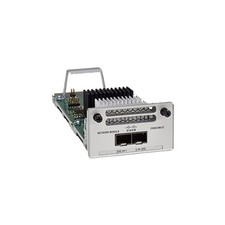
Cisco C9300-NM-2Y - Cisco Catalyst 9300 2 x 25G Network Module New
$550.00

Cisco Catalyst WS-C2960+24TC-S 24-Port Gigabit Managed SFP Switch
$39.99

Cisco ASR 901 Series A901-12C-FT-D Aggregation Services Router 800-40055-01
$180.00

Cisco Catalyst C9130AXI-B WiFi 6 802.11ax Wireless Access Point Brand New
$101.99
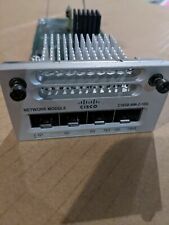
Cisco C3850-NM-2-10G 2 Port Network Exp.Module for 3850
$18.90
Cisco C9500-32QC-A C9500 Series 32x Port 40G or 16x 100G - Dual AC
$1099.00
Cisco Catalyst 3850-48F-L 48-Port UPoE Gigabit Switch NM-4-1G
$59.99

Cisco C3850-NM-2-10G Catalyst 3850 2 x 10GE Network Module
$30.00

Cisco CISCO3945/K9 Integrated Service Router w/ T3/E3, EVM-HD Modules & Licenses
$64.99

Cisco Acacia DP04QSDD-E25-840 400G QSFP-DD Coherent DCO Transceiver Module
$699.99