-
Good to hear you got it going perhaps you could post the steps taken did so people searching the forum will know the solution if they are looking for this subject.
sure..i am a complete newbie!
so excuse me if i posted something which is very obvious
went to this page which was suggested by the page stephen mentioned!
http://w1.894.telia.com/~u89404340/touchpad/files/
downloaded the latest version which is 0.12.1
then went thru these steps
extracted the .bz2 file by right clicking it and doing extract here...
went to the synaptics folder..and read thru the install file which had the instructions
It was a little misleading at times..but good enough
login as root in a shell
go to synaptics directory
Run "make install"
Then go to /etc/X11/ and open XF86config-4 file ( The install file wasnt clear on this!..did some searching to find how devices are listed and came to know abt this file)
Add/Replace in the InputDevice section for the touchpad the
following lines:
Section "InputDevice"
Driver "synaptics"
Identifier "Mouse[1]"
Option "Device" "/dev/psaux"
Option "Protocol" "auto-dev"
Option "LeftEdge" "1900"
Option "RightEdge" "5400"
Option "TopEdge" "1900"
Option "BottomEdge" "4000"
Option "FingerLow" "25"
Option "FingerHigh" "30"
Option "MaxTapTime" "180"
Option "MaxTapMove" "220"
Option "VertScrollDelta" "100"
Option "MinSpeed" "0.02"
Option "MaxSpeed" "0.18"
Option "AccelFactor" "0.0010"
Option "SHMConfig" "on"
# Option "Repeater" "/dev/ps2mouse"
EndSection
5. Add the "CorePointer" option to the InputDevice line at the ServerLayout section:
Section "ServerLayout"
...
InputDevice "Mouse[1]" "CorePointer"
...
Note! You can not have more than one core pointer, so if you want
to use an external mouse too, you have to set all mouse input
devices except one to "AlwaysCore" instead of "CorePointer".
Restart and it shud work hopefully...
However there are more instructions in the "install" file in the synaptics directory

Similar Threads
-
By wanger123 in forum Hardware & Booting
Replies: 0
Last Post: 04-19-2005, 01:16 PM
-
By xtoor in forum General Support
Replies: 3
Last Post: 11-18-2004, 08:12 AM
-
By Wonko in forum Laptops
Replies: 0
Last Post: 04-16-2004, 02:48 AM
-
By clubalien.com in forum Hardware & Booting
Replies: 0
Last Post: 10-18-2003, 12:52 AM
-
By hamatoma in forum Hdd Install / Debian / Apt
Replies: 1
Last Post: 06-12-2003, 12:53 AM
 Posting Permissions
- You may not post new threads
- You may not post replies
- You may not post attachments
- You may not edit your posts
-
Forum Rules


Juniper EX2300 12-Port Gigabit PoE+ Managed Network Switch P/N: EX2300-C-12P
$149.99
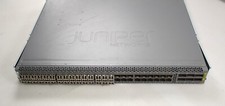
Juniper QFX5100-48S Switch 48x SFP+ 6x QSFP Ports w/ 30x SFP modules 1*DC PSU
$151.80

Juniper Networks AP33 Wireless Access Point Bluetooth WiFi 6 Cloud Managed NIB
$54.99

Juniper Networks EX2200-C 12T-2G 12 Port Gigabit Switch Compact + Cord Tested
$64.99

Juniper EX4100-F-12P Switch 12x 1GbE PoE 2x 10GbE Uplinks 4x 10GbE Stack Ports
$900.00

Juniper EX2300-C 12 Port Compact Gigabit Switch EX2300-C-12p
$99.99

Juniper EX2300-C-12P 12 Port Gigabit PoE+ 2x10G SFP+ Managed Compact Switch
$179.99
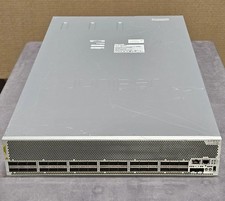
Juniper QFX10002-36Q 36-Port 40GbE QSFP+ 24x 100G Ethernet Switch
$649.99
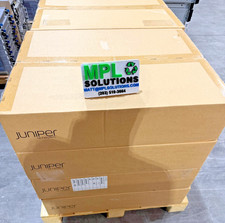
Juniper QFX5100-48T-AFO 48-port 1G/10G RJ-45 ports 6 QSFP ports BRAND NEW SEALED
$999.97

Juniper Networks EX2300-48P 48-Port Gigabit PoE Managed Ethernet Switch
$79.99



 Reply With Quote