

 Reply With Quote
What is the file/path and what error do you get?


I get and error message when i try to delete a program throught knoppix. I have it booted from cd, and just want that one file delelted. Currently my system restore is partition is messed, cause i accidently saved a program on it. All i want to do it remove it, i have seached and read all the faqs, Please help me
What is the file/path and what error do you get?
It's on my hda2, called partion magic.
Could not delete file /mnt/hda2/btmagic.pq/bmabout.pqg
I've logged in as root, the drive it mounted, the permissions are set. it's on a system restore partintion, which i still don't know how i manged to save on.
I think i found an alternative, quick solution, i have been seaching for about an hour now on how to save one program of 4.2 megabits (xp bootable, WinXP_EN_HOM_BF.EXE) on multple floppies. I only got on cd drive, and i am using it to run knoppix =(
Apologies if this is obvious - have you made sure that the volume in question is read/write? By default Knoppix will mount hard disk partitions/volumes as read only. Right click on the volume icon on the desktop and choose unmount from the context menu; right click again, choose properties and clear the read only option on one of the tabs (not running Knoppix/KDE right no so don't have the details); right click once more and choose mount. Now see if you can delete the file in question. Hope this helps.
i'ev read everything i can find. I don't have access to any of my drives even with this method. only one i can read is hda2 to with the recovery partition.
Hi deadsoul,
what is the output of "mount" and "fdisk -l" ? Also "dmesg | less" may give you some hints.
Ciao Martin
A lot of y'all will probably object to this, but any port in a storm, right? Have you tried booting into windows and deleting the file?
ting 100mbps full duplex based on auto-negotiated partner ability 41e1
eth0: Setting 100mbps full duplex based on auto-negotiated partner ability 41e1
mtrr: no more MTRRS avaible (this line repeated 19 times)
I don't have a windows disk to start from, my comp goes to system recovery on boot, and says i don't have one (but i can see it in knoppix), then reboots and goes back to system recovery.
 Posting Permissions


Seagate Exos 7E8 4TB 3.5" SAS ST4000NM0025
$22.00

Seagate Exos X16 ST10000NM010G 10TB 7200RPM SAS 12Gb/s 3.5" 512e/4Kn HDD
$199.00

Western Digital HUS726T4TAL5204 4TB 7.2K SAS 12Gb/s 3.5" 512e HDD NetApp X375A
$69.00

New Western Digital WD40EFPX 68C6CN0 4TB 3.5" SATA III Internal NAS Red Plus HDD
$137.59

Hitachi / HGST Travelstar HTS541010B7E610 1TB 2.5" SATA III HDD
$29.99

Seagate ST6000NM0115 6TB 256MB 7200RPM 3.5" SATA 6.0Gb/s Enterprise Hard Drive
$159.99
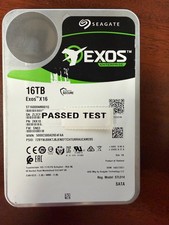
Seagate Exos X16 16TB ST16000NM001G 7200RPM Enterprise HDD*USED GREAT CONDITION*
$319.79

HGST HUS724040ALA640 4TB 7200 RPM SATA 3.5" Internal Desktop Drive 100% Health
$78.00
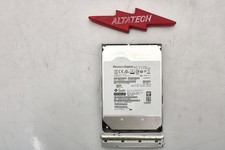
Sun Oracle 7357761 14TB 7.2K 3.5 12G SAS-3 HDD Hard Disc Drive w/ Coral Bracket
$249.99

HUS726060ALA640 HGST Ultrastar 6TB SATA 6Gbps 7.2K 3.5" Hard Drive OF21860
$129.99