

 Reply With Quote
Hi!
Firstly, I'm not sure if you can write on a NTFS volume at all. My recommendation is making one FAT partition on your USB device.
Secondly, your USB device should be /dev/sda1, so try using /mnt/sda1 as destination.
I hope this works


Sorry guys, probably the dumbest possible question, but I need to copy some files from my old system before I install Linux on it (Suse). Anyway, I booted from the Knoppix CD and tried to just copy the files to my USB drive. Just to make sure I made 2 partitions on the USB drive, one NTFS and one Ext3, but I can't copy to either of them. I gave user, group and others read and write rights to the drive, unchecked the 'read only' attribute and both partitions indeed show up as 'writable=YES'. However, when I try to drag the file to either of them, I still get a message 'Could not write to /mnt/sda5/outlook.pst'.
What am I missing here? Any ideas would be more than welcome. Thanks!
Take care, Albert.
Hi!
Firstly, I'm not sure if you can write on a NTFS volume at all. My recommendation is making one FAT partition on your USB device.
Secondly, your USB device should be /dev/sda1, so try using /mnt/sda1 as destination.
I hope this works
I was able to write to floppy, and to burn a data CD...but I've got the same problem, trying to write to a 128MbUSB flash drive, and it's not NTFS, but FAT file system. I was using /mnt/sda1 as destination but it still doesn't work. I must say I'm a novice with Linux, so is it possible at all?
Yes, Knoppix can write to a flash USB drive, I've done it. You may have to remount the drive as read/write, I don't remember. I do know Knoppix will mount your hard drive partitions as read only by default and you have to remount them as read/write to write to them as a safety issue, I expect it's the same for your flash drive. And the advice others gave still goes; write to a FAT partition, don't even think about writing to an NTFS partition. Good luck.Originally Posted by harms
You are assuming that it is only a primary partition on the device if it is an extended partition with a logical drive(s) in the partition then it(they) would start at /dev/sda5.
 Posting Permissions


USB 3.0 Flash Drive 32GB 64GB 128GB Memory Stick Thumb Stick Lot Pack
$826.09

2024 Full Version Office Professional Plus for 1 PC Flash USB Drive
$89.99
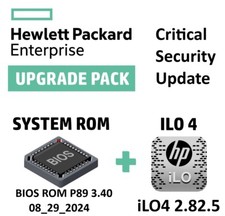
Critical BIOS ROM HPE ProLiant DL60 DL80 Gen9 (U15) U15_3.40_08_29_2024+iLO4
$7.99

2021 Full Version Office Professional Plus for 1 PC Flash USB Drive
$59.99

USB Type-A Flash Drive Metal Memory Stick High Speed USB Drive 128GB 256GB 512GB
$8.47

Microsoft Windows 11 Pro 64bit - New Sealed – Flash USB 1 PC
$49.99

Kingston 32GB 64GB 128GB 256GB USB 3.0 Flash Drive Thumb Memory Stick Pen lot
$285.90
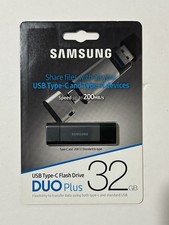
New Samsung DUO Plus 32GB USB 3.1 USB-C Flash Drive Gray MUF-32DB/AM
$19.95

Critical BIOS ROM HPE ProLiant DL160 DL180 Gen9 (U20) U20_3.40_08_29_2024+iLO4
$7.99

Critical BIOS ROM HPE ProLiant BL460cWS46 Gen9 (I36) I36_3.40_08_29_2024+iLO4
$7.99