-
start scripts automatically
I'm using knoppix 3.3 from CD as a firwall for a small network. It works great for this. I'd like to be able to automatically mount the USB flash drive (that contains the firewall script) and run the firewall script at boot w/o any user intervention. I can't figure out how to do this and as of now, I'm manually doing these two tasks. Like I said, the firewall works *great* ... I'd just like to be able to run it automatically. Any ideas? I do not want to do a hdd install.
Thanks!!! 
-
Senior Member
registered user
I auto run a setup script for my modem this way:
I put a shortcut in my autostart folder to run a script that activates my modem at startup. Then when I want to get on the internet, I click on a desktop KPPP icon that connects and launches Mozilla. Here's the script:
#!/bin/bash
# Save this file as modem.sh in /home/knoppix
# Set up a persistent home with Knoppix so files will stay put
# Make a shortcut called Modem on the desktop or in your autostart folder.
# In the shortcut under Execute put: sudo -s /modem.sh
# Check Run in terminal and it will do that as root
# Run this Modem shortcut to dial-up if your modem has not been activated.
# These lines, will be run as root, and activate the Lucent winmodem:
cd /home/knoppix/tmp
mknod /dev/ttyLT0 c 62 64
chmod a+rw /dev/ttyLT0
ln -sf /dev/ttyLT0 /dev/modem
insmod -f lt_modem.o
insmod -f lt_serial.o
# This line changes the user to knoppix, starts KPPP, and connects to MyISP.
# Uncomment the line if you want to use it:
# su knoppix -c 'kppp -c MyISP'
# --------------------------
# Make a desktop shortcut called KPPP. In the shortcut
# Under Execute put: kppp -c MyISP
# Where "MyISP" is the name of your dial-up account
# Run this KPPP shortcut to dial-up if your modem has already been activated.
# Set KPPP to redial on disconnect if pppd always dies on the first try.
# In KPPP, under your account, execute, on connect, put: mozilla
# If you want Mozilla to launch automatically on connect.
I use a custom autostart folder so that Konqueror doesn't launch every time I start Knoppix:
Right click on the desktop, click configure desktop, then paths, to make the change. I use: /home/knoppix/autostart. Then move showindex.desktop out and put the modem shortcut in.
Similar Threads
-
By sunburnt in forum Tips and Tricks
Replies: 5
Last Post: 05-28-2005, 05:39 PM
-
By ghetto_blaster in forum Hdd Install / Debian / Apt
Replies: 1
Last Post: 05-16-2005, 09:09 AM
-
By Mr.45er in forum General Support
Replies: 2
Last Post: 10-06-2004, 01:21 AM
-
By Zero_1984 in forum Hdd Install / Debian / Apt
Replies: 6
Last Post: 09-28-2004, 04:57 AM
-
By paradox87 in forum Hdd Install / Debian / Apt
Replies: 2
Last Post: 06-16-2004, 11:38 PM
 Posting Permissions
- You may not post new threads
- You may not post replies
- You may not post attachments
- You may not edit your posts
-
Forum Rules

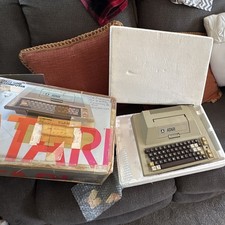
Atari 400 Vintage Home Computer System w/ Original Box MPN Atari 400
$175.00
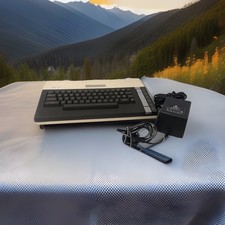
ATARI 800 XL 8-Bit Computer w/ Power Supply
$169.00

Atari 800XL Home Computer - For Parts only
$99.95

DEFECTIVE Atari 810 Vintage Computer Disk Drive powers on Unit Only Boo G3D
$55.24

Fujinet 1.7.1 Atari 400 800 800XL 130XE 65XE XEGS Assembled, Tested, Working
$99.99
Vintage Atari 1200XL Home Computer System - NO Power Supply - UNTESTED
$224.98

Atari 810 FLOPPY DISK DRIVE ● UNTESTED READ
$35.99
VTG Atari 1200XL Home Computer System 1200 XL ** Tested ** Parts or Repair
$248.75

Atari 400 Computer System console with Power Supply TESTED and Working
$160.00

Atari 800 8-bit Computer System 48k Tested Power. Has Cords And Left Cartridge
$279.95



 Reply With Quote