

 Reply With Quote
use <Insert> <Special character>. Then select a font with chinese "letters" (f.e. Fangsong TI) and search the desired character.
This is only useful if You need not so much chinese text.
I didn't see a chinese keyboard layout in knoppix.


Can somebody guide me through on how to enter Chinese characters in OpenOffice?
I am using KNOPPIX and OO1.1.
use <Insert> <Special character>. Then select a font with chinese "letters" (f.e. Fangsong TI) and search the desired character.
This is only useful if You need not so much chinese text.
I didn't see a chinese keyboard layout in knoppix.
There is a Chinese version of Knoppix available here:
ftp://cle.linux.org.tw/pub/KNOPPIX/bv1al/
Thanks knixkw but where is the <special character> key?
Do I have to do some configuration before that?
Open Office 1.1 has a menu <insert>. In this menu select the item <special character>.
Don't linux have something where I could input like in Windows (type in han yu pin yin)?
 Posting Permissions


OPNsense pfSense 8-Core Atom C3758 2.2GHz 8GB DDR4 64GB SSD 8x NIC QAT AES VPN
$115.00

Microsoft SQL Server 2019 Enterprise 40 Core Unlimited CAL Retail License FPP
$299.00

OPNsense Firewall VPN QAT 8-Core Atom C3758 2.20GHz 16GB DDR4 128GB SSD 8xNIC
$175.00

Novell SUSE Linux Enterprise Server 9, Linux Professional 8.2 / 9.1 — 3 DVD Set
$58.00

Ubuntu Server 26.04.1 LTS Bootable USB Flash Drive – Latest September 2026
$12.99

Start9 Server Pure 32GB 4TB Intel i7 Node StartOS — Box + PSU
$649.00

All New Ubuntu 26.04 LTS Linux Bootable USB Flash Drive
$15.95
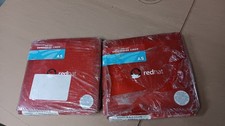
Brand New Genuine Red Hat Enterprise Linux AS (Advanced Server) Version 3
$39.99
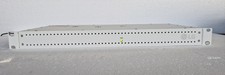
LG PCS200S Pro:Centric Server Hospitality TV Management System 1U Rackmount
$350.00

SQL Server 2022 Enterprise 96 Core License & DVD Unlimited CALs with CoA
$284.99