

 Reply With Quote
Hmm, well I'm using like 10-23-2003 Knoppix for this (Took 4 hours to download that, dont feel like getting another one till theres some major improvement)


I tried copying XF86Config-4, but that only worked on my knoppix-installer 20031119 as knoppix box. If I try to do this with my knoppix-installer 20031119 as debian box, X crashes on boot-up!
BTW, you can mount a partition from the desktop as read/write. Click on the partition's icon to mount it. Then right-click it to "change read/write mode."
Thanx,
Hmm, well I'm using like 10-23-2003 Knoppix for this (Took 4 hours to download that, dont feel like getting another one till theres some major improvement)
It is a BIOS setting issue. Go into your BIOS and into the "Integrated Peripherals" section and change the silly "1 MB" shared video memory to "8 MB" and you won't need any fancy kernel command line options to get any resolution working on a Dell Optiplex GX's onboard video chip.Originally Posted by A. Jorge Garcia
OK, good! However, why would I need 8MB VRAM? The highest res and color combo i810 has is 1024x768x24 which is less than 3MB.
TIA,
Well, the last time I was near a Dell Optiplex GX270, it didn't have any choices other than "1 MB" and "8 MB" in the BIOS for the ram it uses for onboard video and choosing "1 MB" meant I couldn't get more than 640x480 at 16 bit in ANY distro of linux (yet somehow Windows got 1024x768 @ 24bit just fine without needing the change, probably something the included driver pulled off without telling the Linux developers how to do it) on the machine while choosing "8 MB" let me go as high as 1024x768 @ 24 bit without problems. So, even if it is 3 MB or less of usage for that resolution, you would have to choose the only choice higher than "1 MB" in the BIOS to use it in linux.
Got it, however, I notice now for the first time since I switched to a hdinsatll in my lab at school that I no longer get the "BIOS login screen" that used to say "hit F12 for BIOS and F11 for something else?" Even if I hit F12 during boot-up, nothing happens. I get the lilo screen choices and thats it! How do I get into the BIOS again to change to 8MB VRAM?
TIA,
Try holding the key to get into the bios (I forgot which it was, either F2 or something) while pressing the power button or press and hold it immediately after you hit the power button. You have to be fast or it boots the hard drive.
OK, the F2/F12 screen goes by too fast if the monitor is not already awake. Anyway, I reset the 8MB VRAM on all my stations. All the clients now do 800x600x16 and the server does 1024x768x24.
One problem, one of the client's monitors just flashes all the lights on the front panel right after switching to runlevel 5 when set to 8MB and it gets stuck. At the 1MB setting I get the kdm login screen at 640x480x16 as before. Anyone experience this problem?
TIA,
AJG
OK, first I thought it was a RAM problem due to the BIOS setting, but when I switched back to 1MB, 640x480x16 works ok.
Then I thought it was a defective Monitor as the whole lab has the exact same hardware and the exact same install (knoppix-installer as debian 20031119). So I swaped monitors with a working station and got the same blinking lights and no video again.
Then in kxconfig I changed from a generic/i810 card to an intel/i810 card and changed the Xres to 1024x768. After rebooting I get the same problem, but the output worked fine on my LCD projector! the generic seting does too.
So, I find that the problem is the wrong monitor default in kcontrol (ie: kxconfig). On all the other PCs it defaults to dell/della000. On this PC, the dell monitors listed are all different so it defaulted to monitor0/monitor0???
BTW, its really a Dell E551 monitor. I'm reinstalling the whole knoppix partition right now in hopes of correcting the incorrect monitor data....
Any other suggestions are welcome!
TIA,
AJG
If you have the proper horizontal and vertical settings for the monitor then you do not the Load "ddc" that is most likely in the file and may be causing problems by detecting the monitor wrong so comment that line out in your XF86Config-4 and make sure of the setings and restart the xserver and see if that helps.
 Posting Permissions


Commodore Amiga 500 Vintage Computer A500 No Power Supply
$249.95

Amiga 1000 Computer w/ Monitor Keyboard Mouse Disc Drive Sidecar Expansion Discs
$1175.00

GVP 68030 33MHz Accelerator Amiga 2000 68882 4MB TESTED Manuals Software
$339.99

Commodore Amiga 1010 External 3.5” Floppy Disk Drive A500 A1000 A2000 UNTESTED
$115.00
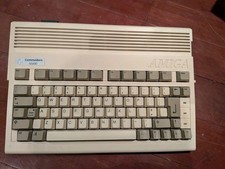
Commodore Amiga 600 Computer w/ PIStorm Framethrower Recapped, Caffeine OS NTSC
$799.99
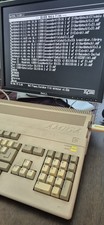
COMMODORE AMIGA 500 WITH GOTEK NTSC,NO PSU ,NO MOUSE ,NO MONITOR ,TESTED
$355.00
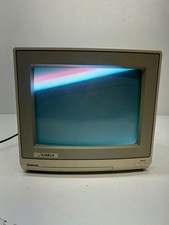
Vtg Amiga Computer Monitor Commodore 13" Screen W/ Power Cord Powers On As Is
$279.95
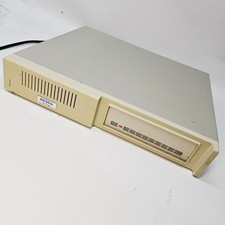
Vintage XETEC FASTRAK SH Series SCSI Hard Disk System FTCA Commodore Amiga 1
$298.99
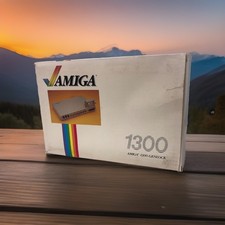
OPEN BOX - AMIGA Genlock Interface Vintage Video Adapter 1300- GREAT
$329.95
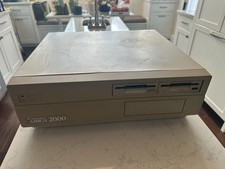
PAL Commodore Amiga 2000 Vintage Computer Works Dual 3.5" NICE READ
$529.00