

 Reply With Quote
In your KDE control panel under Regional & Accessibility -> Keyboard Shortcuts
you can use the windows key in combinations, e.g. Win+z.
I'm not sure how to make it pop up the "start" menu like in windows..


Anyone know how I can get my useless windows key to work (like it does in Windows)?
In your KDE control panel under Regional & Accessibility -> Keyboard Shortcuts
you can use the windows key in combinations, e.g. Win+z.
I'm not sure how to make it pop up the "start" menu like in windows..
I use that exact shortcut combination to popup the menu, when opening the Keyboard shortcuts look for the Panel option then Popup Launch Menu and add a combination as the alternative to the already existing ALT + F1 that is there. You could try using it as a single key but I recall having problems with it not wanting to add a single key it wanted combinations.Originally Posted by eadz
Thanks for the replies...
Though I think I have tried it that way before (unsuccessfully) some time ago, I'll give it another go (tonight, when I get home).
 Posting Permissions


Broadcom LSI 9305-16i 12Gbps SAS-3 PCIe x8 HBA 16-Ports Raid Controller
$64.99

Broadcom 9600-24i Tri-Mode RAID Controller 4.0 NVMe SAS SATA NEW 05-50111-01003
$639.69

9300-8i LSI SAS3008 8-Port 12Gb PCIe IT mode ZFS FreeNAS unRAID 2*SFF-8643 US
$49.50

CalDigit VR minin 2 Portable Raid Storage On The Go
$75.00
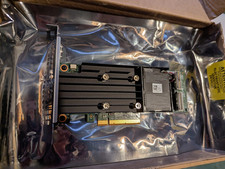
Dell PERC H755 8GB NV 12Gb/s Pci-e RAID controller card 29XMF Full Height
$899.00

OWC Mercury Elite Pro 2 Bay RAID Enclosure with USB 3.2 for Dual 3.5 inch HDDs
$87.99

LSI 9260-8i 512MB SAS SATA 8-port PCI-E 6Gb RAID Controller Card US
$29.88
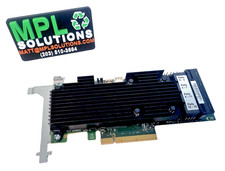
LSI Oracle 9361-16i 16-Port 12Gb SAS PCIe RAID Controller 7332895
$77.97
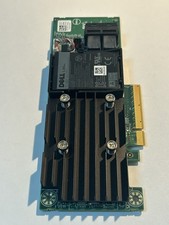
Dell 01M71J PERC H740P 12Gbps PCI-E SAS RAID Controller 1M71J
$70.00
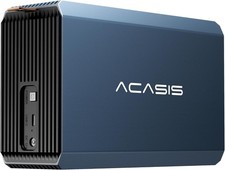
2-Bay RAID Enclosure for 2.5/3.5" SATA HDD/SSD External Hard Drive, USB 3
$59.99