

 Reply With Quote
In your KDE control panel under Regional & Accessibility -> Keyboard Shortcuts
you can use the windows key in combinations, e.g. Win+z.
I'm not sure how to make it pop up the "start" menu like in windows..


Anyone know how I can get my useless windows key to work (like it does in Windows)?
In your KDE control panel under Regional & Accessibility -> Keyboard Shortcuts
you can use the windows key in combinations, e.g. Win+z.
I'm not sure how to make it pop up the "start" menu like in windows..
I use that exact shortcut combination to popup the menu, when opening the Keyboard shortcuts look for the Panel option then Popup Launch Menu and add a combination as the alternative to the already existing ALT + F1 that is there. You could try using it as a single key but I recall having problems with it not wanting to add a single key it wanted combinations.Originally Posted by eadz
Thanks for the replies...
Though I think I have tried it that way before (unsuccessfully) some time ago, I'll give it another go (tonight, when I get home).
 Posting Permissions


Vintage LOT 1980s Rainbow Apple Computer Sticker/Decal - 21
$49.99

Vintage Apple iMac G4 15" Lamp 700MHz 512MB Mac OS X 10.4.6 W/ Pro Speakers
$300.00
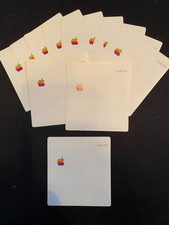
11 Vintage Apple 3.5" Floppy Disc Label
$10.00
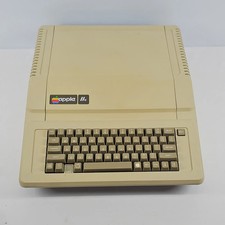
Apple IIe Vintage Personal Computer A2S2064
$199.99
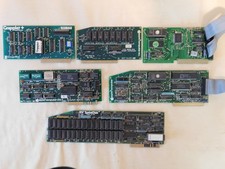
Apple Computer cards Super Serial SCSI AST -Orange Micro ++ Vintage 1980's
$169.00

Rare Vintage Macintosh Apple Wooden Disk Storage Box Dovetailed
$69.95

Lot of 3 VIntage Apple Computer Rainbow Logo Sticker Decal Macintosh 1980s NOS
$7.00
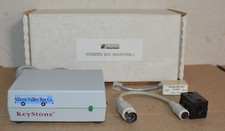
Kineses PS/2 Keyboard to Macintosh Adapter Converter Vintage Interface Apple
$60.00

VINTAGE Apple Mac OS X Computer Monitor
$250.00

Vintage Apple Macintosh M1212 Color Display Monitor *Untested*
$69.99