-
Senior Member
registered user

Originally Posted by
eadz
In your KDE control panel under Regional & Accessibility -> Keyboard Shortcuts
you can use the windows key in combinations, e.g. Win+z.
I'm not sure how to make it pop up the "start" menu like in windows..
I use that exact shortcut combination to popup the menu, when opening the Keyboard shortcuts look for the Panel option then Popup Launch Menu and add a combination as the alternative to the already existing ALT + F1 that is there. You could try using it as a single key but I recall having problems with it not wanting to add a single key it wanted combinations.
Similar Threads
-
By fab1976 in forum General Support
Replies: 2
Last Post: 01-28-2004, 11:10 PM
-
By legal in forum Hdd Install / Debian / Apt
Replies: 0
Last Post: 01-15-2004, 04:33 PM
 Posting Permissions
- You may not post new threads
- You may not post replies
- You may not post attachments
- You may not edit your posts
-
Forum Rules


Kingston 32GB 64GB 128GB 256GB USB 3.0 Flash Drive Thumb Memory Stick Pen lot
$285.90

Lot Of 8 Micron 8GB 2Rx8 PC4-2666V-RE2-11 ECC REG Server Ram MTA18ASF1G72PDZ-2G6
$210.00
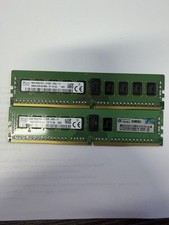
2X - SK Hynix 8GB (16GB) 2Rx8 PC4 2133P ECC HMA41GR7AFR8N-TF Server Memory RAM
$61.95
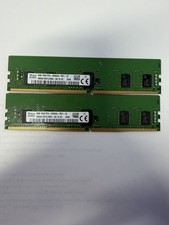
LOT OF 2 SK Hynix 8GB 1Rx8 PC4-3200AA ECC HMA81GR7CJR8N-XN
$89.95

USB 3.0 Flash Drive 32GB 64GB 128GB Memory Stick Thumb Stick Lot Pack
$826.09

USB 3.0 Micro SD SDHC TF Card Reader Memory Adapter for PC Laptop Camera lot
$3.75
Micron 64GB 4DRX4 PC4-2400T-LE2-11 MTA72ASS8G72LZ-2G3B2MG DDR4 Server RAM KD313
$229.98

128GB (4x32GB) SK hynix DDR4 PC4-2666V RDIMM ECC Server Ram HMA84GR7CJR4N-VK
$799.00
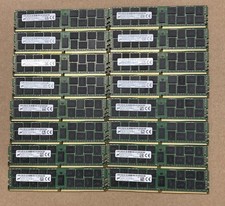
Lot Of 16Micron MTA36ASF2G72PZ-2G1A2IJ 16GB 2Rx4 PC4-2133P-RB0-10 ECC Server Ram
$960.00

TF/SD Card Adapter Camera Reader Android Type-c For iPhone17 Pro Max Plusm lot
$573.98



 Reply With Quote