-
Junior Member
registered user
Linux noob.. few questions getting set up..
Hi.. i've been playing around for a little bit now.. and have come up against a few questions.. im pretty much self taught so don't know much in a lot of depth..
i just need a little advice on saving my mounts.. where do i set these? i don't want to have to log in each time and mount my devices :/
how do you create a shortcut for amsn? at the moment i have to create a terminal session open up the dir then exec by typing ./amsn - surely theres an easier way?
how do you set a default browser? im using firebird at the moment.. and find when clicking on links inside evolution it opens up in konqueror.. can this be changed?
sorry for all the questions.. it's never easy starting out! thanks for any help in advance..
-
Senior Member
registered user
Re: Linux noob.. few questions getting set up..

Originally Posted by
koma
Hi.. i've been playing around for a little bit now.. and have come up against a few questions.. im pretty much self taught so don't know much in a lot of depth..
i just need a little advice on saving my mounts.. where do i set these? i don't want to have to log in each time and mount my devices :/
how do you create a shortcut for amsn? at the moment i have to create a terminal session open up the dir then exec by typing ./amsn - surely theres an easier way?
how do you set a default browser? im using firebird at the moment.. and find when clicking on links inside evolution it opens up in konqueror.. can this be changed?
sorry for all the questions.. it's never easy starting out! thanks for any help in advance..
The mounts are controlled by in the /etc/fstab by the lines for the mount in the file, remove the no in the noauto in the line and they will be mounted on boot. To create the shortcut either use the kappfinder to see if kde sees the program on the system and never put it in the menus or use the menu editor and create a shortcut if it is not seen by the kappfinder both options are in the system menu. For the webbrowser open Konqueror and go to the settings menu then configure konqueror next file associations and move or add firebird if not already in the dialog for the associations for the file type .html to the top of the list for the associated type for html.
Similar Threads
-
By Caboose in forum Laptops
Replies: 0
Last Post: 04-08-2005, 07:44 PM
-
By chc05dude in forum General Support
Replies: 0
Last Post: 06-29-2004, 06:13 AM
-
By Phatmonkey in forum General Support
Replies: 2
Last Post: 06-18-2004, 12:56 AM
-
By evirus in forum General Support
Replies: 4
Last Post: 05-18-2004, 05:35 PM
-
By tsunamimedia in forum General Support
Replies: 1
Last Post: 09-05-2003, 04:46 AM
 Posting Permissions
- You may not post new threads
- You may not post replies
- You may not post attachments
- You may not edit your posts
-
Forum Rules


Western Digital HUS726T4TAL5204 4TB 7.2K SAS 12Gb/s 3.5" 512e HDD NetApp X375A
$64.00

DELL 2TB Enterprise HDD (7200RPM, 3.5", SATA III, 128MB Cache) HUS722T2TALA600
$49.95

HDD 3.5" SATA Hard Drive with Windows 10/Win 11 64x Installed Legacy
$35.00

Seagate ST8000NM0075 Enterprise Capacity 3.5 HDD 8TB SAS Hard Drive 8TB EXOS
$184.99

Dell ST6000NM0034 1HT27Z-150 NWCCG 6TB SAS 3.5 7.2K ENTERPRISE SERVER DRIVE
$68.99

Western Digital Blue (7200RPM, 3.5", SATA III, 64MB Cache) 1TB HDD
$19.90

Seagate ST3000NM0005 HDD 3TB SATA 6Gb/s 7.2K 3.5" 512 b/s
$59.00
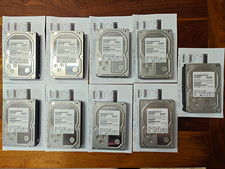
Hitachi Ultrastar 3TB 7200RPM 3.5in SATA III 6Gb/s - enterprise-grade hard drive
$49.00

HUS726060ALA640 HGST Ultrastar 6TB SATA 6Gbps 7.2K 3.5" Hard Drive OF21860
$129.99

Western Digital 1TB 3.5" SATA III 7200RPM Desktop Hard Drive
$34.99



 Reply With Quote