-
few questions about Knoppix installed on HD
I have just installed Knoppix on my hard disk and it is wonderful, but
still I have few questions.
I would like to mount my fat partition
(I have a dual system) in read-write mode. How to do that?
Under Red Hat I just wrote a mount command in /etc/rc.d/rc.local
but there is no such file in Knoppix.
Also, there is a little problem: if I reboot from Knoppix, the machine
halts: I need to turn off the power and restart it. Then Lilo shows
up and I can choose Windows XP or Knoppix correctly. If I shutdown
from Knoppix, everything works fine except that the machine is not
automatically turned off. Is this expected behavior?
Anyway, I am really impressed by Knoppix and I am seriously
thinking of switching from Red Hat.
TIA,
Michele
-
Senior Member
registered user
Re: few questions about Knoppix installed on HD

Originally Posted by
micheles
I have just installed Knoppix on my hard disk and it is wonderful, but
still I have few questions.
I would like to mount my fat partition
(I have a dual system) in read-write mode. How to do that?
Under Red Hat I just wrote a mount command in /etc/rc.d/rc.local
but there is no such file in Knoppix.
Also, there is a little problem: if I reboot from Knoppix, the machine
halts: I need to turn off the power and restart it. Then Lilo shows
up and I can choose Windows XP or Knoppix correctly. If I shutdown
from Knoppix, everything works fine except that the machine is not
automatically turned off. Is this expected behavior?
Anyway, I am really impressed by Knoppix and I am seriously
thinking of switching from Red Hat.
TIA,
Michele
You need to check the line for the mount in the /etc/fstab and change the noauto to auto and make sure that rw is in the line instead of ro if it is there (BTW this is how you should have done it in Redhat as well). For the power problems when you get to the lilo screen start type Linux noacpi then enter to pass the option to the kernel to boot without the acpi it is having a conflict with the apm that is being used for the shutdown. If this works then edit /etc/lilo.conf and add the noacpi option to the append line that is already in the file then save it and run /sbin/lilo -v to write the changes to the disk note: this assumes that your knoppix install is called Linux in the lilo screen substitute the with name displayed if necessary.
-
Thanks, I will try it (BTW, I was forced to that "escamotage" in
Red Hat since changing fstab didn't worked, dunno why).
Similar Threads
-
By Zero_1984 in forum Networking
Replies: 1
Last Post: 09-01-2004, 03:49 AM
-
By lmsaga in forum Hdd Install / Debian / Apt
Replies: 8
Last Post: 04-24-2004, 08:50 AM
-
By Zhukov in forum General Support
Replies: 4
Last Post: 03-05-2004, 10:32 PM
-
By waynejkruse10 in forum Hdd Install / Debian / Apt
Replies: 2
Last Post: 10-24-2003, 10:25 PM
-
By blahblahblah in forum General Support
Replies: 7
Last Post: 08-18-2003, 03:35 AM
 Posting Permissions
- You may not post new threads
- You may not post replies
- You may not post attachments
- You may not edit your posts
-
Forum Rules


OWC Mercury Elite Pro 2 Bay RAID Enclosure with USB 3.2 for Dual 3.5 inch HDDs
$87.99

EMC KTN-SL3 15-Bay Disk Array Enclosure w/2x 303-108-000E Cards, Dual PSU,No HDD
$239.99

Broadcom MegaRAID 9480-8e Fujitsu PRAID EP540e SAS RAID Card (Replac 9380-8e) 8i
$228.00

G-Technology G-SPEED Studio XL 48TB Thunderbolt 2 Storage - Housing Only
$200.00

Broadcom LSI 9305-16i 12Gbps SAS-3 PCIe x8 HBA 16-Ports Raid Controller
$64.99

Dell PowerEdge HBA330 LP PCI-E 12GBs RAID SAS Controller Adapter J7TNV
$18.95
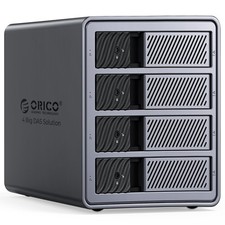
ORICO 4 Bay Raid Hard Drive Enclosure Support 8 RAID Modes for 3.5inch HDD 88TB
$130.00

NVME M.2 Adapter Card PCIE X16 Splitter Expansion Controller 4-Disk Soft RAID
$24.43
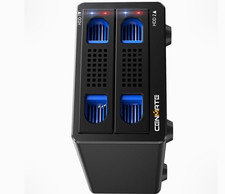
CENMATE Dual Bay USB 3.0 RAID Enclosure for 2.5/3.5 SATA HDD/SSD
$69.00

Broadcom 9600-24i RAID Controller PCIe Gen 4.1 Tri-Mode NEW 05-50111-01004
$649.99



 Reply With Quote