

 Reply With Quote
Perhaps one of the following cheat codes will help:
Try "knoppix pci=irqmask=0x0e98" at boot prompt.
Try "knoppix nowheelmouse" at boot prompt.


i tried using knoppix on the said laptop and at first, everything went well, but as soon as the GUI interface starts, my mouse cursor just stays in the middle and when i try to move the cursor using the finger pad, it won't move at all. I also tried to reboot it and connected a ps/2 mouse, but then again, the same problem occurs: the finger pad does not work as well as the ps/2 mouse...
what can i do?
Perhaps one of the following cheat codes will help:
Try "knoppix pci=irqmask=0x0e98" at boot prompt.
Try "knoppix nowheelmouse" at boot prompt.
apparently, the codes didn't work... thanks anyway...
FYI, i'm also using the fb1280x1024 boot option since the GUI is garbled up when i try using it with the standard "knoppix boot options...
pls help... anything else i can do?
I think, the Armada E500 has a LCD of 1024x768 pixels.
Try fb1024x768, please.
Hi,
I have an Armada 500. I am typing this message on one right now.
It has an 800x600 resolution, but I suppose models have been made with larger screens.
I also had GUI problems.
When booting, it complained about invalid options and asked me to select a correct one from a list or just hit enter. I always hit enter and it worked.
I found the solution though: the first line in /etc/lilo.conf was the culprit.
It reads something like: VGA=791
This number represents the framebuffermode during boot. And 791 is a 16-bit 1024x768 resolution. Too much for my box. A 16-bit 800x600 would be 788.
After that, no more problems with GUI.
Cheers,
JR
Hi,
Me again...
I forgot that I was actually going to say something about my mouse.
I have a two-button-and-scollwheel mouse connected through ps2. It says compaq on the mouse, but it is a logitech mouse really.
Both the touch pad and the mouse work fine.... most of the time.
It does happen that the computer fails to detect them. Sometimes at boot, sometimes when I switch consoles with Ctrl-Alt-Fx. Restarting X usually helps but it is very annoying. It is the one reason why I might kick knoppix off the harddisk and try mepis instead. Otherwise 10 out of 10 for knoppix on this machine...
But here's my mouse config:
Perhaps this is of any help to you.Code:Section "ServerLayout" Identifier "XFree86 Configured" Screen 0 "Screen0" 0 0 InputDevice "Keyboard0" "CoreKeyboard" InputDevice "PS/2 Mouse" "CorePointer" # Serial Mouse not detected # USB Mouse not detected EndSection Section "InputDevice" Identifier "PS/2 Mouse" Driver "mouse" Option "Protocol" "imps/2" Option "ZAxisMapping" "4 5" Option "Device" "/dev/psaux" Option "Emulate3Buttons" "true" Option "Emulate3Timeout" "70" Option "SendCoreEvents" "true" EndSection
Perhaps someone can tell me if the source of my problems is in here...
Cheers,
JR
 Posting Permissions


Intel Core i7-3770K 3.5 GHz Processor
$39.00

Intel Core i7-9700 3.0 GHz Octo-Core (SRG13) Processor
$79.00
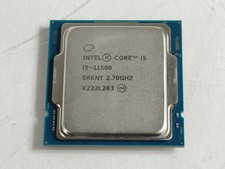
Intel Core i5-11500 2.70 GHz LGA 1200 Desktop CPU Processor SRKNY
$94.99
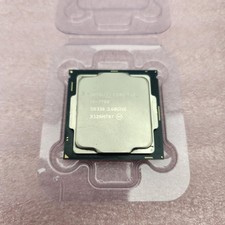
Intel Core i7-7700 SR338 3.6GHz 4-Core LGA 1151 Kaby Lake CPU Processor - Good
$39.99

Intel 4th Gen Core i7-4790 SR1QF 3.60GHz (Turbo 4.00GHz) 8M 4-Core LGA-1150 CPU
$39.99

Intel Core i7-7700T 2.9GHz 8MB Socket LGA1151 Quad Core Processor SR339
$39.99

Intel i7-8700 Coffee Lake 3.2GHz 6-Core Max Turbo 4.6GHz Processor
$69.99

Intel Core i7-9700 SRG13 3.0 GHz Desktop CPU
$80.00

Intel 6th Gen Core i7-6700K 4.0GHz (Turbo 4.2GHz) 4-Core LGA1151 CPU SR2L0
$38.00
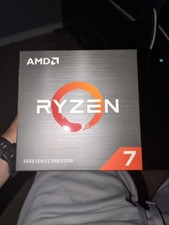
AMD Ryzen 7 5800XT 8-Core, 16-Thread Unlocked Desktop Processor
$179.99