

I give up. I have pored over FAQ pages, tried everything I know how to do, and even asked for help on IRC (thus illustrating how desperate I was). I still have been unable to fix this problem. I turn here for some assistance.
Here's the deal. I'm running a 3.3 installation (not the latest - the 24-Sep-2003 build) from my hard drive. with the stock 2.4.22 kernel it came with. I am using the command-line combination of mkisofs + cdrecord to burn data CDs that I need to be readable under Windows as well, so I can share their contents with my non-Linux using friends. (Don't worry, it's nothing illegal - just pictures and stuff. Shame that I feel compelled to add that...) This has always produced readable CDs in the past... until just recently, after my upgrade to 3.3.
After my upgrade, when I try to access the burned discs under Windows (both 98 and XP), I get repeated "File Not Found" errors - even though the filesize seems correct. Nor can I access anything that's in a directory any lower than the CD's root.
I realized what the problem was after doing some research - the default kernel for my Knoppix build must not have Joliet extensions enabled by default. So, I apt-got the kernel-source package (2.4.22) from my local Debian mirror, but found what I got to be in an unconfigurable state. Undaunted, I simply grabbed the straight-up source package from kernel.org, and went through the process of building and installing a custom kernel. This ended up with A) an unbootable kernel, even after following all instructions to the letter, B) an unbootable old kernel for some reason, and C) one very agitated user ready to throw his computer out the window.
I'm right now in the process of updating to the newer 3.3 build, in the hopes that the Joliet file issue is dealt with. If not, however, I'd appreciate knowing where I went wrong. Should I just downgrade back to 3.2 if I want to burn "proper" CDs?
Note: The reason I don't include any output information from mkisofs or cdrecord is because the discs all appear to have burned properly. There are no errors to report, and the discs are perfectly readable from any Linux box I have. Thus, the output info wouldn't be of much help; the system thinks everything is hunky-dory.
The commands I am using are:
mkisofs -r -J -o iso-file ./filenames-to-burn
and
cdrecord -v -speed=## dev=scsi-id -data ./iso-file
The version numbers involved are:
mkisofs: 2.01a16
cdrecord: 2.09a19
 Posting Permissions


Kingston 32GB 64GB 128GB 256GB USB 3.0 Flash Drive Thumb Memory Stick Pen lot
$285.90

SK Hynix 32GB 4Rx4 PC4-2133P-LD0-10 HMA84GL7MMR4N-TF TD DDR4 Server Memory RAM
$110.00

TF/SD Card Adapter Camera Reader Android Type-c For iPhone17 Pro Max Plusm lot
$573.98

Micron MTC40F2046S1RC48BA1 DDR5 64GB (1x64GB) 4800MHz RDIMM ECC Server Memory
$2999.99

Lot Of 16 X 16GB ECC DIMM Server Memory SK Hynix HMA42GR7MFR4N-TF PC4-17000 DDR4
$800.00

USB 3.0 Flash Drive 32GB 64GB 128GB Memory Stick Thumb Stick Lot Pack
$826.09

SK Hynix HMA84GR7DJR4N-WM 32GB (1x32GB) 2RX4 PC4-2666V DDR4 Server Memory
$199.99

Intel Optane NMA1XXD128GPS DDR4 2666 4Rx4 ECC 128GB Server Ram
$80.00
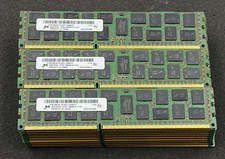
LOT OF 30 8GB 2Rx4 PC3L-10600R-9-11-E2 MT36KSF1G72PZ-1G4M1FF DDR3 Server RAM
$274.99

Lot Of 50 8GB DDR4 RAM PC4-2666V-UA2 DIMM Desktop Memory Mixed Brands TESTED
$1750.00


 Reply With Quote