-
Senior Member
registered user
On the winxp ics server side:
Right click the home netcard > properties, CHECK "Internet Protocol (TCP/IP)", then click on properties > check "Use the following IP address" and input 192.168.0.1 as ip, and
255.255.255.0 as subnet mask, other fields are left blank.
On the knoppix client side:
ifconfig eth0 192.168.0.200 netmask 255.255.255.0 up
route add default gw 192.168.0.1 eth0
echo nameserver 192.168.0.1 >> /etc/resolv.conf
That is how to make knoppix be an ICS client. Sounds like you want to make knoppix into a gateway/router though...
Similar Threads
-
By nteixeira in forum General Support
Replies: 7
Last Post: 12-29-2004, 06:53 PM
-
By Skaman in forum General Support
Replies: 1
Last Post: 10-19-2004, 01:39 AM
-
By marcmdm in forum Hardware & Booting
Replies: 4
Last Post: 08-30-2004, 03:01 PM
-
By linuxknewb in forum General Support
Replies: 1
Last Post: 08-21-2004, 05:37 PM
-
By Raineri in forum General Support
Replies: 2
Last Post: 09-24-2003, 10:46 PM
 Posting Permissions
- You may not post new threads
- You may not post replies
- You may not post attachments
- You may not edit your posts
-
Forum Rules


GIGABYTE A520M DS3H AC AMD AM4 Motherboard mATX
$59.99
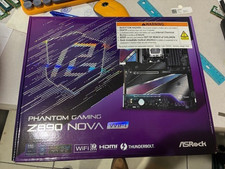
ASRock Z890 Nova WiFi LGA 1851 Intel Z890 ATX Motherboard
$184.99
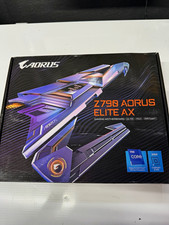
GIGABYTE Z790 AORUS ELITE AX ATX Intel LGA1700 DDR5 Wi-Fi 6E Gaming
$125.00

Intel H310 LGA1151 8-9th Gen DDR4 M.2 NVMe mATX Motherboard IO Shield Battery
$54.99

GIGABYTE B365 HD3 LGA1151 Intel 9th Gen motherboard
$59.99

ASRock B550M PRO4 AM4 AMD B550 SATA 6Gb/s Micro ATX AMD Motherboard
$76.49

ASUS PRIME Z370-A II LGA 1151 Intel Z370 DDR4 DIMM USB3.1 DVI ATX RGB
$69.99

Intel H81 Motherboard M.2 NVMe LGA 1150 mATX w/ IO Shield (Random Slot Color)
$29.99
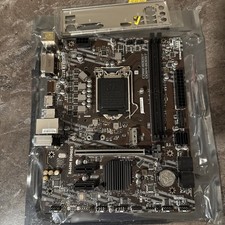
MSI B460m-Bomber LGA 1200 Intel 10th Gen B460 M-ATX Intel Motherboard
$59.99

ASUS PRIME Z490-P LGA 1200 Intel Z490 SATA 6Gb/s ATX Intel Motherboard NEW
$121.45



 Reply With Quote