-
Senior Member
registered user

Originally Posted by
drbfunk
Thanks Bartman. It's been awhile since I've checked back because the site seemed to be down for a couple days.
Anyway. I did the commands and they worked; I got the contents of the usb drive to display in the shell konsole. But I stilll cannot access the contents from my desktop. And, in the gvim /etc/fstab the word usbdevfs still appears as red. Am I correct in assuming that this word is foriegn to the OS?
thanks,
Dr. B
The colours would be the syntax highlighting in gvim. To get access to the device from the desktop you would edit the /etc/fstab and put a line in it for the /dev/sda1 to be able to make a shortcut on the desktop.
Code:
/dev/sda1 /pendrive auto rw,noauto,user 0 0
Now I am not sure of this line I do not have any device to test it with so someone may have a better solution. For this to even have a chance to work you have to use mkdir /pendrive as root to make a directory for the mount point /pendrive you can call this whatever you want too you would just put your choice in the /etc/fstab line in the pendrive's place. Now you should be able to create a shortcut on the desktop by right clicking and choosing create new then Hard Disc and in the device tab choose the /dev/sda1 and make sure the read only is unchecked name the shortcut as you want it to appear on the desktop and save the shortcut. Now plug in the drive and see if you can access it through the shortcut.
Similar Threads
-
By Phishman in forum Networking
Replies: 8
Last Post: 02-25-2005, 11:01 AM
-
By swishsticks in forum General Support
Replies: 3
Last Post: 10-17-2004, 06:08 PM
-
By liquid134 in forum Hdd Install / Debian / Apt
Replies: 3
Last Post: 04-30-2004, 07:07 PM
-
By gizmo in forum General Support
Replies: 2
Last Post: 04-17-2004, 05:12 PM
-
By Preacher_mg in forum General Support
Replies: 1
Last Post: 06-13-2003, 09:41 PM
 Posting Permissions
- You may not post new threads
- You may not post replies
- You may not post attachments
- You may not edit your posts
-
Forum Rules


INTEL XEON E5-2680V4 SR2N7 2.40GHZ CPU
$11.00

Dell Precision Tower 7810 Xeon E5-2630 v3 @ 2.40GHz , 32GB Ram, NO HDD, NO OS
$239.99

Dell Precision T7820 2x Xeon Silver 4114 2.20GHz 950W No RAM GPU HDD 4x SATA
$350.48

Dell EMC PowerEdge R440 Xeon silver 4215 2.5GHz 16 GB ram 2x 550W PSU No HDD
$275.00

Dell Precision T5820 Workstation 3.70GHz W-2135 No RAM/ GPU/ HDD/ OS
$179.98

Intel Xeon E5-2699 V4 2.20GHz 55M 22-CORES LGA2011-3 Server Processor 145W SR2JS
$84.49

DELL Precision 5820 Workstation Xeon W-2123 3.6ghz/NO RAM/NO SSD/P400 Vid
$139.99

Intel Xeon W-2255 SRGV8 3.7GHz 10-Core LGA2066 Server CPU Processor
$249.99

Dell Precision T5820 950W Workstation 4.00GHz W-2125 No RAM/ GPU/ HDD/ OS
$144.98
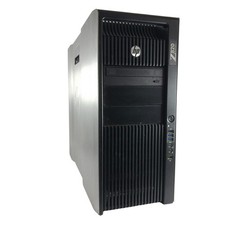
HP Z820 Workstation Xeon E5-2643 8GB RAM NO Storage NVIDIA NVS 510
$179.99



 Reply With Quote