-
Junior Member
registered user
Help writing a new boot sector
Hi, Im new in using Linux and knoppix. I have knoppix 3.2 installed on a 4 gig hd and have a 30 gig partioned to 2 15 gig hd's. One partion has windows 2000 pro and the other has xp pro. I had knoppix showing up when I would start my computer and i had to reload windows xp due to a problem that I had and it wipped out the scree that would let me start knoppix. Is there a way to set up that screen again so I can boot from all of the os's without reinstalling any of them. If so can someone give me step by step instructions because like i said earlyier I am new with linux so I don't know much about it. Thanks
-
Senior Member
registered user
Re: Help writing a new boot sector

Originally Posted by
ssnow
Hi, Im new in using Linux and knoppix. I have knoppix 3.2 installed on a 4 gig hd and have a 30 gig partioned to 2 15 gig hd's. One partion has windows 2000 pro and the other has xp pro. I had knoppix showing up when I would start my computer and i had to reload windows xp due to a problem that I had and it wipped out the scree that would let me start knoppix. Is there a way to set up that screen again so I can boot from all of the os's without reinstalling any of them. If so can someone give me step by step instructions because like i said earlyier I am new with linux so I don't know much about it. Thanks
If you can still boot the HD install of knoppix with the boot floppy you should have made when you installed then boot to knoppix and become root by opening a console window (clam shell icon on the taskbar) type su then enter type in your root password enter again, you are now root and type /sbin/lilo -v and enter key once more to have lilo write itself to the MBR with the configuration that you were already using and things should now be back to the way they were. If you did not make the boot floppy then boot the Knoppix cd and open a console window and use these steps:
Code:
sudo mount /dev/hd?? /mnt/hd??
sudo chroot /mnt/hd?? /sbin/lilo -v
Replace the ?? with the drive letter and partition number of the / partition of the knoppix install. note: If the chroot line fails you may need /mnt/hd??/ in the line, it's been a while since I have done this so I'm not sure.
-
Junior Member
registered user
Thanks for the help that worked great.
I tried to use my boot floppy but that didn't work so I used the cd but is there a way to create a new boot disk. Remeber i need it to be step by step i am new with linux. Thankx
-
Senior Member
registered user
Originally Posted by
ssnow
Thanks for the help that worked great.
I tried to use my boot floppy but that didn't work so I used the cd but is there a way to create a new boot disk. Remeber i need it to be step by step i am new with linux. Thankx
1. Open console window (clam shell icon on taskbar)
2. Type su then enter key
3. Type in root password and enter key again you are now root
4. mkboot enter key once more
5. Follow instructions and choose the V for vanillia it is the safest choice.
6. Reboot and test the floppy.
Similar Threads
-
By alex52 in forum General Support
Replies: 0
Last Post: 02-16-2005, 11:39 AM
-
By NEOMinds in forum Hdd Install / Debian / Apt
Replies: 1
Last Post: 11-23-2004, 02:52 AM
-
By djordie in forum Hdd Install / Debian / Apt
Replies: 5
Last Post: 10-25-2003, 10:52 PM
-
By conor in forum General Support
Replies: 3
Last Post: 10-22-2003, 07:41 PM
-
By Andy© in forum General Support
Replies: 8
Last Post: 08-06-2003, 09:05 PM
 Posting Permissions
- You may not post new threads
- You may not post replies
- You may not post attachments
- You may not edit your posts
-
Forum Rules


Refurbished Working 1960's Heathkit EC-1 Educational Electronic Analog Computer
$2999.99

Vintage George A Philbrick Researches Tube Analog Computer Module Serial 005503
$109.99

1969 EAI TR-20 Analog Computer Programming PACE Philbrick Electronic Associates
$36.00

Vintage Goodyear Electronic GEDA Analog Computer Plug -- Extremely Rare
$179.00

Vintage 1970’s Analogic MP2110 10-Bit A/D Converter Computer Circuit Board
$24.99
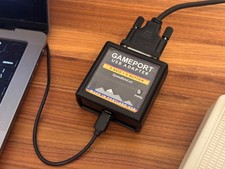
DOS Joystick Gameport to USB Converter - Adapter (NEW, 3-axis, 2-button)
$49.95

Vintage Donner Scientific Analog Computer Patch Cords Banana Plugs & Resistor
$100.00

Vintage Early Week 12 1984 Apple Macintosh 128K Computer M0001 w/Analog Board+
$209.99

Rare Vintage CH Product Mach III Analog Joystick for Apple Mac
$35.00

VINTAGE Apple Unidisk Analog Card - Circa 1986 | P/N 820-0190-A
$22.67



 Reply With Quote