-
Junior Member
registered user

Originally Posted by
replica9000
The computer doesn't see the router at all. When I use netcardconfig and let it use DHCP, it just fails. so I enter in all the numbers manually, and it tells me the network is unreachable.
If your enter all the numbers manually, among other things IP address, do you specify the same IP for that PC in your router setup?
Do you have second NIC plugged? Are there some BIOS settings for the onboard NIC?
-
The mac address for the nic is stored in the router, so the PC always gets the same IP running Win or Linux. I'm running WinXP on the same computer. I tried the no apic option and nothing different happened. And the only setting in the bios for the onboard LAN is to turn it on or off. That's the only NIC in the machine.
-
What is the root passord for knoppix?
-
Administrator
Site Admin-
Originally Posted by
replica9000
The computer doesn't see the router at all. When I use netcardconfig and let it use DHCP, it just fails. so I enter in all the numbers manually, and it tells me the network is unreachable. Oh and yeah it's a Linksys Cable/DSL router. I've even tried directly pluging the PC into the modem, still nothing. Everything ran fine on my ECS board.
Keep the linksys in the connection, it should help. If you have to log in, the Linksys is already taking care of that for you; if on cable the cable provider already gets along fine with the Linksys mac address, no reason for it to see any different one. Plus the Linksys gives you a local known IP address that you should be able to ping.
What does "it just fails" mean? What does the message say, if there is one (and if there isn't then how do you determine it failed). Does a "sudo mii-tool -r" command from a shell work ok? (don't worry, you don't need a root password.) If so, try a netcardconfig after that and see if that works, but if it gives you an error please tell us what the error is.
Similar Threads
-
By mdalligood in forum MS Windows & New to Linux
Replies: 2
Last Post: 01-24-2005, 05:29 PM
-
By Traffic in forum Hardware & Booting
Replies: 1
Last Post: 10-04-2004, 03:05 PM
-
By Encrypted_File in forum Hardware & Booting
Replies: 15
Last Post: 02-28-2004, 11:22 AM
-
By luwe in forum General Support
Replies: 2
Last Post: 01-21-2004, 10:30 PM
-
By Drewby in forum Networking
Replies: 3
Last Post: 11-03-2003, 05:00 AM
 Posting Permissions
- You may not post new threads
- You may not post replies
- You may not post attachments
- You may not edit your posts
-
Forum Rules


Intel Core i5-12500T SRL5W 2GHz 18MB 6 Core Socket LGA1700 Desktop CPU Processor
$114.99

INTEL CORE I9-10940X X-SERIES PROCESSOR | 3.30GHZ | SRGSH
$179.99
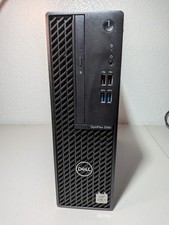
Dell Optiplex 3080 SFF Desktop PC Intel i7-10700 16GB DDR4 512GB SSD Win11 Pro,
$325.00
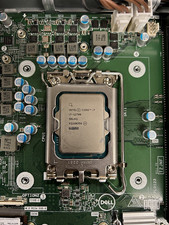
12 Gen Intel i7-12700 4.45GHz 12-core CPU
$205.00

AMD Ryzen 5 5500 Processor ( read Description)
$59.00

Intel SR3XE Core i5-8500 3.0GHz 9M Socket 1151 6-Core CPU Processor *Tested*
$32.99

Intel Core i7-3770K 3.5 GHz Processor
$39.00

Intel Xeon E3-1230 v3 SR153 3.3GHz Quad Core LGA 1150 CPU Processor
$14.49

Evergreen 586 - Processor upgrade 486 to 586
$149.99

PS5 Over Heating Problem Solver 1.5 Grams Liquid metal thermal paste CPU, GPU
$15.99



 Reply With Quote