-
Junior Member
registered user
this is my lilo.conf as it is created by the knoppix-installer
Code:
# /etc/lilo.conf - See: `lilo(8)' and `lilo.conf(5)',
# ---------------       `install-mbr(8)', `/usr/share/doc/lilo/',
#                       and `/usr/share/doc/mbr/'.

# Remove this line when you are done configuring. -KK
"! Please edit /etc/lilo.conf before running lilo!"

# +---------------------------------------------------------------+
# |                        !! Reminder !!                         |
# |                                                               |
# | Don't forget to run `lilo' after you make changes to this     |
# | conffile, `/boot/bootmess.txt', or install a new kernel.  The |
# | computer will most likely fail to boot if a kernel-image      |
# | post-install script or you don't remember to run `lilo'.      |
# |                                                               |
# +---------------------------------------------------------------+

# Support LBA for large hard disks.
#
lba32

# Specifies the boot device.  This is where Lilo installs its boot
# block.  It can be either a partition, or the raw device, in which
# case it installs in the MBR, and will overwrite the current MBR.
#
boot=/dev/hda

# Specifies the device that should be mounted as root. (`/')
#

# Enable map compaction:
# Tries to merge read requests for adjacent sectors into a single
# read request. This drastically reduces load time and keeps the
# map smaller.  Using `compact' is especially recommended when
# booting from a floppy disk.  It is disabled here by default
# because it doesn't always work.
#
# compact

# Installs the specified file as the new boot sector
#
install=/boot/boot-menu.b
backup=/dev/null

# Specifies the location of the map file
#
map=/boot/map

# You can set a password here, and uncomment the `restricted' lines
# in the image definitions below to make it so that a password must
# be typed to boot anything but a default configuration.  If a
# command line is given, other than one specified by an `append'
# statement in `lilo.conf', the password will be required, but a
# standard default boot will not require one.
#
# This will, for instance, prevent anyone with access to the
# console from booting with something like `Linux init=/bin/sh',
# and thus becoming `root' without proper authorization.
#
# Note that if you really need this type of security, you will
# likely also want to use `install-mbr' to reconfigure the MBR
# program, as well as set up your BIOS to disallow booting from
# removable disk or CD-ROM, then put a password on getting into the
# BIOS configuration as well.  Please RTFM `install-mbr(8)'.
#
# password=tatercounter2000

# Specifies the number of deciseconds (0.1 seconds) LILO should
# wait before booting the first image.
#
# delay=20
timeout=100

# You can put a customized boot message up if you like.  If you use
# `prompt', and this computer may need to reboot unattended, you
# must specify a `timeout', or it will sit there forever waiting
# for a keypress.  `single-key' goes with the `alias' lines in the
# `image' configurations below.  eg: You can press `1' to boot
# `Linux', `2' to boot `LinuxOLD', if you uncomment the `alias'.
#
# message=/boot/bootmess.txt
#	prompt
#	single-key
#	delay=100
#	timeout=100

# Specifies the VGA text mode at boot time. (normal, extended, ask, <mode>)
#
# vga=ask
# vga=9
#
vga=normal

# Kernel command line options that apply to all installed images go
# here.  See: The `boot-prompt-HOWO' and `kernel-parameters.txt' in
# the Linux kernel `Documentation' directory.
#
# append=""

# Boot up Linux by default.
#
default=Knoppix

image=/vmlinuz
	append="lang=de apm=power-off hda=scsi hdb=scsi hdc=scsi hdd=scsi hde=scsi hdf=scsi hdg=scsi hdh=scsi vga=791 quiet BOOT_IMAGE=knoppix"
	root=/dev/hda5
	label=Knoppix
	read-write
#	restricted
#	alias=1

#image=/vmlinuz.old
#	label=Linux-OLD
#	read-only
#	optional
#	restricted
#	alias=2

# If you have another OS on this machine to boot, you can uncomment the
# following lines, changing the device name on the `other' line to
# where your other OS' partition is.
#
# other=/dev/hda4
#	label=HURD
#	restricted
#	alias=3
i was first getting an error that required me to comment out this line:
"! Please edit /etc/lilo.conf before running lilo!"
after fixing that and try to reinstall lilo i get the following error:
Code:
 reading boot sector from /dev/hda
Warning: 'proc/partitions' does not exist, disk scan bypassed
Using MENU secondary loader
Calling map_insert_data

Fatal: APPEND or LITERAL may not contain "vga="
i noticed in this line:
Code:
default=Knoppix

image=/vmlinuz
	append="lang=de apm=power-off hda=scsi hdb=scsi hdc=scsi hdd=scsi hde=scsi hdf=scsi hdg=scsi hdh=scsi vga=791 quiet BOOT_IMAGE=knoppix"
	root=/dev/hda5
	label=Knoppix
	read-write
its pointing root to /dev/hda5 but i dont have an hda5, just an hda1(root 83) and hda2(swap 82)
also the lang=de.
any help would be highly appreciated!
thanks..
--Sal-
Similar Threads
-
By Raenon in forum Hdd Install / Debian / Apt
Replies: 0
Last Post: 06-21-2005, 06:40 AM
-
By Kellymyrick in forum General Support
Replies: 1
Last Post: 07-16-2004, 11:52 PM
-
By mppdrake in forum General Support
Replies: 3
Last Post: 05-28-2004, 12:11 PM
-
By DrWhom in forum Hdd Install / Debian / Apt
Replies: 4
Last Post: 03-14-2004, 09:42 PM
-
By freyley in forum Hdd Install / Debian / Apt
Replies: 1
Last Post: 01-31-2003, 09:21 AM
 Posting Permissions
- You may not post new threads
- You may not post replies
- You may not post attachments
- You may not edit your posts
-
Forum Rules

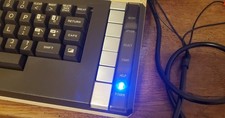
Atari 800 XL 8-Bit Computer W/ Blue LED And S Video A/V Cable
$155.00

Happy 1050 Upgrade for Atari 1050 Disk Drive - Solderless Installation - HS/DD
$49.97
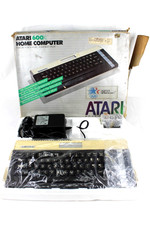
VTG Atari 600XL Home Computer System in Box ** Powers On ** Clean * Tested Works
$148.75
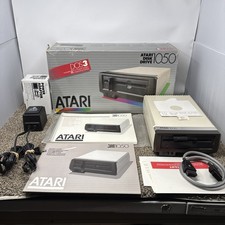
Atari 1050 Floppy Disk Drive Tested With All Cables Power And Data SIO In Box
$200.00

ATARI XF551 DISK DRIVE WITH AC POWER ADAPTER AND PARALLEL PORT ADAPTER, UNTESTED
$250.00

Fujinet 1.7.1 Atari 400 800 800XL 130XE 65XE XEGS Assembled, Tested, Working
$99.99

Atari 1200 XL home computer with original owners guide and power supply power on
$255.00
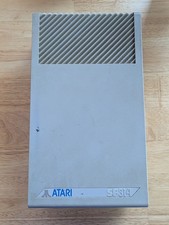
Vintage ATARI SF314 DS/DD 3.5" External Drive TESTED but can't read/write disks
$69.99

GreaseWeazle v4 board USB floppy drive adapter Retro All Formats
$35.00

DEFECTIVE Atari 810 Vintage Computer Disk Drive powers on Unit Only Boo G3D
$49.29



 Reply With Quote