

 Reply With Quote
i tried that one too. did not make any change.


If you have a Realtek 8139 card you need to use the cheatcode NOAPIC when booting off your live CD.
i tried that one too. did not make any change.
Have you read these threads:
http://www.knoppix.net/forum/viewtopic.php?t=2164
and
http://www.knoppix.net/forum/viewtopic.php?t=2117
and does it sound like your problem?
I've gotten wireless networking to work on my laptop without problems. It's a Inspiron 7000 400MHz with a Linksys WPC11 v. 3 pcmcia card.
First, I booted from Knoppix 3.3 disc with the nodhcp lang=en display=wmaker boot parameters. (I use static IP at home). The disc recognized the card and loaded the appropriate drivers.
Then, to set up the network I got to root then ran iwconfig. Enter the ssid ("cove_circle") and the network type. "Managed" (the default) is the same as "infrastructure" in Linksys's terminology. I didn't use WEP at first. All of the other parameters iwconfig asks for may be left blank.
Then enter:
Finally, edit /etc/resolv.conf to list your DNS nameservers.Code:ifconfig eth0 192.168.1.105 (use your computer's IP number on the network) ifconfig eth0 broadcast 192.168.1.255 netmask 255.255.255.0 route add -net default gw 192.168.1.1 netmask 0.0.0.0 metric 1
That's it. It just works.
Further adventures in getting a Linksys wireless card WPC11 to work under Knoppix on Dell Inspiron 7000:
When I boot from the Knoppix 3.3 dusc, the Linksys WPC11 is recognized without a problem. Once I did the hdinstall (using knx-install not knoppix-install), the wireless card would not be recognized. I don't know if an installation under knoppix-install would do better.
During boot, I goot the message "eth0: Error -110 reading firmware info. Wildly guessing capabilities..."
After a little searching, I found this site (http://www.hoffmannet.com/~thoffman/...0wireless.html) which pointed out a problem with the Inspiron laptops:
"Basically, it looks like there is a strange or old PCI-PCMCIA bridge in the I7000. I believe that this is leading to port conflicts when the wireless drivers are loading. I solved the above problems on both wireless cards by making the following changes to my config files:
edited my /etc/pcmcia/config.opts file and changed:
to:Code:include port 0x100-x4ff, port 0x00-0xcff
and for good measure I added below that line:Code:include port 0x300-x4ff, port 0x00-0xcff
Code:exclude port 0x100-0x2ff
Now, both the Cisco and the Lucent cards are working in both Linux"
I made those changes and now I'm on the network. Everything else appears to work at this point.
 Posting Permissions


SFP TO RJ45 TRANSCEIVER SFP MODULE COPPER SFP OPTICAL PORT TO RJ45 ETHERNET PORT
$7.99

Cisco Meraki MA-SFP-1GB-SX Network Tranceiver Module
$89.00

HPE 560SFP 2x 10Gb SFP+ PCIe Both Profile Network Card 669279-001 665247-001
$14.90

Dell Intel X710-DA2 5N7Y5 Dual-Port 10GbE SFP+ PCIe 3.0 x8 Network Adapter
$27.50

Genuine Cisco SFP-10G-SR 0-2415-03 10 Gigabit Transceiver
$5.40
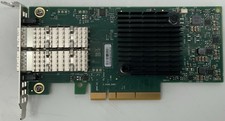
Dell Mellanox ConnectX-4 Lx CX4121C Dual 25GbE SFP28 LP | 20NJD
$25.00

HP 560SFP+ 10GB 2-port PCIe NIC Ethernet ADAPTER 669279-001 w/ (2) 10GB SFP+
$16.99
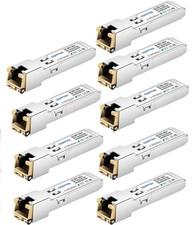
10G SFP+ to RJ45 Copper Transceiver Module 30m 10GBASE-T Multi-Brand Compatible
$45.00
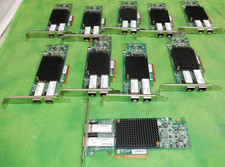
HP 557SFP+ ETHERNET 10GB 2 PORT 792834-001 788991-001 HIGH LOT OF 10
$70.00

NEW Sealed Cisco SFP-10G-LR 10GBASE-LR SFP+ 1310nm 10km *US Shipping*
$24.00