-
I've gotten wireless networking to work on my laptop without problems. It's a Inspiron 7000 400MHz with a Linksys WPC11 v. 3 pcmcia card.
First, I booted from Knoppix 3.3 disc with the nodhcp lang=en display=wmaker boot parameters. (I use static IP at home). The disc recognized the card and loaded the appropriate drivers.
Then, to set up the network I got to root then ran iwconfig. Enter the ssid ("cove_circle") and the network type. "Managed" (the default) is the same as "infrastructure" in Linksys's terminology. I didn't use WEP at first. All of the other parameters iwconfig asks for may be left blank.
Then enter:
Code:
ifconfig eth0 192.168.1.105 (use your computer's IP number on the network)
ifconfig eth0 broadcast 192.168.1.255 netmask 255.255.255.0
route add -net default gw 192.168.1.1 netmask 0.0.0.0 metric 1
Finally, edit /etc/resolv.conf to list your DNS nameservers.
That's it. It just works.
Similar Threads
-
By GaTk in forum The Lounge
Replies: 1
Last Post: 06-15-2005, 10:21 PM
-
By dylan000 in forum General Support
Replies: 6
Last Post: 09-13-2004, 06:47 PM
-
By Drenhead in forum Hardware & Booting
Replies: 1
Last Post: 08-29-2004, 08:53 PM
-
By tesmith66 in forum General Support
Replies: 2
Last Post: 07-07-2004, 02:49 AM
-
By leolaw in forum General Support
Replies: 1
Last Post: 09-21-2003, 02:55 PM
 Posting Permissions
- You may not post new threads
- You may not post replies
- You may not post attachments
- You may not edit your posts
-
Forum Rules


Yealink T48S VoIP/SIP Phone, 2 x Gigabit Ports PoE 7" Color SIP-T48S | TESTED
$34.95
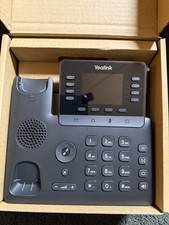
Yealink SIP-T73W IP Phone VoIP Desk Phone 12-Line Speakerphone Black
$70.00

Poly CCX 400 Desktop Business Media Phone VoIP 2200-49700-019
$49.99

Yealink MP54 - VoIP Phone - Black Teams phone Android POE WIFI Bluetooth
$49.95

Grandstream WP810 Portable Cordless Wi-Fi IP Phone
$49.28
Poly Edge E450 IP VoIP Business Desk Phone Black PoE HD Voice Speakerphone NEW
$149.99

Cisco/Linksys SPA2102 VoIP Phone Adapter Router 2FXS (Unlocked)
$17.99

Cisco / Linksys SPA2102 VoIP 2FXS Phone Adapter with Router (unlocked)
$18.99
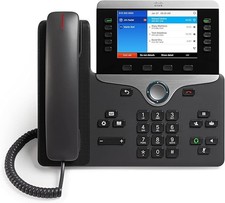
Cisco CP-8841 IP Phone - Charcoal
$98.95
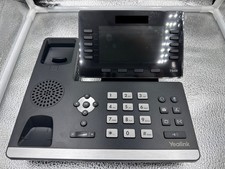
Yealink Prime Business Phone T54WB
$70.00



 Reply With Quote