

 Reply With Quote
I'm not sure if this will fix the problem, but there is a related thread here:
http://www.linuxquestions.org/questi...debian+xfree86


I made a few mistakes in the process of trying to get 3D acceleration working on my hdinstall, and now am without X.
When attempting to start X (using startx) I receive the following errors:
(EE) module ABI minor version (4) is newer than the server's version (3)
(EE) Failed to load module "bitmap" (module requirement mismatch, 0)
My current XFree86 version is:
4.2.99.2 (DRI trunk)
(This is after getting the newest version from the mirrors.)
Knoppix comes with 4.3 installed, so that's most likely the problem.
Any idea on how to change the 4.2.99.2 to 4.3?
I'm not sure if this will fix the problem, but there is a related thread here:
http://www.linuxquestions.org/questi...debian+xfree86
If you have the old .deb for 4.3 still in your /var/cache/apt/archives you can remove the 4.2.99.2 packages and install the 4.3 with dpkg -i one_hell_of_a_long_list_packages_exact_version_num bers=4.3.0-0ds4_i386.deb or you can add a line to experimential and get the packages form there some notes from my changelog on how to do this:Originally Posted by evilmrhenry
The packages for xfree86 have moved from there to the Debian offical experimental archive now you need to comment out the line for the penguinppc in the /etc/apt/sources.list and install the packages from experimental. eg.
The /etc/apt/sources.list:
Code:## XFree 4.2/4.3 #deb http://people.debian.org/~branden/packages sid/i386/ #deb-src http://people.debian.org/~branden/packages sid/source/ #deb http://www.penguinppc.org/~daniels/sid/i386 ./ #deb-src http://www.penguinppc.org/~daniels/sid/source ./ ## Experimential needed for XFree86 4.3 deb http://ftp.debian.org/debian ../project/experimental main contrib non-free
To find the packages you need to upgrade:
Code:>$ COLUMNS=150 dpkg -l | grep 4.3.0 ii libdps1 4.3.0-0ds4 Display PostScript (DPS) client library ii libxaw7 4.3.0-0ds4 X Athena widget set library ii xbase-clients 4.3.0-0ds4 miscellaneous X clients ii xfonts-100dpi 4.3.0-0ds4 100 dpi fonts for X ii xfonts-100dpi-transcoded 4.3.0-0ds4 100 dpi fonts for X (transcoded from ISO 10646-1) ii xfonts-75dpi 4.3.0-0ds4 75 dpi fonts for X ii xfonts-75dpi-transcoded 4.3.0-0ds4 75 dpi fonts for X (transcoded from ISO 10646-1) ii xfonts-base 4.3.0-0ds4 standard fonts for X ii xfonts-base-transcoded 4.3.0-0ds4 standard fonts for X (transcoded from ISO 10646-1) ii xfonts-scalable 4.3.0-0ds4 scalable fonts for X ii xfree86-common 4.3.0-0ds4 X Window System (XFree86) infrastructure ii xfs 4.3.0-0ds4 X font server ii xlibs 4.3.0-0ds4 X Window System client libraries ii xlibs-data 4.3.0-0ds4 X Window System client data ii xlibs-dev 4.3.0-0ds4 X Window System client library development files ii xserver-common 4.3.0-0ds4 files and utilities common to all X servers ii xserver-xfree86 4.3.0-0ds4 the XFree86 X server ii xutils 4.3.0-0ds4 X Window System utility programs
To upgrade the Xserver you need to update the database after the changes in the /etc/apt/sources.list file then install with this:
Code:dselect update apt-get -s install -t experimental xutils xserver-xfree86 xserver-common xlibs-dev xlibs-data xlibs xfree86-common xfonts-scalable xfonts-base-transcoded xfonts-base xfonts-75dpi-transcoded xfonts-75dpi xfonts-100dpi xfonts-100dpi-transcoded xbase-clients libxaw7 libdps1
If everything looks good with the simulated apt-get command then remove the -s from the line to actually install the packages.
To find the packages you need to remove (and install again) you should use something like COLUMNS=150 dpkg -l | grep 4.2.99 then remove them and install from the archive on your disk or Debian experimential.
Note: For so stupid reason the apt-get -t experimential command worked fine on my testing drive but on my normal everyday drive I had to use apt-get install xserver-xfree86=4.3.0-0pre1v4 ...... and so on for the rest of the packages to be installed.
Edit: Damn I hate typos hopefully there are no more.
Okay, X is back up and running now, basically the way it was before. For reference and for anyone else with the same problem, this is a synopsis of the problem and solution:
Problem: When trying to get 3D acceleration working, I loaded something from the drm-trunk of xfree86; this was version 4.2.99.2, so everything depending on it being 4.3.0 freaked out. In retrospect, that was a bad idea.
Although I did a few things, I _think_ the following steps fixed it:
COLUMNS=150 dpkg -l | grep xfree86
Find the name of the drm-trunk version.
apt-get remove what_ever_the_name_was
The part that stumped me for the better part of a day was that drm-trunk did not have a version number, but a date attached. Therefore, neither
COLUMNS=150 dpkg -l | grep 4.3.0 or
COLUMNS=150 dpkg -l | grep 4.2.99
would show this package.
Anyway, is there an easy way to get an ATI Radeon card working under Knoppix hdd-install? It was working (and still is) on the CD.
 Posting Permissions


IBM System X3850-X5 Server w/4x Intel Xeon E7-4870 CPU , 512 GB DDR3 RAM,NO HDD
$1299.99

IBM QRadar xx29 2x Xeon E5-2650v4 2x 900W PSU M5120 12x 3.5" Bay Server No RAM
$179.99

Unused IBM 09P0037 MAINBOARD For RS/6000 7044-170 P-Series
$375.00

IBM ADP Server Type 7870 AC1 NO HDD | 128GB RAM PC3L | 2 x Xeon E5620
$199.99

IBM SYSTEM X3500 M3 SERVER 7380AC1 TOWER Server XEON E5620 8GB RAID SEE NOTES
$110.30

Compaq ProLiant 1500R 5/100 rack server, Series 3155, with IBM 2.1GB HD, VINTAGE
$295.00
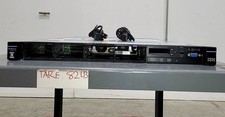
IBM SYSTEM X3550 M5 5463AC1 2.5x8 Server 2*XEON E5-2640 V3 8GB SEE NOTES
$85.99

IBM Power 8 S822L Server 8247-22L POWER8 Enterprise 256GB RAM 2x 00KV626 CPU
$999.99

Rare Vintage IBM 93ZZ PowerPC Server Board - MCM Ceramic CPU - 40N1844 - 1.1 lbs
$49.99

IBM 7014-T00 Enterprise 19" Rack Enclosure No Keys
$549.95