-
Junior Member
registered user
changing default mail application
I installed knoppix 3.3 to my hd no problem. While attempting to get OTRS (a helpdesk app) running, I have run into the problem of using or modifying smail (the default knoppix/debian mail agent). Is smail actually sendmail or a different mail agent all together? Anyway, I found it impossible to get it to route mail too and from my exchange server. I was able to install sendmail from source, and I had it talking to my exchange server for a little while, but it still had problems with it not being the default mail agent, causing me to wipe the machine.
I'm hoping to find a mail agent that is simple to install and use, but most importantly, when a system message about, say, cron, or OTRS, or Big Brother, attempts to send a mail message to root, that the new mail agent takes over and routes the mail, rather than smail doing it. I would have liked to have done a dpkg -i sendmail, but that service is unavailable from debian.org right now. I don't know if wrestling with sendmail is even worth the hassle and I'm hoping someone else has had this problem and knows an easy solution.
The more info about exactly where to get the mail program, commands issued to modify the new mail app, and maybe even config examples on how to get it to 'take over' as the default mail app, the better. Also, if you got the other mail app to work with MS Exchange, I'd really appreciate it!! 
-
Junior Member
registered user

I was able to get smail to do what I needed it to do by, um, ah, heh, reading the manual (man smail). It took a little poking but I edited the config, as well as the routers files in /etc/smail.
Most importantly I had to add the IP address of our exchange server into the 'routers' file:
smart_host:
driver=smarthost, transport=smtp;
path=192.168.48.11
And I also made these changes to the config file:
visible_name=domainname.com
more_hostnames=machinename.domainname.com
-domains
hostnames=machinename:machinename.domainname.com
Big Brother works fine now and it's able to email me 'red' events.
Similar Threads
-
By zrooze in forum Hdd Install / Debian / Apt
Replies: 0
Last Post: 06-10-2005, 04:55 PM
-
By Blade in forum Customising & Remastering
Replies: 2
Last Post: 06-13-2004, 01:04 PM
-
By sharlila in forum General Support
Replies: 1
Last Post: 11-20-2003, 06:39 PM
-
By srinivasan in forum General Support
Replies: 0
Last Post: 02-09-2003, 07:24 PM
-
By bhsx in forum Customising & Remastering
Replies: 1
Last Post: 01-21-2003, 05:56 AM
 Posting Permissions
- You may not post new threads
- You may not post replies
- You may not post attachments
- You may not edit your posts
-
Forum Rules


HP PROLIANT TPS-W003 MICRO- SERVER TOWER Gen 8, 16G RAM
$195.00

HP ProLiant MicroServer Gen8 G1610T @2.3 GHz, 16GB, 712317-001 NO HDD/OS
$199.00

Supermicro 505-2 Server
$280.00

Supermicro CSE-937 3U Storage Chassis No CPU No HDD No Ram Tested & Reset
$129.99

Supermicro Superserver CSE-836 Xeon E5-2609 v4 1.7GHz No RAM No Drives No OS
$249.98
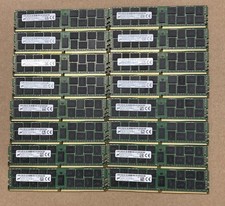
Lot Of 16Micron MTA36ASF2G72PZ-2G1A2IJ 16GB 2Rx4 PC4-2133P-RB0-10 ECC Server Ram
$960.00

Supermicro 2U X10DRU-i 2x E5-2680 v3 2.5ghz 32gb Ram 240gb SSD 2x GPU *READ*
$369.99

SUPERMICRO CSE-836 XEON E5-1620 v3 @ 3.50GHz, 32GB RAM, NO HDD/OS
$299.99

Supermicro CSE-216 No CPU No Ram No HDD Tested & Reset
$149.99

Supermicro CSE-216 No CPU No Ram No HDD Tested & Reset
$149.99



 Reply With Quote