

 Reply With Quote
Looks like dma is killing you. It's on by default and can be changed in /etc/init.d/bootmisc.sh. Boot the Knoppix cd, mount your /root partition and edit the file.


KNOPPIX 3.3-2003-11-19 downloaded OK and its MD5 checked OK
I had installed 3.2 on hard drive earlier and it works perfectly so I used
the same installation instructions with 3.3. The installation ran perfectly.
3.3's boot seems normal until it suddenly stops with this message on the monitor:
Cleaning: /tmp /vat/lock /var/run 4095Mb
blk: queue c0334b60,I/O limit (mask 0xffffffff)
blk: queue c0334ca8, I/O limit (mask 0xffffffff)
hda: dma_intr: status=0x51 {DriveReady SeekCompleteError}
hda: dma_intr: error=0x84 {DriveStatusError Bad CRC}
hda: dma_intr: status=0x51 {DriveReady SeekCompleteError}
hda: dma_intr: error=0x84 {DriveStatusError Bad CRC}
hda: dma_intr: status=0x51 {DriveReady SeekCompleteError}
hda: dma_intr: error=0x84 {DriveStatusError Bad CRC}
hda: dma_intr: status=0x51 {DriveReady SeekCompleteError}
hda: dma_intr: error=0x84 {DriveStatusError Bad CRC}
The keyboard has no effect----the system is locked (with a blinking
cursor). I have to do a pushbutton restart..
Any clues?
Looks like dma is killing you. It's on by default and can be changed in /etc/init.d/bootmisc.sh. Boot the Knoppix cd, mount your /root partition and edit the file.
My image CD had some missing files---I burned a new one using different
software and this one works OK.
When I ran the CD version, it seemed to work OK.
Thanks.
Thanks for the DMA info. I checked out /etc/init.d/bootmisc.sh and it reads
# enable DMA
/sbin/hdparm -qd1 /dev/hda
/sbin/hdparm -qd1 /dev/hdb
I have no idea if this is OK as is or if it has to be changed.
I've just discovered that there's more to this problem that deserves a new posting..... look for 'Crazy booting"
well mine locked up as well (but i don't remember any dma messages). I fixed it by installing GRUB - YMMV.
Thanks to rickenbacherus's suggestion, I edited /etc/init.d/bootmisc.sh thusly
# enable DMA
# /sbin/hdparm -qd1 /dev/hda
# /sbin/hdparm -qd1 /dev/hdb
and now 3.3 boots up properly using 3.3's LILO
Before I did this, I tried booting 3.3 with a Progeny Debian installer floppy and it also booted properly so apparently, it was some disagreement between the 3.3's LILO and DMA.
I have since changed to boot with GRUB and it boots OK.
Thanks all for the assistance.
You probably just need to edit the dma out of the lilo.conf on the append line.
 Posting Permissions


AMD Ryzen 5 5500 Processor ( read Description)
$59.00
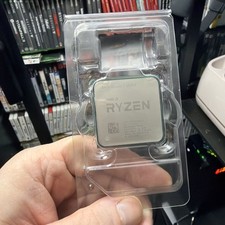
AMD Ryzen 7 5800X Desktop Processor (4.7GHz, 8 Cores, Socket AM4)
$150.00

(LOT OF 20) Intel Core i5-8400 CPU 2.80GHz Desktop Processor (SR3QT)
$700.00

INTEL CORE I7-870 SLBJG 2.93GHZ LGA1156 4 CORE CPU PROCESSOR
$23.00

Intel Core i7-3770K 3.5 GHz Processor
$39.00

Intel Core i7-9700 Octa-Core 3 GHz Desktop Processor LGA 1151
$79.99

Intel Core i5-12500T SRL5W 2GHz 18MB 6 Core Socket LGA1700 Desktop CPU Processor
$114.99

Intel i7-8700 Coffee Lake 3.2GHz 6-Core Max Turbo 4.6GHz Processor
$67.99

INTEL CORE I9-10940X X-SERIES PROCESSOR | 3.30GHZ | SRGSH
$179.99

Intel Core i7-10700 8-Core 16-Thread 2.9GHz Desktop CPU LGA1200 SRH6Y Z490 Z590
$129.00