

 Reply With Quote
k i got my ethernet card to be detected but i still can't use the internet wat can i do to u it


What's the difference between
pump
and
pump -i eth0?
TIA,
k i got my ethernet card to be detected but i still can't use the internet wat can i do to u it
yes guys thnx for all the help now guys but i got the net to work thnx lata :P
OK, this sounds interesting. The PC with the NIC/HUB combo can still be used to surf and such or is it dedicated? What HUB do you recommend?If you have a spare NIC you may want to put it into the machine you already use to connect to the internet and get a cheap hub plug the other machines into that run a cable from the hub to the second NIC and run a iptables script and use that machine as your router/firewall.
Regards,
Yes the machine acting as the router/firewall can still be used to surf or do whatever you want on it. The hub can be any brand as long as it works the one I use here is about 4 years old and only 10mb speed it has to have had tetra-bytes of data that has went through it you would want a 100mb at least I don't think you get one under that speed anymore at least not around here when I was looking around for one but my new dvd burner sort of ended that plan and now it looks like I got a bad HD in one of my machines so it's going even further on the back burner so to speak. Anyway back to the subject just get a 100mb hub the brand does not really matter get the two nics in one machine and run an iptables script for the NAT (Network Address Translation) they are a couple of packages in Debian that will do this that you can install with apt-get they are Firestarter, Bastille Linux and what I use Arno's Iptables it is a script that you have to install it is fairly easy to setup and should pretty much work with changing a couple of settings in the configuration file if necessary and setting the permissions on the files as recommended in the instructions. Firestarter is a gnome based app that will run in KDE and is just about as point and click as you can get the Bastille Linux in addition to the router/firewall is a hardening script that sets up your machine with security in mind at all times.Originally Posted by A. Jorge Garcia
And if you decide to go with the Arno's (maybe the others as well never used them long enough to find out) script you will want to edit the file /etc/init.d/klogd and make sure you have the setting KLOGD="-c 4" in the file to disable the messages that will be sent to the console by the firewall blocking all the windows machines on your network scanning your machine to make a connection because of all the junk MS enables by default, you have to restart the klog daemon with /etc/init.d/klogd restart for the changes to take effect.
 Posting Permissions


HGST HUA723030ALA640 3TB SATA 7200 RPM 3.5 in Enterprise HDD | 0F14044 (100%)
$45.00

Western Digital HUS726T4TAL5204 4TB 7.2K SAS 12Gb/s 3.5" 512e HDD NetApp X375A
$64.00

HDD 3.5" SATA Hard Drive with Windows 10/Win 11 64x Installed Legacy
$35.00

HUS726060ALA640 HGST Ultrastar 6TB SATA 6Gbps 7.2K 3.5" Hard Drive OF21860
$129.99

Dell ST6000NM0034 1HT27Z-150 NWCCG 6TB SAS 3.5 7.2K ENTERPRISE SERVER DRIVE
$68.99

Seagate ST6000NM0115 6TB 256MB 7200RPM 3.5" SATA 6.0Gb/s Enterprise Hard Drive
$159.99

Hitachi / HGST Travelstar HTS541010B7E610 1TB 2.5" SATA III HDD
$29.99

HGST HUS724040ALA640 4TB 7200 RPM SATA 3.5" Internal Desktop Drive 100% Health
$78.00

Toshiba 1TB 2.5" SATA HDD MQ01ABD100V 5400RPM 9.5mm Laptop Internal Hard Drive
$51.99
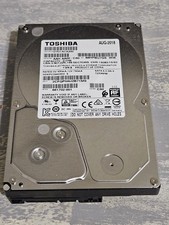
Toshiba 2TB 7200RPM SATA 3.5" Internal HDD - DT01ACA200
$29.99