-
Senior Member
registered user

Originally Posted by
A. Jorge Garcia
I'm on optimum right now, everything was recognized aitomagically.
What I'd like to know is how to add a router to my cable modem so I can run all my PCs as KNOPPIX boxes live on the net!
TIA,
The general procedure is:
1. Plug in router to power
2. Unplug the ethernet cable that comes from the cable modem to your machine that is connected to the net and plug it into the router.
3. Plug in the ethernet cables that go from the router to the machines that you want to connect to the internet.
4. Use one of the machines to connect to the router through the web interface that is usually used to configure the router with a browser. You should consult the documentation that came with the router to see what its IP is and make sure you put the machine that is connecting to it on the same subnet eg. router has an IP of 192.168.0.1 or 192.168.1.1 which is usually the settings then your machine connecting to it should have an IP of 192.168.0.2(up to 254) or 192.168.1.2(up to 254) and use for the broadcast .255 on the end of the 192.168.0 or 192.168.1 .
5. Configure the router to get it's outside (your internet connection) IP with the browser from your cable modem through either the static or dhcp settings that are used for your connection to the internet and make sure that you have the NAT (network address translation) settings turned on so you can share the connection.
6. Test that your connection works for the sharing after having configured the settings and if it works then configure the proper IP's for the rest of the machines to connect.
7. The most important part change the password on the router from the default so nobody can come by and hijack your connection and machines.
8. Go to http://www.grc.com and use the ShieldsUp port scanning utility to make sure none of your ports on any of the machines connected are open to the outside world. If any are use the routers configuration utility to close them down.
Similar Threads
-
By jjohnson0000 in forum Hdd Install / Debian / Apt
Replies: 4
Last Post: 06-10-2005, 03:15 AM
-
By JustinSL in forum Networking
Replies: 6
Last Post: 04-25-2005, 02:38 PM
-
By Neuling in forum Networking
Replies: 1
Last Post: 02-13-2005, 11:28 PM
-
By gandalf1967 in forum Networking
Replies: 2
Last Post: 09-02-2004, 02:45 PM
-
By Slimboy in forum Hardware & Booting
Replies: 2
Last Post: 03-20-2003, 12:40 AM
 Posting Permissions
- You may not post new threads
- You may not post replies
- You may not post attachments
- You may not edit your posts
-
Forum Rules

Major Brand 8 GB PC3L-12800 (DDR3-1600) 2Rx8 DDR3L Laptop Memory RAM
$10.99
Corsair Vengeance RGB 16GB (2x8GB) DDR4 RAM 3000MHz CMR16GX4M2C3000C16
$70.99

Corsair CMK32GX4M2B3000C15 Vengeance LPX DDR4 3000mhz Memory Kit - 32GB (2x16GB)
$164.95
Team Group T-Create Expert RAM 32gb (2 x 16gb) 6000 Mhz DDR5 Desktop Memory Modu
$399.95
Sk Hynix 8GB PC4-3200AA PC4-3200 260-Pin SO-DIMM Laptop RAM
$37.99

RAMAXEL Lenovo 32GB LPDDR5X CAMM2 7500MHz Laptop RAM | UNTESTED
$445.00
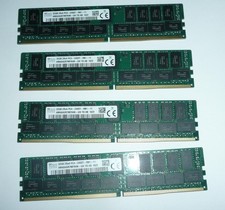
SK Hynix 128GB (4 x 32GB) PC4-2400T DDR4 ECC Server Memory HMA84GR7MFR4N-UH
$649.95
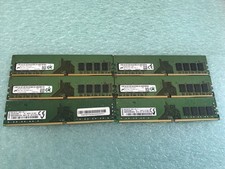
48GB(6 x 8GB) Mixed Brand PC4-2666V DDR4 Desktop UDIMM RAM - R1051A
$129.95

LOT OF 23 Ram Sticks-Corsair Vengeance CMZ8GX3M2A1600C9 4GB (4GBx23=92GB Total)
$129.99

P43330-0A1 HPE 32GB 2RX8 PC5-4800B DDR5 SERVER RAM P43328-B21 / HMCG88MEBRA107N
$1100.00



 Reply With Quote