-
Junior Member
registered user
Kodak dx4330
I have a kodak dx4330 camera and i tried to install it and it tells me that i cannot acees the camera to configure the port and try again. Im trying to get it to work on the usb port. Could someone tell me step by step what to do thatnks.
-
Re: Kodak dx4330

Originally Posted by
ssnow
I have a kodak dx4330 camera and i tried to install it and it tells me that i cannot acees the camera to configure the port and try again. Im trying to get it to work on the usb port. Could someone tell me step by step what to do thatnks.
I got my CX6330 to work, so maybe I can tell you...I don't recall it being anything complicated. You need to boot up with the camera plugged in and all so that it detects the usb device on that port. Then go into the K-menu -> Peripherals -> Camera thing and choose your camera and set usb and such. Make sure the camera is on when you do this.
You're also going to need a program to access the camera. I suggest gtkam...that's what I'm using. It's easy to use and has nice features. I'm probably leaving stuff out, but that's all I can remember doing. If you have specific problems I can probably help.
-
Junior Member
registered user
I turned on my camera and plugged it into my usb hub and then started knoppix and installed my camera and i get the same error telling me to reconfigure my port and to try again and also another error that tells me to reinstall my camera. Also were can i get gtkam and how do i install it because i am new with linux and not sure how to install linux programs
-
Hmmm...I wound up having to install it as root. And now I have to use the command 'sudo gtkam' for it to work properly. Maybe try typing 'sudo kcontrol' and then installing the camera.
To install gtkam just type 'apt-get install -t unstable gtkam'
If the camera installs right as root (i.e. with the sudo kcontrol) you'll just need to type 'sudo gtkam' to load the program. You can make a launch button that will do this for you. Actually you can just add gtkam to your panel and then go into the properties and add sudo before the command...that's what I did.
I'm new to linux too, so I'm not sure if this is the optimal way, but it does work for me. I'm just sketchy about remembering exactly what I did. Try that and see if it works though. And I assume you're able to use other usb devices so that you know that usb works?
Similar Threads
-
By FelixDzerzhinsky in forum Hdd Install / Debian / Apt
Replies: 7
Last Post: 03-01-2004, 09:35 PM
-
By skoske in forum General Support
Replies: 1
Last Post: 07-12-2003, 02:36 AM
 Posting Permissions
- You may not post new threads
- You may not post replies
- You may not post attachments
- You may not edit your posts
-
Forum Rules


16GB (2x8GB) Kingston HyperX blu KHX1600C10D3B1/8G PC3-12800U DDR3 1600
$27.99
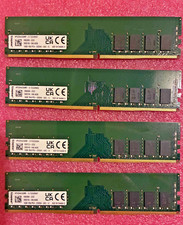
Kingston DDR4 Desktop Ram 64 GB (4x16 GB) 3200MHz
$249.99

NEW Kingston 8GB DDR4 2666MHz Desktop RAM KCP426NS8/8 PC4-21300
$30.00

DDR4 Laptop RAM 4GB 8GB 16GB 32GB 2400 2666 3200 Samsung Hynix
$66.00
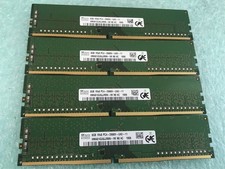
SK hynix 32GB(4 x 8GB) HMA81GU6JJR8N-VK PC4-2666V DDR4 Desktop RAM - CR337A
$89.95

Samsung W03J0009150379F87A 64GB (2x32GB) RAM DDR4 2400MHz CRC0Y
$179.99

A-Tech 8GB DDR3 1600 PC3-12800 Laptop SODIMM 204-Pin Memory RAM PC3L DDR3L 1x 8G
$21.68

Crucial DDR3L 16GB 2 x 8GB 1600 MHz PC3L-12800 Laptop RAM Sodimm Memory 1.35V
$41.00

RAMAXEL Lenovo 32GB LPDDR5X CAMM2 7500MHz Laptop RAM | UNTESTED
$445.00
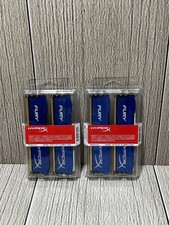
Lot of 2 Kingston Fury 8GB (4x4GB) HX316C10FK2/8 DDR3-1600MHz Ram
$50.35



 Reply With Quote