
I start knoppix3.3 from CD and i cannot create root user
Could you tell me how can i do that without installing linux
to HDD. Sorry may be it is stupid question but i am new in linux thanks


I start knoppix3.3 from CD and i cannot create root user
Could you tell me how can i do that without installing linux
to HDD. Sorry may be it is stupid question but i am new in linux thanks
It would be a good idea to familiarize yourself with the search features of not only knoppix.net but also www.google.com/linux www.debian.org and other Linux forums such as www.linuxquestions.orgOriginally Posted by zuzo
Simply enter root in the search field above and you will find your answer.
Hi
If You start Knoppix from CD You are root.
But only in text console 1...4 <ALT><CTRL><F1>...<ALT><CTRL><F4>,If You start Knoppix from CD You are root.
back to KDE with <ALT><CTRL><F5>
Ciao Martin
Type at boot: knoppix single lang=us (or whatever language)
next type at # startx
You are now FULL root of a fully GUI Knoppix sustem.
thanks to everyone
i solved my problem it was very simple
i will discribe it for beginer users like me:
my problem was that when you start knoppix directly from CD you are root but without a password so when i tried to install my vga i was asked for root pass so i solved that problem like this in root consol with command passwd i creat a password for root user and everything goes ok now very simple , but when you know it
Zuzo,
I got hit with that one too.
Everytime I tried to do something, I'd get a message to enter the Root password. I ran around the CD looking for information on the Root password, the FAQ and the Security text that the FAQ points to.
All I got was, the Root doesn't have a password, and uses a sudo-password, yadda yadda yadda.
What I came away with was, you should know what to do, cause we aren't going to tell you.
I knew that a command had to exist that set passwords, I have worked in a Unix system, way back, but didn't have a clue on the spelling (old age issues, I think. Or maybe a "blonde moment"?). I ran through the complete Help on commands inside the Root Shell, and thought I had the answer: PWD - but nope, thats to show the current directory you are residing in, funny, looked like PassWorD to me???
So, I posted here, and the nice people here gave me the answer -=- I now have the command on a Postie Note on my monitor until I commit it to memory. The people here are great! Even the most mondane, simpleton question, gets the same response as a question that is dealing with making your own "flavor" distribution of the Kernel. I can't praise them enough, and I hope I can someday have the vastness of knowledge to respond to some of the questions they do, in the future. I Love Linux !
Cuddles
 Posting Permissions


Dell EMC PowerEdge R740 8 Bay Server w/ 32GB RAM 2x GOLD 6132 2x 1600W PSU H730p
$499.88

Dell EMC PowerEdge R440 Xeon silver 4215 2.5GHz 16 GB ram 2x 550W PSU No HDD
$275.00

Dell EMC VxRail E560F 10-SFF 2*Gold 6230R 2.1GHz No RAM HBA330 iDrac Ent Server
$349.99

Dell PowerEdge R730XD 28 Core Server 2X Xeon E5-2680 V4 H730 32GB RAM No HDD
$381.93

Dell Poweredge R730xd 12LFF 2*2660v4 4*1Gbe h730 2x 750W Server CTO
$308.00

Dell PowerEdge C4130 1U AI GPU Server | 2x E5-2680 v3 | 32gb Ram | 2x 1600W
$409.99

Dell Poweredge R630 2x Xeon E5-2680 v3 2.5ghz 24-Cores / 64gb / Raid / 2x 1Tb
$374.99
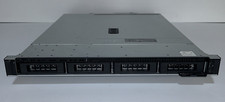
Dell PowerEdge R240 Intel Xeon E-2144G 3.6GHz 16GB DDR4 ECC NO HDD 250W
$149.00
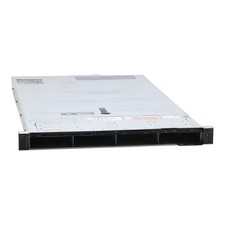
Dell PowerEdge R640 2x LGA3647 0GB DDR4 2x 25GbE 4X LFF 2x PSU Rack Server
$223.88
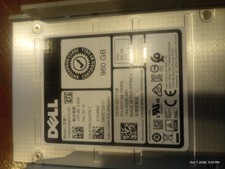
Dell Server Drive and 3.5" Cradle. 960GB SSD Enterprise
$300.00

 Reply With Quote