

 Reply With Quote
I am using lilo, and having the same issue. What version are you using?
~paul


Has anyone here tried remastering using the O'Reilly article instructions? I followed them (I think) except that I'm using GRUB instead of LILO as a bootloader. What happens? I got the CD copied to the hard drive and attempted a test boot of KNOPPIX from the drive. Well ... GRUB boots into the "boot floppy" area "/hardrive_boot" fine, the KNOPPIX boot kernel comes up and scans the disks ... but it can't find the KNOPPIX filesystem and drops into the restricted shell. Two questions:
1. Is there some magic I can type in that shell to tell it where KNOPPIX is?
2. Is there any documentation on the restricted shell??
I am using lilo, and having the same issue. What version are you using?
~paul
1. I'm using KNOPPIX 3.3
2. I had a similar problem when I copied KNOPPIX to a hard drive and tried to boot it with a boot floppy. It turned out that I had the KNOPPIX directory buried one level too deep; apparently the scan only looks immediately below the partition for the KNOPPIX directory. That isn't the case in this instance.
Hmmmm ... case sensitivity / insensitivity????
Well ... good news ... I got it to work. It seems the partition where I put the CD image was ext3, and the boot floppy or its hard disk image in "hardrive_boot" doesn't deal with ext3 filesystems. When I reformatted it as ext2, everything worked like in the books.
Speaking of ext3 ... I just did a "knx-hdinstall" of *Quantian* (a Knoppix remaster) and it offered me the chance to install to an ext3 partition. The choices are ext2, ext3 and reiserfs. So ... I picked ext3 and it went a little bit, then croaked, complaining that the kernel didn't support ext3. It's not essential that I have ext3, but I've never messed with any of the other journaling filesystems. It seemed like a good idea at the time ...

Glad to hear it works. I'll go recheck my setup, but I am pretty sure its already ext2. I was thinking about trying it from a FAT partition just to try something else as well.
I'll try again. Which version of 3.3? I am using 11-19-03
~paul
I tried ext2, and it was not supported by the kernel either, so I had so settle with reiserfs. Trying KNOPPIX_V3.3-2003-11-19-EN.isoOriginally Posted by znmeb
 Posting Permissions


Dell PowerEdge M630 Blade Server 2x Xeon E5-2680 v4, 2F3MP , 4GDP5 ,R10KJ ,JVFVR
$95.20

Dell PowerEdge M640 Blade Barebone Server Dell P/N: HHB006 Tested Working
$149.99

Dell PowerEdge M620 Blade Server 2x Xeon E5-2680v2 2.8ghz 20-Cores | 128GB
$149.99

Cisco UCS 5108 Blade Server Chassis Enclosure N20-C6508 4x PSU 8x Fans 2x Fabric
$174.99
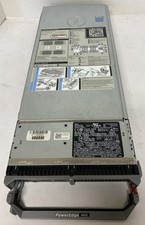
Dell PowerEdge M620 Blade Server 2x Xeon E5-2620 64GB RAM 10GbE
$149.99

Dell Poweredge C6400 24x 2.5’’ 2x 2400W 4x C6420 Nodes H330 | 2x SFP | 8x Trays
$799.99

HPE PROLIANT BL460C GEN 9 813198-B21 2.5"x2 Server Blade SEE NOTES
$21.08

Datto S4P10 1U Blade Rack Server Intel Xeon D-2143IT 2.20GHz 48GB DDR4 4-Bay PSU
$197.76

Dell Poweredge VRTX 25Bay 2.5" 2x PERC 8, 2xCMC, I/O 1GB Pass Through, 4x PS
$578.08

AS IS READ DESCRIP. Supermicro SuperServer 6026TT-HIBQRF 12-Bay 4x X8DTT-HIBQF
$215.00