-
Junior Member
registered user
So, your basically tell me take the new drive and make 2 partitions with it. One partition for the acual OS as Fat32 and then a 2nd one as NTFS for all my other stuff? The reason I want a bigger HDD in the first place is because I am a gamer, and my current 20GB HDD is getting filled...
Then take my old (currently used) 20GB HDD and format it as FAT32 for Linux/Knoppix? Man, im so confused...its not even funny. Your right, i've never used FDISK.
How would I do that inside my computer? I have 2 CD drives, and both my IDE spots are taken. I know some IDE cables have 2 spots, so what would that mean? I know my CD drives are both on one cable, and the one drive is set to MASTER and the other SLAVE. How would I do this on my Hard Drive? Use the same one cable but both spots on it, then set one HDD to MASTER (the bigger new one) and the old (current) HDD to SLAVE?
Sorry if I sound a bit stupid >_<.
-
Senior Member
registered user
Fdisk- fdisk is a utility you'll find on a windows bootdisk. Try going to bootdisk.com and making a win98 bootdisk. Boot from teh floppy and at the prompt, type "fdisk"
This will give you a program to partiton your hdd. You should not actually make any changes to your current HDD unless you are prepared to lose the data. However, you'll find that fdisk is very similar to the program cfdisk which is often used by Linux installers. So the idea is to get familiar with it....
Master/Slave- The HDD's have a jumper on the back. Set both to Cable Select or CS. Put the big one on the ned of the cable (master) and put the little one on the middle of the cable (Slave). Make sure to use the cable that comes with your new drive. It's possible your old cable is rated for slower transfer speeds and only has 40 wires instead of the current 80 wire cables.
Partitions- Install Windows XP to your new HDD. So leave the old one (20GB) unplugged to avoid confusion. Windows XP has its partioning tool during the install.
I'd do it like this:
make a partition that's 15000 - 20000 MB
make another partition that uses the remaining space
Install windows to the first partition and choose to format it as NTFS.
Reboot into windows and go to my computer. Right-click D: and format it as FAT32.
Now power off, plug your old HDD in as the slave, boot of your linux CD(s). Depending on what flavor you use, it may use a different partitioning tool. Knoppix uses cfdisk and also installs to a single partition by default. For any partitioning for linux, you'll be dealing with /dev/hdb (the slave hard drive), not /dev/hda (the master).
So, make a partition that's maybe 500mb - 1GB in size. This will be for swap or virtual memory.
Make a second that uses the rest of the 20GB drive. You can choose what filesystem to use, but most will recommend either ext3 or reiserfs.
Install linux to the second partition you made for it.
Speicifcs for cfdisk- Choose type on the first partition and hit enter a couple of times. This will make it into a linux swap drive. Choose the bootable option for the second partition. Write the changes and quit.
The knoppix installer is fairly intuitive and its a pretty good distro to get started on because its easy to setup. If you try another distro, redhat/fedora, mandrake, and suse are all good choices.
The reason you made D: FAT32 is that Linux will be able to use it and so will windows, so any files in there are accessible to both OS's. Linux will be able to read files from your C:, but not write files to that drive (because its NTFS).
-
Junior Member
registered user
That made sense, only thing I didnt understand was the whole "Swap" partition thing.
How come I should save that 500MB or 1GB as "swap/virtual mem" drive? What's it for?
EDIT: Stupid me, I just remembered what virtual memory was >_<, wonder why I didnt at first.
Also, once everything is installed correctly, will I be able to choose which OS to start up from when my computer boots up?
Thanks again, for everything.
-
Senior Member
registered user
Yes. You will install a bootloader application, depending on the distro of linux you install. There are 2 common ones- grub and lilo. These pop up a window before your machine boots and give you a choice between windows and Linux (and any other OS's you have installed). After maybe 10 seconds it will time-out and boot the default OS.
Knoppix specific- Knoppix will install Lilo. Linux will be the default OS. It's not too hard to reconfigure Lilo to make Windows the default OS if you so desire.
-
Junior Member
registered user
I'm thinking of going to either Knoppix or Mandrake. Does Mandrake have a bootloader application?
Similar Threads
-
By Oswald Glinkmeyer in forum Hardware & Booting
Replies: 2
Last Post: 04-26-2005, 11:56 AM
-
By juggernak in forum Networking
Replies: 3
Last Post: 09-10-2004, 03:42 AM
-
By Arabian in forum Networking
Replies: 1
Last Post: 07-06-2004, 05:32 AM
-
By illcuban in forum Networking
Replies: 5
Last Post: 12-23-2003, 11:51 PM
-
By Koji-Kabuto in forum Hardware & Booting
Replies: 6
Last Post: 07-20-2003, 04:51 PM
 Posting Permissions
- You may not post new threads
- You may not post replies
- You may not post attachments
- You may not edit your posts
-
Forum Rules


Vintage Apple II Avant-Garde Creations Super Shape Draw And Animate 1981
$295.00

Apple Macintosh Classic M1420 Vintage Desktop Computer Model Macintosh Classic
$100.00

Vintage Apple Macintosh Plus 1MB - M0001A W/ Keyboard, 2 Mice, 800K HD, + More
$300.00

Vintage Apple Macintosh Plus Desktop Computer - M0001A
$150.00

LARGE LOT Vintage Apple Macintosh Mouse Cables Accessories SCSI etc - UNTESTED
$80.00
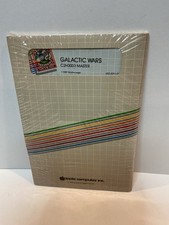
Vintage Apple II Arcade Game Galactic Wars Apple Computer NOS Sealed
$125.00
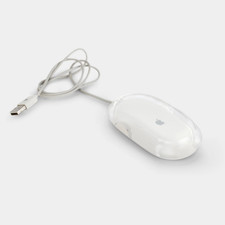
Vintage Apple Pro Mouse M5769 Wired Optical USB White/Clear
$24.99
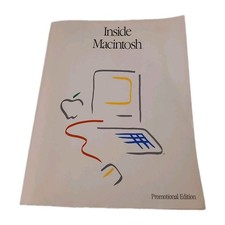
Inside Macintosh Promotional Edition Vintage Apple Developer Book 1985
$32.00

Vintage Apple Multiple Scan 15av Display Monitor M4681
$299.99

Vintage Apple Monitor IIc 9" Green Monochrome 06/1985 A2M4090 October 1984 Stand
$275.00



 Reply With Quote