-
Security? Firewall?
Hi everyone 
I am new to Linux and I am trying to learn all I can in order to make the switch to Linux (Eventually). My main priority at the moment is security. I have not been able to find a firewall anywhere. I am using Knoppix 3.2 I have it installed on the harddrive. Can anyone tell me how to access the firewall. Or do I need to Install something? I can tell that currently I have no protection. Using Ksim and Kppp details I see lots of activity going back and forth, Even when I am just sitting there with no browser or mail or anything open. But I dont know how to stop it. Anybody have any recommendations? My thanks to the group.
Best Regards,
KnoppixBill
-
Senior Member
registered user
Re: Security? Firewall?

Originally Posted by
knoppixbill
Hi everyone
I am new to Linux and I am trying to learn all I can in order to make the switch to Linux (Eventually). My main priority at the moment is security. I have not been able to find a firewall anywhere. I am using Knoppix 3.2 I have it installed on the harddrive. Can anyone tell me how to access the firewall. Or do I need to Install something? I can tell that currently I have no protection. Using Ksim and Kppp details I see lots of activity going back and forth, Even when I am just sitting there with no browser or mail or anything open. But I dont know how to stop it. Anybody have any recommendations? My thanks to the group.
Best Regards,
KnoppixBill
You can try Firestarter, Bastille Linux or what I use Arno's Iptables the first two you can use apt-get install to get them installed on the machine the Arno script is really a firewall/internet connection sharing and almost forgot Guarddog also available via apt-get. If you want to check your connection then go to Gibson Research Corporation and use their ShieldsUp port scanning utility to see the status of your ports.
-
Hi Stephen thanks for your reply. I have since installed Firestarter and ran a scan at GRC. All ports are now in stealth mode. I have just one problem. I failed with the Ping Reply. Which of course means that my computer is answering pings. Which means I am still vulnerable. Or atleast I can be found. I have tried many settings in Firestarter and cant seem to find the option to shut off my answer to pings. Can anyone help?
Thanks and Best Regards
KnoppixBill
-
Senior Member
registered user
KnoppixBill,
You've gotten farther than I have.
I also read this thread, and as soon as I got interent access, and a HD Install, I went with Firestarter also.
I don't know anything about this, I used to use [don't know the name] in Win98, and it was a lot easier, I just told it "lock-down" or something.
I can get firestarter to run, but only in the Root account - sometimes it reports something and crashes. But, I did resolve this issue, and after learning why, when I go to a web site, like this, Mozilla would just sit and say "connecting to xxxxxxxx" - I realized I needed to add the site into my Trusted Site rules.
Hmmmmm, here is just a dumb thought, shoot me if I am wrong, but when I went to the FireStarter site to read about it, before I did a apt-get -=- I thought their was some form of "communication" to either the author, or the site? Can this be a possible avenue of answers?
Just some thoughts,
Cuddles
-
Hi Cuddles, I did look around in their online manual and have found nothing. I do see a contact us link on their homepage. If nobody else comes up with a suggestion I will contact firestarter Or I am even thinking about giving IPTables a try. Thanks and Best Regards
KnoppixBill
-
Senior Member
registered user
Originally Posted by
knoppixbill
Hi Cuddles, I did look around in their online manual and have found nothing. I do see a contact us link on their homepage. If nobody else comes up with a suggestion I will contact firestarter Or I am even thinking about giving IPTables a try. Thanks and Best Regards
KnoppixBill
Try these as root then run your scan again then if it looks good then you should just add the commands to the file /etc/init.d/bootmisc.sh and they will be loaded on boot or see if there is a custom setting in the Firestarter. Just so you know that if your ISP ever has to try and check your connection this will make it look like it is bad and unreachable. Also you may want to checkout the Guarddog when I used it everything always showed up as stealth.
Code:
echo "1" > /proc/sys/net/ipv4/icmp_echo_ignore_broadcasts
 echo "1" > /proc/sys/net/ipv4/icmp_echo_ignore_all
-
knoppix can be hacked even as a live CD
To the forum;
Knoppix can be hacked even as a live CD. I have a hacker who is giving me problems. I do have a question and that is;
Can you use the binary editors to check the config. files and is there a source for obtaining the correct binaries or hex or text or any way to check the files aganst a clean, unhacked file?
let me know if you can double check the files in some manner and make edits against bad code
thanks again
[email protected]
**************************************
Similar Threads
-
By pid1982 in forum General Support
Replies: 2
Last Post: 06-15-2005, 08:36 AM
-
By swazi in forum Hdd Install / Debian / Apt
Replies: 3
Last Post: 10-11-2004, 04:42 PM
-
By Neo-Rio in forum General Support
Replies: 3
Last Post: 03-08-2004, 03:11 PM
-
By dugstratton in forum Networking
Replies: 0
Last Post: 02-14-2004, 01:20 AM
-
By georgetoon in forum General Support
Replies: 4
Last Post: 11-21-2003, 04:09 AM
 Posting Permissions
- You may not post new threads
- You may not post replies
- You may not post attachments
- You may not edit your posts
-
Forum Rules


Yealink T48S VoIP/SIP Phone, 2 x Gigabit Ports PoE 7" Color SIP-T48S | TESTED
$34.95

Grandstream VoIP Phone Adapter ATA 1-Line Black Ethernet (RJ-45) Micro USB
$27.07

SIM Bank 32 SIM Card Slots Ethernet SIM Server for GoIP
$400.00
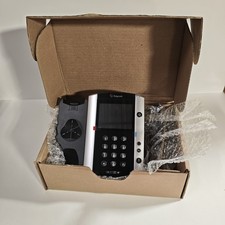
Polycom VVX 501 Desktop VoIP Phone HD Voice PoE 2200-48500-025 Black Silver
$39.99

Yealink SIP-T33G IP Phone 4-LineSpeakerphone VoIP Desk Phone Black w/ Power Sply
$25.00
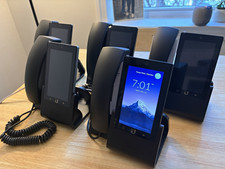
Ubiquiti UniFi Talk UVP-Touch VoIP IP Phone PoE Touchscreen Tested Reset
$64.99

Grandstream WP810 Portable Cordless Wi-Fi IP Phone
$49.28

Ooma Telo VoIP Free Internet Home Phone Service. Certified Refurbished.
$59.99
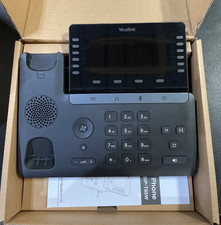
Yealink SIP Phone T85W
$153.99

Poly CCX 400 Desktop Business Media Phone VoIP 2200-49700-019
$49.99



 Reply With Quote