

 Reply With Quote
what are the contents of /etc/resolv.conf?
If this is the same before you dial up, then your ISP is not providing you with dynamic DNS.
~paul


Hi,
I am having more or less the same problem here,
I use the kppp interface to set up the following:
1) able to set up my modem ( Mitsubishi diamond 56 K , ext. serial modem)
2 ) able to set up the my DNS info, ISP, info etc. on the KPPP dialer successfully.
I am able to connect to internet, but I can't surf from my Konquerer
browser. Could not even get to my own ISP web page.
It just stopped there and error msg: could not recognise proxy server,
proxy.XXXXX.XXX . The proxy server name was the exact one that my ISP
gave me.
Could I know if I can take away the proxy settings and able to surf ok? And could I know how to do that ?
Or was it caused by something else?
what are the contents of /etc/resolv.conf?
If this is the same before you dial up, then your ISP is not providing you with dynamic DNS.
~paul
I have set up my dial-up with kppp, using suSE 9.0.
Everything is fine, I can get connected to the internet, but I can surf the web at all. What could be the problem? Can someone help me please.
Regards
 Posting Permissions


TP-Link TL-SG105, 5 Port Gigabit Unmanaged Ethernet Switch, Network Hub, Ethern
$15.25

TP-Link TL-SX105 10GB 5-Port Switch - Unopened
$195.00

NETGEAR GS308EP Essential Series 8-Port Gigabit PoE+ Unmanaged Switch
$44.99

Cisco WS-C3650-12X48UR-L 48-Port Stackable Layer 3 8x10G SFP+ Port Switch
$129.99

TP-Link TL-SG105 5-Port Gigabit Ethernet Unmanaged Metal Desktop Network Switch
$19.99
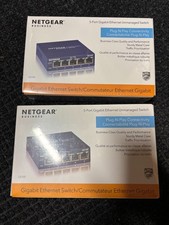
NETGEAR ProSAFE GS105E 5-Port Gigabit Ethernet Plus Switch Built for Business
$11.00

5 Port Gigabit Unmanaged Ethernet Switch, Home Network Hub, Office Ethernet S...
$9.64

10-Port Gigabit PoE Network Switch with 8 PoE+ Ports with 2 Combo SFP Slots 125W
$39.99

TP-Link TL-SG1048 48-Port Gigabit Rackmount Switch New Factory Sealed
$199.99

5Ports Gigabit Network Switch w/ 4 PoE+ Ports Total 52W each port 30W Plug&Play
$31.99