

 Reply With Quote
Login as root.
in <Control Center><System><Login Manager> You can change the appearance of the gui login.


Hello Knoppix-Friends,
i'll get the gui login from debian after hdd install.
How do i can customize the gui, like another picture?
Thanks,
m.g.simon
Login as root.
in <Control Center><System><Login Manager> You can change the appearance of the gui login.
Do everything in the post above except login as root as your normal user use the Administrator Mode button and type in the root password and you can make all the changes you want. Loging in as root anytime is an extremely bad idea for security purposes you should always login in as your normal user and if necessary to become root use the su at the console or console window if running graphically and enter your root password to become the super user (root) then make your changes and exit from root back to your normal user.
How 'bout a screen saver for the login? Login manager doesn't seem to have one.
 Posting Permissions


RAM-HOL-SAM52CPU RAM USB-C Powered Dock Samsung Tab Active4 Pro & Tab Active Pro
$81.99

SAMSUNG FIT PLUS 128GB USB 3.1 Flash Drive - fully working & authentic
$24.95

Samsung 2.5" 870 EVO SSD SATA III 250GB 500GB 1TB Internet Solid State Drive Lot
$60.00
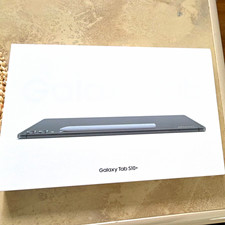
Samsung Galaxy Tab S10+ 12.4" 256GB 12GB Gray Wi-Fi AMOLED Android
$580.00

RAM-HOL-SAM60CPU RAM USB-C Powered Dock for Samsung Tab Active5 - 3 - 2
$81.99

Samsung PM961 512GB PCIe Gen 3x4 NVMe 2280 M.2 SSD MZVLW512HMJP-000D1
$60.00

RAM-GDS-SKIN-SAM54-NG-1 RAM Mounts IntelliSkin® Next Gen for Samsung Tab Active4
$93.99

Samsung 8GB DDR5 5600MHz SODIMM Laptop RAM PC5-44800 CL46 M425R1GB4BB0-CWM
$99.99
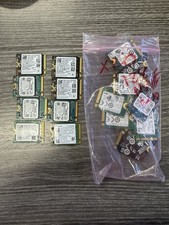
LOT OF 20 128GB 2230 M.2 PCIe NVMe SSDs | Mixed Brands
$269.95

Samsung 870 EVO 4TB 2.5" SATA III Internal SSD (MZ-77E4T0B/AM)
$310.00