

 Reply With Quote
Can't you just delete it?
Either right click and choose delete off the pop-up menu, or select it and use delete on the operations menu.
Then you can either resize the one before it, or create a new partition of whatever type you like.


I finally have Knoppix installed and working so well on my Toshiba laptop that it is my primary OS. I also have Win2k installed and tried to add another linux distro to have a tripple boot system. The other distro didn't work.
Long story short, the other distro formatted its partition as reiserfs. What would be the best way to reclaim and reformat this partition? I can see it in qtparted and cfdisk but have not been able to find out which is best for this operation as most docs focus on partitioning. I have PartitionMagic but, it no longer works on this drive because of the reiser partition.
I have done Ghost backups of all important partitions but, would like to accomplish this with the least chance of hosing my system.
Thanks.
Can't you just delete it?
Either right click and choose delete off the pop-up menu, or select it and use delete on the operations menu.
Then you can either resize the one before it, or create a new partition of whatever type you like.
I'm sure I could delete it. I just want to make sure I do it right.
CFdisk has an option to change the file type. Will that then reformat the partition to the selected type?
I have also considered overwriting that partition with the Ghost image of the Knoppix install since the offending partition is larger.
I don't think simply changing the type will actually reformat it for you.
The partition type is really just a flag that tells the OS what sort of things it should expect to find inside the partition, so that the OS knows whether it should even recognise the partition.
You still have to manually create the filesystem on the partition (aka format).
Notice that in cfdisk in the list of possible types, there are no entries for Ext2, Ext3, Reiserfs etc. These all fall under the general type of "Linux".
What do you want to do with this third partition?
make it available under windows as a D:?
make it available under Knoppix as a separate filesystem?
make one the other partitions bigger?
I had the impression from the docs for cfdisk that if you changed the partition type it would ask if you wanted to reformat. I've been wrong before
I would like to format it as FAT32 to be used as a data partition for windows and knoppix.
Thanks for your help.
I just tried changing the type of a partition using cfdisk, and it didn't prompt me for reformating.
If you want to use as a common drive, then I think you need to change the type - using cfdisk if you want - to Fat32.
Then you need to format it.
You can either:
In windows, format as usual.
In Knoppix, run mkdosfs
My biggest concern is that this procedure is non-destructive to the other partitions. I take it that they will be ok.
I will give it a shot. Thanks for your help!
If you just change the type for the one partition, and then write the partition table, it will only destroy the data on that one partition.
I have changed the partition types many times on /dev/hda3 on my machine, and the data in /dev/hda1 and /dev/hda2 have never been destroyed.
Thanks both for your help.
 Posting Permissions

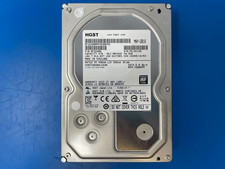
HGST 4TB 7200RPM 3.5" SATA 6Gb/s Internal HDD | HDN724040ALE640 0F22408
$75.00
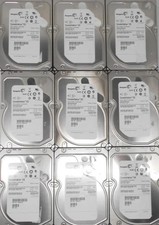
5 Used 3 TB SAS lot Mixed brands
$60.00

Seagate 14TB Exos X14 7200RPM SATA 6Gb/s 256MB 3.5" Enterprise HDD ST14000NM0408
$354.99

Seagate BarraCuda ST5000LM000 5TB 5400RPM SATA III 6Gb/s 2.5" Internal Hard
$169.99

Seagate ST6000NM0115 6TB 256MB 7200RPM 3.5" SATA 6.0Gb/s Enterprise Hard Drive
$159.99

HGST HUS724040ALA640 4TB 7200 RPM SATA 3.5" Internal Desktop Drive 100% Health
$78.00
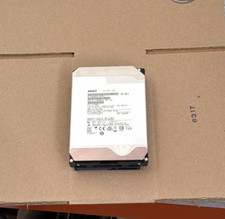
HGST - 6TB - 7200RPM 3.5" SATA 6Gb/s Enterprise Hard Drive | HUS726060ALA640
$84.99
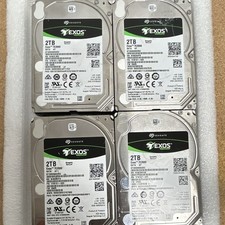
Seagate Exos 7E2000 2TB 2.5 SATA Internal HDD 7200RPM 256MB ST2000NX0253
$60.00
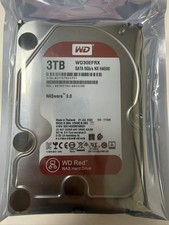
Western Digital WD30EFRX 3TB SATA 5400RPM 3.5" Internal NASware HDD Hard Drive
$84.69

(ST8000NM0045) SEAGATE ENTERPRISE 8TB 7200RPM 4Kn SATA 6Gb/s 3.5" HARD DRIVE
$219.99
