

 Reply With Quote
I think recent releases have been using cloop v2.0, which is available here.


Hello,
Is it possible to mount the compressed filesystem present in the downloadable ISO image of Knoppix, but under another distirb, such as Mandrake ?
It fails with this :
cd /mnt/hdb10/
mkdir iso
mount KNOPPIX_V3.3-2003-11-19-EN.iso iso -t iso9660 -o loop
mkdir KNOPPIX
insmod cloop file=/mnt/hdb10/mnt/KNOPPIX/KNOPPIX
mount -r -t iso9660 /dev/cloop KNOPPIX
After the insmod, I get this error message :
---
/lib/modules/2.4.22-10mdk/kernel/drivers/block/cloop.o.gz: init_module: Cannot allocate memory
Hint: insmod errors can be caused by incorrect module parameters, including invalid IO or IRQ parameters.
You may find more information in syslog or the output from dmesg
---
And the syslog contains this :
---
Dec 26 21:10:29 localhost kernel: cloop: Initializing cloop v1.00
Dec 26 21:10:29 localhost kernel: cloop: mnt/KNOPPIX/KNOPPIX: 29973 blocks, 65536 bytes/block, largest block is 0 bytes.
Dec 26 21:10:29 localhost kernel: cloop: out of memory for compressed buffer 0
---
I tried different things, such as copying the content of the mounted iso to a directory. For various reasons, I am using Mandrake 9.2, and I would like to be able to customize Knoppix without having to reboot the PC.
I checked the old messages in this forum, I could see that other people have the same problem, but with no solution at this time.
Thanks for your help !
Yann
I think recent releases have been using cloop v2.0, which is available here.
Originally Posted by baldyeti
Hello & thanks for the information.
I downloaded the last version of cloop.
In the README file, I can see this for the installation :
===
make KERNEL_DIR=/path/to/linux-kernel/sources
(as root) mkdir -p /lib/modules/misc && cp cloop.o /lib/modules/misc/
(as root) depmod -a
(as root) mknod /dev/cloop b 240 0
(as root) mknod /dev/cloop1 b 240 1
===
Is it safe to do this on a system other than debian-based, i.e. Mandrake ? (9.2)
Thanks
Yann
Well I've never attempted this myself, but the above list of commands doesn't look that dangerous. Maybe you should check if the device nodes it creates already exist under your distro (and would then represent something else), but that is very unlikely. Also, why are you more suspiscious about v2 than you were with previous versions? Dose mandrake come with a precompiled V1 cloop?
Hello,
Yes, Mandrake comes with a pre-compiled version of cloop. And it seems to be version 1. The error messages given in my previous message were displayed when attempting to insmod the "mandrake" cloop module with a "Knoppix" compressed FS in the "file" argument.
If I do "head -4" on the knoppix compressed FS, the 700Mb KNOPPIX file, I get :
---
#!/bin/sh
#V2.0 Format
insmod cloop.o file=$0 && mount -r -t iso9660 /dev/cloop $1
exit $?
---
If I do this on the same file but generated with Mandrake 9.2, I get :
---
#!/bin/sh
#V1.0 Format
insmod cloop.o file=$0 && mount -r -t iso9660 /dev/cloop $1
exit $?
---
So I am generating V1.0 instead of V2.0.
I can not mount the V2.0 compressed FS, but I can mount the V1.0 I generated :
---
# insmod cloop file=/mnt/hdb10/master/KNOPPIX/KNOPPIX
Using /lib/modules/2.4.22-10mdk/kernel/drivers/block/cloop.o.gz
---
Once I did the insmod, I do have /dev/cloop :
---
# ll /dev/cloop/
total 0
brw-r----- 1 root root 240, 0 jan 1 1970 0
brw-r----- 1 root root 240, 1 jan 1 1970 1
brw-r----- 1 root root 240, 2 jan 1 1970 2
brw-r----- 1 root root 240, 3 jan 1 1970 3
brw-r----- 1 root root 240, 4 jan 1 1970 4
brw-r----- 1 root root 240, 5 jan 1 1970 5
brw-r----- 1 root root 240, 6 jan 1 1970 6
brw-r----- 1 root root 240, 7 jan 1 1970 7
---
But that's quite different than the info provided by the cloop v2 README file.
To summarize :
1. I can not mount the V2.0 compressed FS, I get a "out of memory" error. Version 1 of cloop seems to be the one installed on Mandrake 9.2.
2. I generate V1 instead of V2 compressed FS (well this is consistent with point 1).
Installing V2 of cloop may solve everything, except if it breaks my /dev/cloop, as they seem to be different.
I will do more tests, but any advice will be most welcome !
Thanks
Yann.
Anyone know what the outcome is with using cloop 2.0 under Mandrake 9.2? I would like to try out some changes to files in the compressed image, but I would like to do it under my Mandrake installation.
Thanks, Nate
 Posting Permissions


(New) AMD Ryzen 7 5700X 8 Core 16 Thread AM4 Unlocked 3.4 GHz CPU OEM Tray
$174.99

OPNsense Firewall 8-Core Atom C3758 4GB DDR4 RAM 64GB SSD 8x 1Gbe QAT AES-NI VPN
$95.00

AMD Ryzen 7 PRO 8700GE 8-Core/16-Thread Up to 5.1GHz AM5 (FL1)
$175.00
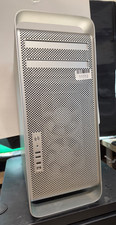
Apple Mac Pro (A1186, "8Core" 2007)Xeon X5365-4GB Ram 1TB HDD OS XLeopard NVIDIA
$274.99
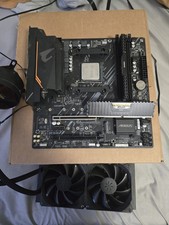
AMD Ryzen 7 5700X3D 8-Core 3.0GHz Socket AM4 With motherboard & Ram And AIO
$750.00

AMD Ryzen 7 9850X3D 8-Core 16-Thread 5.6GHz 120W AM5 CPU 100-100001973WOF
$435.99

Microsoft Surface Go 2 Laptop Core i5 1135G7 2.4GHz 8GB 128GB SSD
$179.99

Intel Core i9-9900K Coffee Lake 8-Core, 16-Thread, 3.6 GHz (LGA 1151)
$189.99

Intel Core i9-9900 SRG18 3.10GHz 16MB 8-Core LGA1151 CPU Processor
$177.21
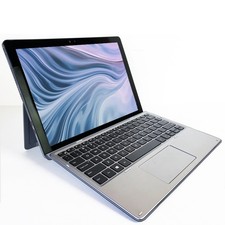
Dell Latitude 7200 Touch Tablet Laptop 12” Core i5 8GB RAM 256GB SSD Win 11 Pro
$239.99
