

 Reply With Quote
You could try to enable dma for the dvd device. Knoppix has a "dma" cheatcode, but I am not sure if it's only for hard disks or not...


I have Knoppix 3.3 (11-19 release) and libdvdcss1.2.7 on a Sony Vaio PCG-FX300. It's a P-III at 1 ghz with 256 megs of ram and an 8 meg i815 video card. What setting do I need to change to get DVD"s to play smoother?
I have had this problem on my other laptop (sony vaio pcg-f350) and that is a P-II 366Mhz with 128 megs of ram and a 4 meg neomagic card. That was running a Knoppix 3.2 release me thinks early april or so. I thought it was choppy due to being slow but that wasn't the problem as it is replicated on the faster laptop.
I can't find anywhere a newer version of libdvdcss or an olderone that doesn't have the same problem.
Does anybody have a similar problem?
Any help is appreciated.
~bigmoose
You could try to enable dma for the dvd device. Knoppix has a "dma" cheatcode, but I am not sure if it's only for hard disks or not...
You need X video extensions enabled to get good dvd playback.
It is not a factor of cpu speed, or dvd player speed or player dma, but more of having the right video enabled X server present.
Run the xvinfo command.
if you get something likethen you are out of luck (which I am almost certain is the case for you, otherwise you wouldn't be complaining about choppy DVD playback).Code:X-Video Extension version 2.2 screen #0 no adaptors present
I have too many meat-space commitments to follow this up for you just at the moment, but perhaps tomorrow I can investigate this more for you.
You can find more info about xvideo exensions at http://dvd.sourceforge.net/xine-howt...o-9.html#ss9.3
It says Intel i815 should work.
This Fixed the problem. It even worked on the P-II 366. Now I'll watch Die another Day from start to finish without any skips.
Originally Posted by baldyeti
I will checkout the xvideo extension for better performance later on tonite.
Thanks guys.
~ryan

Oh, ok
Well, I stand corrected.
I'm glad you found an easy solution.
TearingHairOut,
I too, have choppy video on playing a DVD - mine is a Sony, which I hear is natorious for needing to be dma enabled (said so in the manual)
I did the xvinfo - and whoa!!!!!
A TON OF STUFF scrolled over the screen, and ran almost three screen-fulls. I not only have multiple formats, but lots of window sizes, depth planes, etc...
Is the whole DMA thing a all-or-nothing kinda thing? Like its either enabled on everything, or its not? Or is it specific to only the hard drives? Just some background on the subject, thats all -=- I wouldn't want to tax you -=- you have been so helpful, courteious [yessh I need a spell checker for this thing] and very patient with me all this time, and with many issues - I wouldn't want you to get brain-drain or something
Cuddles
Hi Cuddles
I am not really an expert in dma, but I have a few - let's call them "inspired guesses".
I seem to recall once seeing a knoppix cheatcode in which you specified dma for specific drives (but I can't seem to find it now). From this, I would infer that if you simply say "dma", then it attempts to enable dma for all your drives.
I believe that dma can be used for any kind of drive, hard disc, cd-rom, dvd.
If you get lots of stuff returned from the xvinfo command, then basically you can forget about this. It's all on and working for you, and you don't need to do anything more (this relates to your video card and X server, and is a separate issue from dma enabled drives).
If you are getting choppy dvd playback, I would suggest you follow baldyeti's advice and enable dma for your dvd drive. I think he (she?) is refering to a boot time cheatcode, which will be a drag for you to have to enter each time you boot. It is probably possible to specify this permanently somewhere, but I don't actually know how to do this.
BTW, I just found this on the net. It is from a web site specifically for a DVD player called ogle, but this stuff should be general to all systems.
Hope all this stuff helpsCheck with hdparm (hdparm -d <device name>) if you have enabled DMA on the DVD drive.
hdparm -d 1 <device name> to turn dma on. The link above will explain in more detail.
If you have a VIA chipset or have similar problems see FAQ 44 also.
If you have enabled DMA and it still is choppy and you have an nVidia card see also FAQ 38.
If you have enabled DMA and it still is choppy or dma keeps turning off and you have a VIA chipset (mostly amd users) try with hdparm -d 1 -X34 <device name> to use another dma mode.
NOTE: In redhat7.3 DMA is default OFF for cd/dvd drives
The official way to turn change this is to create a file named /etc/sysconfig/harddiskhdc (the hdc at the end should be replaced with the device name for you DVD). Use the contents of /etc/sysconfig/harddisks as a template. The rc.sysinit script will apply the contents of /etc/sysconfig/harddisks to hard drives only, but if it sees a file for a specific drive, it will apply it to that drive even if it is not a hard drive.
NOTE (ide-scsi): If you are using ide-scsi on a drive you must still use the ide device node with hdparm to turn on/off dma. Example: you use ide-scsi on your dvd drive that is /dev/hdc, it turns up as /dev/sr0, /dev/dvd should point to /dev/sr0 but to turn on dma you should write 'hdparm -d 1 /dev/hdc'.
NOTE (devfs and ide-scsi): If you use devfs and ide-scsi you won't get any /dev/hdc device to run hdparm on (if /dev/hdc is the dvd drive using ide-scsi). Instead you need to use 'hdparm -d 1 /dev/ide/host0/bus1/target0/lun0/generic'.
sorry I couldn't be a bit more specific.
THO
--DMA is kernel- and device-specific. Try ' hdparm -c1 -d1 /dev/hdc ' if your DVD drive is secondary master.
Thanks THO - you are worth a millionBTW Hows that flu going? You are seriously burnin yourself if your still sick - I'd hate to think I was hampering your getting better.
Cuddles
 Posting Permissions

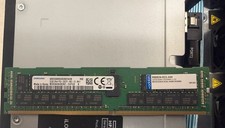
2x SAMSUNG 32GB DDR4 2RX4 PC4-2933Y SERVER MEMORY M393A4K40CB2-CVFC0 64GB TOTAL
$300.00

Netac DDR4 32GB 16GB DDR4 3200MHz UDIMM C16 Desktop Internal Memory RAM Kit
$99.99

16GB KIT (2x8GB) DDR4 Gamer Desktop RAM PC4 MIXED BRANDS
$65.00
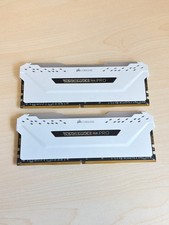
Corsair Vengeance RGB Pro 32GB 2x16GB DDR4-3200 CL16 White CMW32GX4M2C3200C16W
$174.99

A-Tech 8GB DDR3 1600 PC3-12800 Laptop SODIMM 204-Pin Memory RAM PC3L DDR3L 1x 8G
$21.68

MINT Micron Cisco 32GB PC4-2400T DDR4 2Rx4 RDIMM RAM MTA36ASF4G72PZ-2G3 LOT
$159.99

Major Brand 16GB (2x8GB) PC3-12800U DDR3-1600MHz DDR3-12800 DESKTOP RAM NON-ECC
$29.99
Samsung 8GB DDR4 2666MHz Desktop Ram Memory (M378A1K43DB2-CTD) Tested
$29.99
16GB DDR3 RAM Kit (4x4GB) 1333MHz UDIMM, PC3-10600U Memory, 240-Pin CL9 1.5V
$72.99
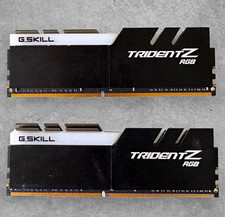
G.SKILL Trident Z RGB 32GB (2x16GB) DDR4-3200 DIMM RAM Kit Intel XMP 2.0
$144.00