-
Update Failed - KDM Problem
Lately whenever I use Synaptic Package Manager to install anything I
usually get this feedback:
Code:
Selecting previously deselected package kdebase.
(Reading database ... 127539 files and directories currently installed.)
Unpacking kdebase (from .../kdebase_4%3a3.1.4-1_all.deb) ...
Setting up kdm (3.1.4-1) ...
dpkg: error processing kdm (--configure):
 subprocess post-installation script returned error exit status 30
Setting up kdebase (3.1.4-1) ...

Update failed - Scroll in this buffer to see what went wrong
I seem to have some kind of kdm problem. I wonder what this is & what
I can do about it.
Max
-
Senior Member
registered user
Re: Update Failed - KDM Problem

Originally Posted by
Max
Lately whenever I use Synaptic Package Manager to install anything I
usually get this feedback:
Code:
Selecting previously deselected package kdebase.
(Reading database ... 127539 files and directories currently installed.)
Unpacking kdebase (from .../kdebase_4%3a3.1.4-1_all.deb) ...
Setting up kdm (3.1.4-1) ...
dpkg: error processing kdm (--configure):
 subprocess post-installation script returned error exit status 30
Setting up kdebase (3.1.4-1) ...

Update failed - Scroll in this buffer to see what went wrong
I seem to have some kind of kdm problem. I wonder what this is & what
I can do about it.
Max
http://bugs.debian.org/cgi-bin/bugreport.cgi?bug=224567 you could try to track down the patch mentioned in the last report I did a quick search but cannot seem to find it.
-
Thanks for your reply. If this is the answer I don't understand it:
http://bugs.debian.org/cgi-bin/bugreport.cgi?bug=224574
Max
-
Senior Member
registered user
Originally Posted by
Max
Easy enough now that I have seen the patch open a console window (clam shell Icon on the task bar) then su then enter key type in the root password and enter again you are now root. Now gvim /var/lib/dpkg/info/kdm.config to open the file needed for editing and go down to line 50 and add the || true to the end of the line seperated by a space from the last word and do the same on line 51 and save the file. Now apt-get install --reinstall kdm and it should reinstall with no problems at least it did here. I did get a warning "head: -1: invalid number of lines" but I think that is because I changed the file. The "||" in the || true are two pipe characters they are located on my keyboard above the "\" backslash key so use SHIFT+\ and you get the character.
-
Originally Posted by
Stephen
Originally Posted by
Max
Easy enough now that I have seen the patch open a console window (clam shell Icon on the task bar) then
su then enter key type in the root password and enter again you are now root. Now
gvim /var/lib/dpkg/info/kdm.config to open the file needed for editing and go down to line 50 and add the
|| true to the end of the line seperated by a space from the last word and do the same on line 51 and save the file. Now
apt-get install --reinstall kdm and it should reinstall with no problems at least it did here. I did get a warning "head: -1: invalid number of lines" but I think that is because I changed the file. The "||" in the
|| true are two pipe characters they are located on my keyboard above the "\" backslash key so use SHIFT+\ and you get the character.
That seems to have fixed it. There was some kind of a problem with
installed packages not showing up on the Kmenu but now it looks like
they are all there & after the last upgrade instead of:
Code:
Update failed - Scroll in this buffer to see what went wrong
Synaptic Package Manager said:
Code:
Update finished - You can close the window now
Thank you very much. Now I just wish I knew what this meant:
Code:
Debian Configuration

Configuring mdadm

WARNING! Zero the superblock if you reuse hard disks.

WARNING! If you are using hard disks which have a md superblock from
an earlier installation, you MUST zero the superblock before
activating the autostart feature, Answer 'No' to the next question
and zero the superblock (mdadm --zero- superblock /dev/xxx), You can
then use 'dpkg-reconfigure mdadm' to activate the autostart feature.
Max
-
Senior Member
registered user
Originally Posted by
Max
That seems to have fixed it. There was some kind of a problem with
installed packages not showing up on the Kmenu but now it looks like
they are all there & after the last upgrade instead of:
Code:
Update failed - Scroll in this buffer to see what went wrong
Synaptic Package Manager said:
Code:
Update finished - You can close the window now
Thank you very much. Now I just wish I knew what this meant:
Code:
Debian Configuration

Configuring mdadm

WARNING! Zero the superblock if you reuse hard disks.

WARNING! If you are using hard disks which have a md superblock from
an earlier installation, you MUST zero the superblock before
activating the autostart feature, Answer 'No' to the next question
and zero the superblock (mdadm --zero- superblock /dev/xxx), You can
then use 'dpkg-reconfigure mdadm' to activate the autostart feature.
Max
That is the RAID tool mdadm asking you a question it looks like it is not going to autostart but you should remove the package mdadm with either apt-get remove --purge mdadm or synaptic if you are not using a RAID on the system.
-
Removed mdadm with Synaptic. Thanks for all your help.
Max
Similar Threads
-
By humi001 in forum Hdd Install / Debian / Apt
Replies: 3
Last Post: 02-10-2005, 12:36 PM
-
By lmsaga in forum Hdd Install / Debian / Apt
Replies: 2
Last Post: 04-25-2004, 12:29 PM
-
By AP in forum Customising & Remastering
Replies: 4
Last Post: 04-07-2004, 05:50 AM
-
By -LoZt- in forum General Support
Replies: 4
Last Post: 12-20-2003, 04:23 PM
-
By Ridgeburner in forum Hardware & Booting
Replies: 1
Last Post: 02-25-2003, 08:16 AM
 Posting Permissions
- You may not post new threads
- You may not post replies
- You may not post attachments
- You may not edit your posts
-
Forum Rules


Samsung 2.5" 870 EVO SSD SATA III 250GB 500GB 1TB Internet Solid State Drive Lot
$100.00

Netac 120GB 256GB 1TB 2TB Internal SSD 2.5'' SATAIII 6Gb/s Solid State Drive lot
$119.99

Netac 2TB 1TB 512GB 256GB Internal SSD 2.5inch SATAIII Solid State Drive lot
$549.00

Samsung 860 EVO 250GB SSD MZ-76E250 2.5" SATA III Solid State Drive -
$36.99
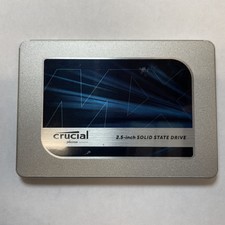
Crucial MX500 1TB 2.5" SATA III Internal SSD CT1000MX500SSD1
$99.99

Fanxiang 256GB 512GB 1TB 2TB 4TB SSD Lot 2.5'' SATA Internal Solid State Drive
$42.99

Fanxiang 1/2/5/10Pcs 2.5'' SATA SSD Lot 1TB 2TB 4TB 512GB 256GB TLC Internal SSD
$129.99

2 PACK 128 GB SSD M.2 2280 SATA Solid State Drive Major Brands, Samsung, LiteON
$28.00

Western Digital Blue 3D NAND 500GB Internal 2.5" SSD - WDS500G2B0A
$49.99
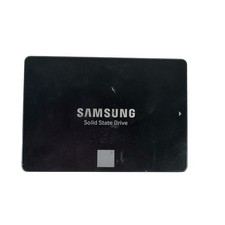
Samsung 250GB SSD 850 EVO 2.5" Internal Solid State Drive MZ7LN250 MZ-75E250
$25.99



 Reply With Quote