-
Junior Member
registered user
Mount USB 6-in-1 Multi-Flash card reader without recompile
I recently purchased an Acomdata 6-in-1 USB Multi-Flash memory card reader for CompactFlash, SmartMedia/X-media. SD/MMC and Sony Memorystick cards (http://www.acomdata.com). I specifically chose Acomdata because they explicitly advertise that their product works with Linux as well as Windows and MacOS.
The USB card reader is detected by Linux via the usb kernel modules (including the usb.c, usb-uhci.c, hub.c and usb-storage modules) as a multi-LUN SCSI device. Further, to access the SmartMedia filesystem, you also need the SDDR09 and SDDR55 usb-storage kernel modules (these provide the FAT emulation layer for Smartmedia). Finally, the manual for the Acomdata USB card reader recommends that you recompile the kernel to enable the SCSI Option "Probe all luns" (CONFIG_MULTI_LUN), which is normally disabled by default in the kernel because of potential problems.
Fortunately, the Knoppix kernel is compiled with all of the necessary components, except for the SCSI multi-LUN option. You can still detect and mount the USB card reader devices without recompiling the kernel, however. Here's how you do it:
1) Detect the USB mult-card reader devices. If you are booting from the Knoppix LiveCD, then at the boot prompt, pass the kernel option: knoppix max_scsi_luns=6.
If you are booting from a hard-drive installation, then include the above kernel option under an "append" statement in /etc/lilo.conf e.g.: append="max_scsi_luns=6"; then as root, execute /sbin/lilo. When you reboot, dmesg will show the various devices in your USB multi-card reader detected as SCSI devices (e.g. sda, sdb, sdc, sdd).
2) Mount your card media. On my system, sda is assigned to an Iomega Zip drive. Therefore, the various devices on the Acomdata USB multi-flash card reader are detected as:
sdb: CompactFlash
sdc: SmartMedia / X-media
sdd: SD / MMC
sde: Sony Memorystick
I use only SmartMedia from my Olympus C-2000Z digital camera. To mount it, I execute (as root or superuser): mount -t vfat /dev/sdc1 /mnt/sdc1. Note that you need to specify the partition number when you mount ie. /dev/sdc1, not /dev/sdc. Of course, you can use mount points other than /mnt/sdc1.
3) Diagnostics. If you are having trouble mounting your media card, execute dmesg | less to check if your USB card reader was detected. My dmesg shows:
Code:
Initializing USB Mass Storage driver...
usb.c: registered new driver usb-storage
usb_control/bulk_msg: timeout
scsi1 : SCSI emulation for USB Mass Storage devices
  Vendor: DMI       Model: MultiFlash        Rev: 3.00
  Type:   Direct-Access                      ANSI SCSI revision: 02
  Vendor: DMI       Model: MultiFlash        Rev: 3.00
  Type:   Direct-Access                      ANSI SCSI revision: 02
  Vendor: DMI       Model: MultiFlash        Rev: 3.00
  Type:   Direct-Access                      ANSI SCSI revision: 02
  Vendor: DMI       Model: MultiFlash        Rev: 3.00
  Type:   Direct-Access                      ANSI SCSI revision: 02
Attached scsi removable disk sdb at scsi1, channel 0, id 0, lun 0
Attached scsi removable disk sdc at scsi1, channel 0, id 0, lun 1
Attached scsi removable disk sdd at scsi1, channel 0, id 0, lun 2
Attached scsi removable disk sde at scsi1, channel 0, id 0, lun 3
You will also see some READ CAPACITY FAILED messages, which you can ignore.
Alternatively, you can peruse the contents of /proc/scsi directory. If your USB multi-card reader is successfully detected, the file /proc/scsi/usb-storage-0/1 will be created. This file is plain text; if you execute 'less /proc/scsi/usb-storage-0/1', you should see something like this:
Code:
   Host scsi1: usb-storage
       Vendor:
      Product: MultiFlash
Serial Number: None
     Protocol: Transparent SCSI
    Transport: Bulk
         GUID: 0c0b27cb0000000000000000
     Attached: Yes
If your USB multi-card reader is not detected, then the usb-storage-0 subdirectory will not appear under /proc/scsi.
-
Thanks spurious,
Adding multi-LUN support did the trick.
For those who don't want to use root account for such a trivial task as mounting removable media it might be helpful toadd following (or similar) lines in /etc/fstab.
Code:
/dev/sdc1               /mnt/SM                 auto    noauto,owner,user  0 0
/dev/sdb1               /mnt/MMC                auto    noauto,owner,user  0 0
I'm using SanDisk 6in1 reader with SmartMedia and SD/MMC cards only. For different types of readers the order of card slots might differ but testing with all drive letters helps.
Naturally this works only if you are using only one portable media or always insert devices in the same order.
-
I forgot to mention the advantages of this approach 
After adding those lines you can mount media as normal user with command:
mount /mnt/MMC
-
Junior Member
registered user
I finished responding to a thread at linuxquestions.org regarding a Slackware user who was unable to mount a 6-in-1 USB card reader. Unfortunately, my final advice was to either recompile the Slackware kernel to enable CONFIG_MULTI_LUN or to install Knoppix.
In the course of googling for my post, I found a good explanation of why the CONFIG_MULTI_LUN option is disabled by default: "the LUN stuff is a hack at best." For single-slot CompactFlash devices, the LUN code will detect additional phantom devices.
Similar Threads
-
By lotech in forum General Support
Replies: 0
Last Post: 05-23-2005, 03:27 AM
-
By richb in forum Hardware & Booting
Replies: 1
Last Post: 10-18-2004, 11:44 PM
-
By stukennedyuk in forum Hardware & Booting
Replies: 2
Last Post: 02-14-2004, 03:41 PM
-
By VeeDubb in forum Hardware & Booting
Replies: 12
Last Post: 12-27-2003, 07:18 PM
-
By josephy in forum Laptops
Replies: 0
Last Post: 11-10-2003, 03:54 AM
 Posting Permissions
- You may not post new threads
- You may not post replies
- You may not post attachments
- You may not edit your posts
-
Forum Rules


16GB KIT (2x8GB) DDR3 Gamer Desktop RAM PC3 MIXED BRANDS VIPER VENGEANCE FURY
$10.00

Netac DDR4 32GB 16GB DDR4 3200MHz UDIMM C16 Desktop Internal Memory RAM Kit
$199.99
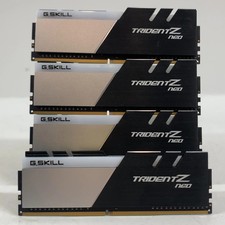
G.Skill Trident Z Neo Series 64GB (4x16GB) RAM DDR4 3200MHz F4-3200C16Q-32GTZN
$149.99
Lot 500 SK hynix 16GB 2Rx8 PC4-23400 DDR4-2933Y ECC Registered Server Memory RAM
$65000.00

Samsung 32GB DDR4-2666V-2Rx4-RB2-12 RAM M393A4K40CB2-CTD6Q
$169.00

A-Tech 8GB DDR3 1600 PC3-12800 Laptop SODIMM 204-Pin Memory RAM PC3L DDR3L 1x 8G
$21.68

Major Brand 16GB (2x8GB) PC3-12800U DDR3-1600MHz DDR3-12800 DESKTOP RAM NON-ECC
$29.99

G.SKILL FLARE X5 64GB (2 x 32GB) 6000 MT/s DDR5 (AMD EXPO + INTEL XMP) *CL30*
$785.00

RAMAXEL Lenovo 32GB LPDDR5X CAMM2 7500MHz Laptop RAM | UNTESTED
$445.00
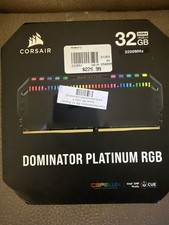
Corsair Dominator Platinum RGB 32GB (2x16GB) 3200MHz
$380.00



 Reply With Quote