

 Reply With Quote
K-menu>Configurationa>Network?Internet>Network Card Config


I have a cable-internet connection that works fine in Windows XP using dhcp.
command "lspci" tells me:
"Ethernet controller: Realtek Semiconductor Co., Ltd. RTL-8139/8139C/8139C+ (rev10)"
(which is correct)
command "ifconfig eth0 up" followed by "pump -i eth0" says "Operation failed".
command "netcardconfig" also fails.
What else can I try?
K-menu>Configurationa>Network?Internet>Network Card Config
Umm, I think that is just a GUI way of starting netcardconfig, which apparently didn't work.Originally Posted by rudiz
Do you have the kernel module loaded ? (use "lsmod" to list the ones currently loaded)
I think you should have 8139too. If it isn't listed try "modprobe 8139too"
if u follow my instruction...at the end u only have to click OK.
U are using pump but u have to use dhcp!!!
- I tried "K-menu>KNOPPIX>Network/Internet>Network card configuration", it gave the same as the command "netcardconfig", just some more text around the "Operation failed" response.
- lsmod lists 8139too as one of the loaded modules
- some searching in this forum made me try starting knoppix with the "knoppix noapic lang=be" command, that didn't help.
My ISP tries to prevent clients from using more than one pc on their broadband-connection. Could this be a factor in Knoppix not being able to get an ip-configuration through dhcp?
Can I make Knoppix use the same hostname as in Windows by using "pump -i eth0 -h zzyxxpc"?
I did a "ipconfig /release" in Windows and then booted Knoppix again, now it works!
Hi, Linux users,
I went to my brother'place this weekend, and I wanted to run Knoppix on his system running windoze ME and using a cable modem (Telenet-Belgium-Europe):
Note while at home I use several pc's (1 windoze & 2 linux-knoppix(hd-installed)-debian on an adsl connection, with router, I've never had a problem going on line.
But I had a problem now.
What do I need to do?
Do I have it right?:
FIRST: give the IP free, doing this in windoze with the command (typed in a command prompt):
ipconfig /release
SECOND: reboot the systeem on Knoppix
THIRD: run
"K-menu>KNOPPIX>Network/Internet>Network card configuration"
or run in a terminal:
"ifconfig eth0 up"
followed by
"pump -i eth0"
or do I need to install something else: dhcp?
How do I do that?
Thanks in advance.
Did you check DNS adress at resolv.conf? You can take a view your syslog to get the error.
 Posting Permissions


NETGEAR GS308EP Essential Series 8-Port Gigabit PoE+ Unmanaged Switch
$39.99

D-Link DGS-1210-28P 28-Port PoE Gigabit Web Smart Switch With Cord
$49.99

NETGEAR 5-Port Gigabit Ethernet Unmanaged Switch (Gs305) - Desktop Quiet Fanless
$25.99

10-Port Gigabit PoE Network Switch with 8 PoE+ Ports with 2 Combo SFP Slots 125W
$39.99

TP-Link TL-SG105 5-Port Gigabit Ethernet Unmanaged Metal Desktop Network Switch
$19.99

TP-Link TL-SG105, 5 Port Gigabit Unmanaged Ethernet Switch, Network Hub, Ethern
$15.25
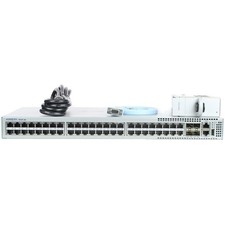
Arista DCS-7010T-48-R 48P 1GbE 4P 10GbE SFP+ RA Switch with rack mounts
$69.00

Cisco Catalyst 2960-48TT-L 48-Port Fast Ethernet Managed Rackmount Switch
$46.99

TP-Link TL-SG1048 48-Port Gigabit Rackmount Switch New Factory Sealed
$199.99
~NIB~Latest Model Netgear ProSafe GS752TP V3 POE Ethernet Switch GS752TP-300NAS
$499.95
