

 Reply With Quote
Right click the kicker, and select configure panel. There should then be a hiding tab.Also, is there a way to start make the a way to make the KDE taskbar start up minimized?


I was wondering where the config file (like the taskbars kickerrc file) for the K Menus items, where I could see which subdirs/catagory each icon are placed in, and perhaps even delete it to make them disappear. Also, is there a way to start make the a way to make the KDE taskbar start up minimized?
Best regards,
Arbiter
Right click the kicker, and select configure panel. There should then be a hiding tab.Also, is there a way to start make the a way to make the KDE taskbar start up minimized?
The reason is that I've booted from the Knoppix CD, copied the Knoppix from the cloop mounted devices data to the harddrive, and from there I want to customise the menues on that.
I've tried to chroot into the copy on the harddrive, but when I started the KDE in Xnest, all the fonts were squares! Don't have the faintest idea why it got like that, so now I'm trying to configure the HD copy of it by editing its config files.
I've found the kickerrc to edit the taskbar, and have removed the OpenOffice icon, but I would also like to make it start minimized.
I haven't been able to find the file that defines the K Menus groups etc. yet though, and this is what I'm looking for. (Along with the command to minimize the taskbar from start ofcourse)
The whole problem with this is that I want to configure a system, that I'm not logged into :-/
Please bear with me, as I only got my hands on Knoppix like 3 days ago, and it's actually my first time ever trying Linux.
Best regards,
Arbiter
All the global config files are in /usr/share/config.
I guess you already made a /home/knoppix directory in your chrooted filesystem, copied the files in /etc/skel to /home/knoppix, chown'd and chmodded them, then started your xsession as the user knoppix?
From there you can use the kontrol center apps to configure how kde will work.
After you're finished, you'd then rm the files in /etc/skel, copy the modified files from /home/knoppix back to /etc/skel, chown and chmod them back to the way they were, cleanup, and then remaster.
I have had some success with the simple method of modifying the /etc/skel/ files but this does not produce perfect results. Menu entries for Mozilla, Gnumeric and others persist after removing the enties and the packages. Adding non-debian packages to the menu and remastering also does not work with such simple methods. Is there an easy way to do this or must I edit configuration files in /usr/share/applnk & config/ for each change as well?
I beleive editing the files under /usr is a must for things such as changes to the kmenu (though that may be over-run by a menu-updating script anyway).
/etc/skel works for many programs' configs, most kicker icons, and changes to KDE.... just not the menu and not mozilla icons in my experience.
~~~~~~~~~~~~~~~~~~~~~~~~~~~~~~~~~~~~~~~~~~~~~Originally Posted by Arbiter
I also have this problem if I use Xnest. I can change over to vc2 with CTRL-ALT-F2, chroot, mount proc and startx -- :1 and it works fine.
I tried this on 2 machines, from the CD and a HDD Knoppix install. I do notice that it gives me a font path error in the konsole windo that I started startx from Weird that it works in a second X instance but not with Xnest. Anyone have any ides?
 Posting Permissions


Dell EMC PowerEdge R740 8 Bay Server w/ 32GB RAM 2x GOLD 6132 2x 1600W PSU H730p
$499.88

Dell EMC PowerEdge R440 Xeon silver 4215 2.5GHz 16 GB ram 2x 550W PSU No HDD
$275.00

Dell Poweredge R630 2x Xeon E5-2680 v3 2.5ghz 24-Cores / 64gb / Raid / 2x 1Tb
$374.99

DELL POWEREDGE R340 Server | Xeon E-2126G 64GB RAM PERC H330 (Onboard)
$399.95

Dell PowerEdge R730 8 Bay Server 64Gb 1x80Gb SSD 3x900Gb SAS 2x12c v4CPU Proxmox
$620.00

Dell PowerEdge C4130 1U AI GPU Server | 2x E5-2680 v3 | 32gb Ram | 2x 1600W
$484.99

Dell Poweredge R730xd 12LFF 2*2660v4 4*1Gbe h730 2x 750W Server CTO
$308.00

8W81F Dell PowerEdge R840 24x SFF 4x Xeon Gold 6252 H730P 2x 1100W PSU
$1000.00

Dell Intel X710-DA2 5N7Y5 Dual-Port 10GbE SFP+ PCIe 3.0 x8 Network Adapter
$27.50
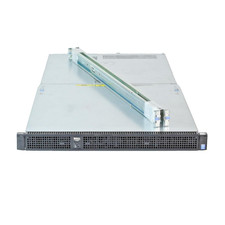
Dell Poweredge C4130 2x LGA2011-3 1U 4x GPU Rackmount Server CTO (NO CPU/NO RAM)
$299.95