-
Senior Member
registered user

Originally Posted by
Cuddles
Any words of advice on the new system install?
I plan on using the Knoppix 3.2 Live CD that I used for this system to get on the HD of the new system. The new system will also have a real USB "standard" modem, and not this WinModem, so access and setup of the new system getting to the internet should be without problems.
The new system is going to have the DVD and CD-RW from this system moved to it also. Maybe before I do my first apt-get [anything] - I should have a clue how to clean things up from the HD Install first????? Maybe then, I can clear issues before it gets to this stage.
Cuddles
Well you definetely want to get rid of everything on the system that you will not need or use to save on the upgrade time. In addition to the files I mentioned above you can remove the extra xservers that are there you can get a list by using dpkg -l | grep xserver-* you are most likely only using the xserver-xfree86 xserver-common ones all the others (with 3.3.6 in the name) can be eliminated. And you can get a list of all packages on the system with dpkg --get-selections > selections.txt which will re-direct the output of the command to the .txt file and you can open with an editor and see what programs are installed or will be installed on the next upgrade with the install in the second field. You can then use apt-cache show package_name to see what the package does and decide if you need it if you do not the start making a list of the packages to remove.
Some packages to consider for the list:
abiword abiword-common apache squid - If you do not need a web server the get rid of apache and abiword is a word processor and kde has 2 that will be installed anyway squid is a web cache server.
ethereal ethereal-common ettercap nessus nessusd - network sniffing tools
efax-gtk kfax - Fax if not needed bye.
wine wine-utils winesetuptk bochs bochs-wx bochs-x bochsbios - Windows and dos emulation tools.
partimage partimage-server mindi - Tools to backup and restore images of your partitions
mysql-client mysql-common mysql-server - MYSQL database
wmaker wmakerconf wmakerconf-data - Window maker windowing system.
xawtv xawtv-plugins - TV card tools
jpilot-backup kpilot jpilot jpilot-mail jpilot-plugins gsm-utils pilot-link - Palm pilot tools
libsane - Scanners if you do not have one not needed
isdnactivecards isdnlog isdnlog-data isdnutils isdnutils-base isdnutils-xtools isdnvboxclient isdnvboxserver - ISDN connection tools definetely not needed.
linux-wlan-ng wireless-tools - Wireless tools + search for the pcmcia notebook card tools.
lisa smbclient smbfs - Windows sharing
lvm-common lvm10 mdadm - Logical volume and raid array management most likely you do not need it.
koffice-i18n-de openoffice-de-en mozilla-locale-de-at - German specific packages not needed.
brltty - Braille tool to connect to a terminal for the blind there are probably others as well to search for.
You should try to get the system you have now working it will give you more experience at solving the problems that come up. And one more thing after removing all the programs you want you should run Orphaner for the libraries (deborphan) it is is the menus somewhere to have it remove the libraries that have been left behind by the removal of all the programs and when removing use the --purge option in the line to remove the configuration files as well.
Similar Threads
-
By GStoll in forum General Support
Replies: 2
Last Post: 12-03-2004, 04:02 AM
-
By Durand Hicks in forum General Support
Replies: 4
Last Post: 03-13-2004, 08:40 AM
-
By Cuddles in forum Hdd Install / Debian / Apt
Replies: 17
Last Post: 01-20-2004, 04:30 PM
-
By Cuddles in forum General Support
Replies: 4
Last Post: 01-03-2004, 03:18 AM
-
By vesselinpeev in forum General Support
Replies: 0
Last Post: 05-26-2003, 09:03 PM
 Posting Permissions
- You may not post new threads
- You may not post replies
- You may not post attachments
- You may not edit your posts
-
Forum Rules

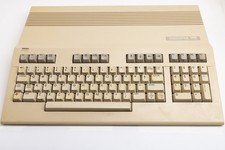
Vintage Commodore 128 Computer Powers On Not Tested with Power Supply
$169.99
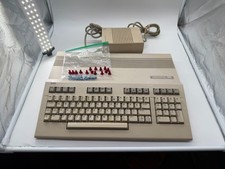
Commodore C128 Comp w/ Original Box TESTED & WORKING + Original & PETG Key Plung
$297.98
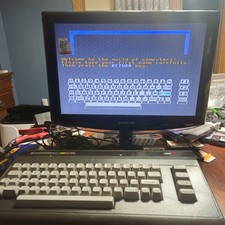
Commodore 16 C16 Computer Matching Serial Box Tutor Cartridge Tested Workong
$174.99

Commodore OS USB | Bootable LIVE + Install | The Ultimate Gaming Linux OS | NEW
$11.99
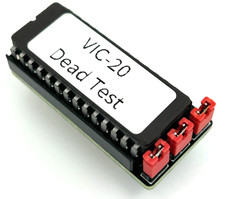
Commodore VIC-20 Dead Test Rom - USA seller
$19.99
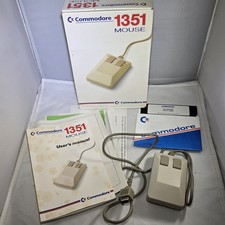
Commodore 1351 Mouse for Commodore 64/64C/128 w/ Box, Manuals, & Utility Disk
$199.99

Commodore 64 Serial Cable 6PIN DIN 1541 1571 C64 128 C128 Disk Drive Printer USA
$10.49
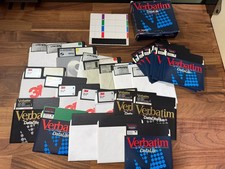
Lot of 29 5.25" Blank Disks for Commodore 64, etc. w/ Case + Extra Sleeves
$49.99

Commodore VIC-20 Diagnostic Cartridge & Test Harness Set - USA seller
$39.99
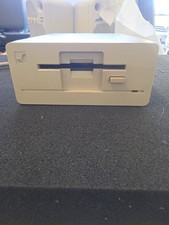
Commodore Amiga 1010 External 3.5 Floppy Disk Drive - Not Tested No Returns
$79.99



 Reply With Quote