

 Reply With Quote
There is a good chance your modem is a hardware modem. check www.linmodem.org . As for possible help try www.phpcad.com/knoppix-install.html
Bill


First off...I'm a Linux newbie. However, I cannot get KPPP to recognize my Actiontec modem. I get a 'modem is busy' or 'modem is not detected' message. Windows configured this modem after I installed...I didn't have to do a thing. I can dail-up and get connected to my ISP thru WindowsXP with no problems. But Knoppix (also Demolinux has the same problems as Knoppix) is not working. I'm sure I just need to configure some settings, but I have no idea what they are. I would appreciate any help you people can give me. Remember, I am a Linux newbie. Command line entries are a mystery to me. Thanks ! javascript:emoticon('')
Rolling Eyes
There is a good chance your modem is a hardware modem. check www.linmodem.org . As for possible help try www.phpcad.com/knoppix-install.html
Bill
Bill...thanks for your help. I have gone to the sites your mentioned and many more. Most of what I read is over my head. I can't find answers that help. I am going to contact my local Linux User Group and see if I can get some hands-on help. Thanks again!
Hi,
I am new to Knoppix but have had experiance with other distros. I also have a similar Actiontec modem that is not auto detected. I am still working on it but here is something I already know from problems with other distros. Linux drivers are not like Windows drivers, when you search for drivers don't look for the maker of the modem (Actiontec), this doesn't matter. Look for the the chip maker, in my case Lucent.
In my favorite debian distro(Xandros), I also had detection problems but got it working with a Lucent K56flex driver.
In Xandros it was all GUI. Unfortuenetly I am not much of a techno wizard so even if I did have the right driver I wouldn't know how to use it in KnoppixSo anyone reading this please help.
If I ever get my modem to work I will post how I did it
Somehow my message was submitted twice and I can't find how to delete this.
Ok, that was fast!!! I am now running Knoppix.
I found this little trick that you might try in the hard disk installation HOWTO.
Type this into a root shell:
cd /dev
./MAKEDEV ttyS4
ln -s ttyS4 modem
chmod 777 modem
chmod 777 ttyS4
This will set up your default modem to run on ttyS4. For Win/DOS users ttyS# is somthing like com#. Why this works I don't know. Why is my modem is on ttyS4? Why can't Knoppix find ttyS4 whith it's aoutodetect? Mysteries that are way over my head. But anyway it worked for me so you might give it a try before begining the desent into Linux driver Hell.
In DOS/window$ terms the standard serial ports (modem ports) are COM1 thru COM4, many pci modems set up on a non-standard serial port, which is COM5 in DOS/windows. In linux COM1 is ttyS0 so ttyS4 is linux terminology for DOS's COM5. Since COM5 and also ttyS4 are "non-standard" ports Knoppix won't look there because it doesn't exist, so you had to make the device /dev/ttyS4 so you could use your modem.
HTH
rock
Rock...I have changed my modem to COM4. I did that in Windows. Thanks for your help.
MattT...I tried your Command Line instructions. The "cd /dev" took OK. But the "./ MAKEDEV ttys4" instruction gave me an error message of "don't know how to make device ttys4". Now I'm lost again.
I have a question. After I get Knoppix and KDE loaded I click on the lower-left K, then Knoppix and then "Root Shell" to get to a black box labeled "root" and then type in the command line instructions...is this the same as clicking on Konsole in KDE to get to the black type-in box? I used the first example to type in. I'm clueless.
I have another question. Maybe I just need a Linux driver for this modem. Windows automatically loaded a Windows driver for me. Will a Linux driver conflict with the Windows driver.
Thanks for your help.
Did you try
MAKEDEV ttys4 or ttyS4
It makes a difference.
SUCCESS at last!!! I am now able to dial-up, connect to my ISP and surf the WWW.
Thanks to all who helped me. The instructions that MattT gave me along with the advice from AvidLinuxUser (thanks ALU) did the trick.
I am going to play with Knoppix for a couple of weeks then go for a full-blown Mankdrake distro. I'll really have the questions then!
Again, thanks to all who helped me. Never got the job done without you!
 Posting Permissions


Kingston 32GB 64GB 128GB 256GB USB 3.0 Flash Drive Thumb Memory Stick Pen lot
$285.90

SK Hynix 32GB 4Rx4 PC4-2133P-LD0-10 HMA84GL7MMR4N-TF TD DDR4 Server Memory RAM
$110.00

TF/SD Card Adapter Camera Reader Android Type-c For iPhone17 Pro Max Plusm lot
$573.98

Micron MTC40F2046S1RC48BA1 DDR5 64GB (1x64GB) 4800MHz RDIMM ECC Server Memory
$2999.99

Lot Of 16 X 16GB ECC DIMM Server Memory SK Hynix HMA42GR7MFR4N-TF PC4-17000 DDR4
$800.00

USB 3.0 Flash Drive 32GB 64GB 128GB Memory Stick Thumb Stick Lot Pack
$826.09
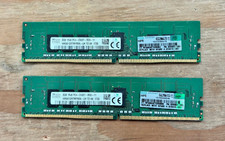
Lot 2x 8GB (16GB) SK Hynix HMA81GR7MFR8N-UH TD AA PC4-2400T Server Memory 🤖🧠
$64.98

SK Hynix HMA84GR7DJR4N-WM 32GB (1x32GB) 2RX4 PC4-2666V DDR4 Server Memory
$199.99
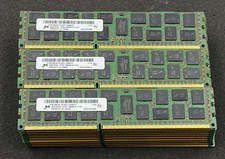
LOT OF 30 8GB 2Rx4 PC3L-10600R-9-11-E2 MT36KSF1G72PZ-1G4M1FF DDR3 Server RAM
$274.99

Lot Of 50 8GB DDR4 RAM PC4-2666V-UA2 DIMM Desktop Memory Mixed Brands TESTED
$1750.00