

 Reply With Quote
Will the PH scripting still work with this release?
HD install?
Thanx for getting it out so fast.


This is a KnoppixKDE edition. It is to demonstrade the coolness of KDE 3.1. This is to promote kde, and I'm interested in feedback. There are 2 known bugs, 1 is the X cursor, and the other is not all apps are in the menus. Try running kappfinder.
ok, I have a mirror now :
http://ktown.kde.org/~dirk/knoppixkde/
*features
cool fbb boot screen
kde 3.1 with every app thats been packaged
full kde dev environment
there are apps that were on knoppix but are not on this edition, it is pretty much just kde + kde apps
it also has a memtest boot cheatcode
457Mb
you may report bugs about this remaster on http://www.knoppix.net/bugs/ under KnoppixKDE. Yes it's a new bug system. Yes it's slow ( damn perl ), I'm working on it. You may also report bugs on knoppix on this bugtracker ( Klaus wanted a bugzilla ). I need new hardware to make it faster.
Wiki page : http://www.knoppix.net/docs/index.php/KnoppixKDE
Will the PH scripting still work with this release?
HD install?
Thanx for getting it out so fast.
it has built in persistant home,
as for hd-install, i don't know
Thanx even more.
I'm DLing and I'll have it burned within an hour.
Grabbed the release about an hour ago and have been playing with it..
Very coolFew things I noticed..
1. CUPS doesn't appear to be operational? No printing?
2. Kopete crashes on startup -- Kit works fine though..
3. Atleast on my system, the default sound mixer levels are too low .. didn't think it detected my soundcard (couldn't hear anything) -- after I turned up, all was grand.
in anycase, first time I got to play with KDE 3.1 .. very nice
nice job!
I got it burned after 3 coasters.Nero & w2k kept burning a ISO image on the CD. To top it off, after I took the coaster out of the burner and put in blank media, the ISO image on the CD drive icon and open drive window showed the ISO. I could even open it with Winimage and look at the Knoppix files. Something is screwy in St Louie. So I just extracted the files out of the KnoppixKDE ISO and used them to burn the CD. I boot with a floppy anyway. Windows needed a reboot, so I booted into Knoppix instead.
I'm on Knoppix/KDE3.1 now. My only compaint is that my M$ Explorer Trackball wheel mouse is jerky when I move it. It's not jerky in the earlier Knoopix CD (12-12-02) I have. I tried to adjust it in KDE mouse config menu but I can't get it to smooth out. The wheel works fine (F2: knoppix wheelmouse)
It's quite a bit differant and I'll get used to it (except the jerky mouse).
So far so good.
Thanx eadz
there is no boot floppy. this version cannot boot from a boot floppy. If you are using a boot floppy from another version - the modules won't work, and you will not see the boot up sequence.Originally Posted by audioaficionado
Try a slower speed?
I don't like to disagree with the guy who put this together, but maybe you're mistaken this time.
My machine won't boot from a CD. Its bios simply won't support that option. It's either the floppy or the HD.
I went into the 'isolinux' folder and grabbed the 'knoppix-orig-boot.img' and used winimage to write the boot floppy. I was able to use the F2 option to enable my wheelmouse. I also noticed that the F2 menu was differant. Less desktop choices was the most noticable, just as you said in your earlier post. I'll see how PH works when I close this first session down later.
I wouldn't be here writing this is if that boot floppy didn't work.
BTW I finally got my mouse to behave.
However I've still have the nVidia & KDE screen saver not working problem I had with KDE3. I know it's a KDE issue, not anything you could do about it.
This KDE3.1 seems a little heavier on my system compared to KDE3. No biggie though.
__________________________________________________ _
Edit: Hmmm... Maybe I'm mistaken.
I guess I got the regular 1.44Mb floppy boot image you included as I couldn't load all the SuSE framebuffer on a floppy. I still see KDE3.1 and the differant menu with less visible options as warned. Could the boot process be split into 2 floppies so us guys with the older HW can enjoy that SuSE boot too?
It still boots into the CD from the floppy and that's the bottom line for me.
Other than the fancy boot graphics, what else won't the standard floppy boot do?
What apps don't load? Can they be loaded after boot?
Great job putting this together eadz
Have you tried booting the CD with Smart Boot Manager
http://btmgr.sourceforge.net/
Someone on this board mentioned it a while back and I now use it extensively for booting CDs on old PCs.
BTW you can use it on a floppy or install it on the HD
Yes! use this! my laptop wont boot from cd so I use this and it works great.
 Posting Permissions


16GB KIT (2x8GB) DDR3 Gamer Desktop RAM PC3 MIXED BRANDS VIPER VENGEANCE FURY
$10.00

Netac DDR4 32GB 16GB DDR4 3200MHz UDIMM C16 Desktop Internal Memory RAM Kit
$99.99

A-Tech 8GB DDR3 1600 PC3-12800 Laptop SODIMM 204-Pin Memory RAM PC3L DDR3L 1x 8G
$21.68
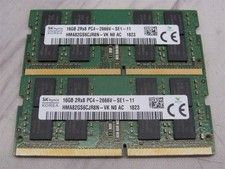
32GB KIT - 2x SK Hynix 16GB 2Rx8 PC4-2666V DDR4 SODIMM Laptop Memory RAM
$99.99

Major Brand 16GB (2x8GB) PC3-12800U DDR3-1600MHz DDR3-12800 DESKTOP RAM NON-ECC
$29.99

Samsung 32GB DDR4-2666V-2Rx4-RB2-12 RAM M393A4K40CB2-CTD6Q
$169.00

Samsung 16GB LPCAMM2 PC5 7500 DDR5 LPDDR5X CAMM2 M561K1LC4DM0-CCTGM RAM Memory
$189.00

RAMAXEL Lenovo 32GB LPDDR5X CAMM2 7500MHz Laptop RAM | UNTESTED
$445.00
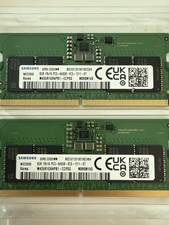
LOTS of 2 Samsung 8GB (8x2 16GB) DDR5 RAM Memory M435R1GB4PB1-CCPSG PC5-6400B
$150.99
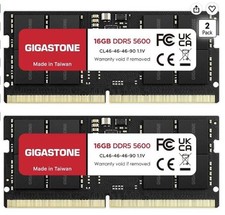
LAPTOP RAM MEMORY GIGASTONE 32GB Kit (2x16GB) DDR5 5600MHz PC5-44800 Unbuffered
$350.00
