

Hello, I am doing a Knoppix customization based on Slackware Linux.
I note 2 thing that I cannot understand:
1) When I right-click on a device-icon on kde desktop in Knoppix there are 4 Tabs (General, Permissions, Device, Metainfo) while when I do the same thing on my customization there are only the first 2 Tabs, General and Permissions, while Tabs Device and Metainfo are missed. Do you know why ? This should be important because in the Device Tab there is the 'Read only' flag.
2) When I right-click on kde desktop in Knoppix and choose 'Configure Desktop' -> 'Behavior' I not that the flag 'Display devices on desktop' is not selected, but I have all devices displayed on desktop anyway. How do Knoppix put device icons on desktop without using the 'Display devices on desktop' flag ? (My customization uses that flag to display device icons on desktop).
P.S. I have recycled 'rebuildfstab' of knoppix 3.2.
My 'mount' displays this:
/dev/hda1 on /mnt/hda1 type vfat (rw, nosuid,nodev,umask=000,uid=1000,gid=100)
/dev/hda5 on /mnt/hda5 type ext2 (rw,nosuid,nodev)
Thank you
Jack
 Posting Permissions


Seagate Exos 7E8 4TB 3.5" SAS ST4000NM0025
$22.00

Hitachi / HGST Travelstar HTS541010B7E610 1TB 2.5" SATA III HDD
$29.99

HUS726060ALA640 HGST Ultrastar 6TB SATA 6Gbps 7.2K 3.5" Hard Drive OF21860
$129.99

New Western Digital WD40EFPX 68C6CN0 4TB 3.5" SATA III Internal NAS Red Plus HDD
$137.59

Seagate ST6000NM0115 6TB 256MB 7200RPM 3.5" SATA 6.0Gb/s Enterprise Hard Drive
$159.99

HGST HUS724040ALA640 4TB 7200 RPM SATA 3.5" Internal Desktop Drive 100% Health
$78.00
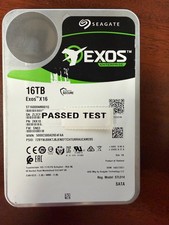
Seagate Exos X16 16TB ST16000NM001G 7200RPM Enterprise HDD*USED GREAT CONDITION*
$319.79

Western Digital HUS726T4TAL5204 4TB 7.2K SAS 12Gb/s 3.5" 512e HDD NetApp X375A
$69.00
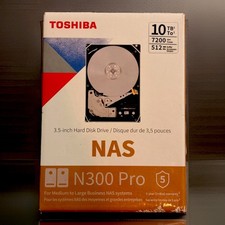
NEW Sealed Toshiba N300 Pro 10TB NAS HDD 7200RPM
$299.99
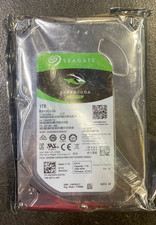
Seagate BarraCuda ST1000DM010 1TB 7200 RPM 64MB Cache SATA 6.0Gb/s Hard Drive
$63.99


 Reply With Quote