-
Junior Member
registered user
Help! Sound Blaster Live Value
Help! I did a HD install every thing is working out great but I have no sound in Knoppix (still get sound in my XP OS).
I have a "Sound Blaster Live Value" card. this is tem message I get.
Infotmatinoal - art message
Sound server informational message:
Error while initializing the sound driver:
device /dev/dsp can't be opened (No such device)
The sound server will contimue, using the null output device.
I am using the 8-11-2002EN ver. Sound did not ever work when I booted from CD.
I am new at this so what ever you do explain it well.
Thanks Ben
P.S.
Did not spell check becous I wrighting this in KWord and it ti spellin ceecking in German (yes my lanuage is set up as english).
So if anyone knows how to fix that I wuld love to hear form you.
-
Junior Member
registered user
Sound Card configuration
OK i think i have a place to start now.
Click on the 'Start Application' in the bottom left hand corner then 'KNOPPIX' then 'Configure' then 'Sound card configuration'. It will state a Wiz to help you set up your sound, this in on the CD I do not know if it will help on the HDinstall I will test it and post hear.
Later
Ben
-
Try open a root shell and type:
modprobe emu10k
Aparently sndconfig have problens with some Live cards, but they works after load the module by hand.
-
Junior Member
registered user

I have the same problem. I typed in modprobe emu10k1 (I think you missed the "1" at the end), but I still get no sound.
The SB Live! works in every other Linux distro. With Slackware I need to run alsaconfig to get it to work though.
-
Senior Member
registered user

Originally Posted by
jeramy
I have the same problem. I typed in modprobe emu10k1 (I think you missed the "1" at the end), but I still get no sound.
The SB Live! works in every other Linux distro. With Slackware I need to run alsaconfig to get it to work though.
Try using knoppix alsa at the boot: prompt that being said I have a sblive it always works without the alsa you may want to check lsmod and see what modules are loaded also make sure if you have onboard sound that you have disabled it Knoppix would be finding that as well and could be using it as the default device. If these suggestions do not work can you post the output of lsmod, lspci -v, and some details on the hardware in your machine.
Similar Threads
-
By Battousai in forum Hardware & Booting
Replies: 3
Last Post: 03-08-2004, 10:17 PM
-
By ICE_STORM in forum Hardware & Booting
Replies: 1
Last Post: 10-04-2003, 11:54 PM
-
By beforewisdom in forum Hardware & Booting
Replies: 4
Last Post: 05-03-2003, 03:24 PM
-
By NamShub in forum Hardware & Booting
Replies: 1
Last Post: 03-06-2003, 11:04 PM
-
By in forum General Support
Replies: 4
Last Post: 12-26-2002, 12:46 AM
 Posting Permissions
- You may not post new threads
- You may not post replies
- You may not post attachments
- You may not edit your posts
-
Forum Rules


Lenovo ThinkPad T14 Gen 1 14" AMD Ryzen 5 16GB 256GB SSD
$219.99

Lenovo ThinkPad L15 Gen 3 15.6" 16GB, Thunder Black
$241.50

Lenovo Thinkpad X1 Yoga Gen 6 14" 16GB, Storm Gray
$356.80

Lenovo ThinkPad L15 Gen 3 15.6" 16GB, Thunder Black
$241.50

Lenovo ThinkPad T14 G2 14-Inch AMD Ryzen R5 5650U 16GB, 512GB SSD Win 11 Pro
$398.99

Lenovo Legion 5 Gaming 15.1" WQXGA OLED 165Hz Core i9-14900HX 16GB 1TB RTX 5070
$1469.00
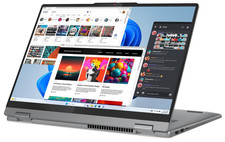
Lenovo IdeaPad 5 2-in-1 16" WUXGA Touch Ryzen 7 8845HS 16GB 512GB SSD FPReader
$571.00
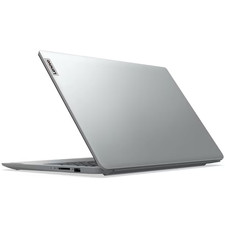
Lenovo IdeaPad 1 15.6" FHD Core i5-1335U 16GB RAM 256GB SSD Win11 Cloud Grey
$2999.99

Lenovo Thinkpad E15 Gen 2 8GB RAM 256GB SSD Intel Core [email protected] Laptop
$220.36
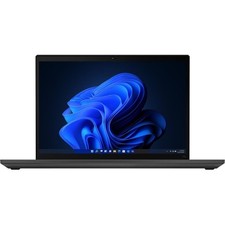
Lenovo ThinkPad T14 Gen 2 Laptop 14" FHD Core i5 16GB RAM 256GB SSD Windows 11
$289.99



 Reply With Quote