-
HP 5
Start cupsd as root from a terminal, thus:
sudo -s
cupsd (and wait a few seconds for the prompt to return)
Then startup the printer configuration wizzard. You will probably get an error message, ignore it and proceed with the setup.
Then save all the config stuff to a floppy to be used at boot.
This works for me on a Dell 4100 with an HP 5L.
Similar Threads
-
By HomerCube in forum Hardware & Booting
Replies: 0
Last Post: 05-26-2004, 11:38 AM
-
By achim in forum Hardware & Booting
Replies: 1
Last Post: 12-17-2003, 04:19 PM
-
By TheCyberDude in forum General Support
Replies: 6
Last Post: 09-07-2003, 09:07 AM
-
By smandula in forum Hardware & Booting
Replies: 2
Last Post: 05-28-2003, 05:57 AM
-
By Guest in forum Hdd Install / Debian / Apt
Replies: 0
Last Post: 12-09-2002, 09:30 PM
 Posting Permissions
- You may not post new threads
- You may not post replies
- You may not post attachments
- You may not edit your posts
-
Forum Rules


Fujinet 1.7.1 Atari 400 800 800XL 130XE 65XE XEGS Assembled, Tested, Working
$99.99

Atari Home Computer Software/Books/Manuals/Magazines Lot - Read desc for details
$95.00

GreaseWeazle v4 board USB floppy drive adapter Retro All Formats
$35.00

Atari 400 / 800 Computer Memory Module 16K RAM PCB CX853 - Works Perfectly
$18.95

A8PicoCart Multicart for Atari 800xl /65xe / 130xe / XEGS
$16.95

ATARI Mouse with Adapter for ST, STE, Mega STE, TT Optical - USA Seller
$29.99
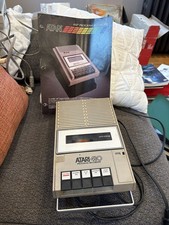
Atari 410 Program Recorder repair w manual sheet/ adapter cord
$23.99

Gotek USB Floppy Emulator v3.44 OLED (no speaker) Amiga Atari IBM Roland AKAI
$44.00

DEFECTIVE Atari 810 Vintage Computer Disk Drive powers on Unit Only Boo G3D
$49.29

Atari 130 XE/Atari 1050 Bundle W/ Cords And Extras (Powered On)
$300.00



 Reply With Quote