-
Strange PPP problem
I have a hd install of Knoppix 3.3. My hardware is a serial US Robotics modem. Up until last night, I was able to connect to the internet using Kppp. My problem started after I tried to use pon instead of Kppp. As root, I went through the pppconfig. I added my normal user to be able to use pon. After I typed in pon and hit enter, the modem did its intialize (ATZ) routine, then the dial tone, and at this point the pon quit. Now, I can not use my modem. Two lights (TR, CS) stay on and the SD and RD lights flicker. If I try using Kppp, I get the modem intialization, a dial tone , and then nothing.
The things I have tried so far is to restart my computer but that didn't cure it.. I tried to the mdem reset in the terminal part of Kppp setup but the modem does do the ATZ but then returns to the same light configuration. I have also used the Knoppix CD and was able to dial out using Kppp. Using the CD the modem acted normal.
What could have gone wrong after I used pon?
-
Still strange and very annoying
I have now tried a Windows trick by uninstalling pppstatus, pppconfig, and ppp. After uninstallling, I shut the computer down then restarted it. My modem still is not in the ready state. Some service or program is keeping my modem from resetting to the ready state. I did this removal because I was able to access the internet before trying to use pon, so I thought removing and then reinstalling might help redo some configuration files.
This trouble started after I decided to try to use pon instead of Kppp. As root, I ran pppconfig and made sure I added my normal user account. I then tried to use pon as normal user. When I started pon, my modem reset, I heard a dial tone, then the program quits before dialing the number. The modem has the lights (TR CS) on all the time. When the modem is in the ready state only the CS light is on.
I can use Knoppix Live CD and Knoppix-STD CD to get online. I can only assume that there is some service or program that the CDs do not run but my HD install is running.
I am reluctant to do a complete reinstall of the whole system. Doing large upgrades with dial-up is very time consuming.
If anyone has any thoughts as to where to look it would be much appreciated.
-
Senior Member
registered user
One thought: You could try setting it up with wvdial to see if that will fix it.
-
fixed but then broken again
I decided to do a clean re-install. After the install, I used Kppp to access the internet. I then proceded with apt-get update and apt-get upgrade. The internet connection was working just fine through the whole upgrade process. I figured that I would just stick with Kppp for a while.
After reconfiiguring my settings, which include backgrounds, colors, fonts and etc, I decided to start removing some packages. The packages I wanted to remove were related to isdn. I do not have any isdn hardware.
I did not retry my internet connection until after the the packages removal.
When I did try to connect, my modem was in the ready state so I started Kppp. I hit connect and the modem went through the ATZ intialize part, then it tried to dial but cut off immediately. There was a brief dial tone before cutting off. My modem will not go back to the ready state. I tried shutting off the modem, issuing ATZ manually, and shutting down and restarting my system. The modem will not go back to the ready state.
So the problem is with the upgrade I did or the removal of the isdn packages.
When I removed the isdn packages, I did not use the purge option. I am new to apt-get system so I am probably making some mistakes. Can I use the purge option to eliminate the configuration files even though the main package is gone?
I read in another post that the upgrade might have change some configuration files the wrong way. So I will check the configuration files to see if I see anything wrong.
At this point with my modem not going back to the ready state no ppp dialer program is going to work. Something is keeping my modem from going back to the ready state. This something has to be doing this at startup.
Thanks for all suggestions and help.
-
Solved
I figured out my problem. It was a service that was starting up at boot time. I found this out by searching through the config files in /etc. The particular config file that answered my problem was brltty.conf. Inside that file is a line that reads braille-device = /dev/ttyS0. Since my modem uses /dev/ttyS0 this is where I figured the conflict was. I then checked the /etc/rcS.d directory and there was a symlink to the brltty daemon. I deleted the symlink then restarted my computer. My modem now works like it should.
I am not sure if this daemon was installed during the upgrade or whether it was always there and the config file was changed but if anyone is having a problem with their modem not reseting to the command state then I hope this solution helps them.
I am now a very happy Knoppix user. Can not live without the internet.
Similar Threads
-
By rolfhub in forum Hardware & Booting
Replies: 4
Last Post: 05-05-2005, 10:46 AM
-
By knoppix-user in forum Networking
Replies: 1
Last Post: 05-23-2004, 07:14 PM
-
By BadgerKNX in forum General Support
Replies: 2
Last Post: 03-10-2004, 06:11 AM
-
By Worm in forum Hdd Install / Debian / Apt
Replies: 0
Last Post: 02-10-2004, 05:19 PM
-
By Joutei in forum General Support
Replies: 0
Last Post: 06-06-2003, 08:45 PM
 Posting Permissions
- You may not post new threads
- You may not post replies
- You may not post attachments
- You may not edit your posts
-
Forum Rules


A8PicoCart Multicart for Atari 800xl /65xe / 130xe / XEGS
$16.95

Atari 130 XE/Atari 1050 Bundle W/ Cords And Extras (Powered On)
$300.00

GreaseWeazle v4 board USB floppy drive adapter Retro All Formats
$35.00

DEFECTIVE Atari 810 Vintage Computer Disk Drive powers on Unit Only Boo G3D
$49.29

Fujinet 1.7.1 Atari 400 800 800XL 130XE 65XE XEGS Assembled, Tested, Working
$99.99

ATARI Mouse with Adapter for ST, STE, Mega STE, TT Optical - USA Seller
$29.99
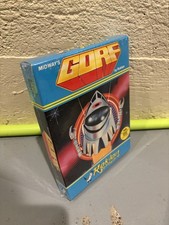
GORF Atari/Roklan 400/800 Cartridge Brand New In Box
$48.00
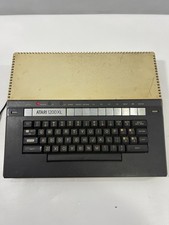
VTG Atari 1200XL Home Computer System 1200 XL “Powers On” Parts or Repair
$249.95
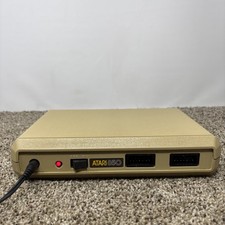
Atari 850 Interface Module For ATARI 400/800 Computer Vintage Tested
$60.00
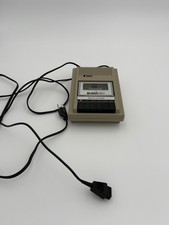
READ UNTESTED But Works Vintage Atari 410 Program Recorder
$34.50



 Reply With Quote