-
New "patched" Orinoco drivers
Alright, I have downloaded the newest Knoppixm 5-16, which boasts that it has the monitor mode patches for the orinoco drivers. I have not been able to successfully put the card into moniter mode and use it to its full potential. Has anyone had any luck with it? Oh, ya, please don't reply with "You are a stupid wardriver blah blah blah" or anything like that...
-
I would like to get this to work too.
I have the 4-28-2003 (I think) build of knoppix, and an orinoco gold card, and would like to use either airsnort or kismet (I would rather kismet) to test some wireless network links I have, and test the range of our wireless network.
If anyone got this to work in the latest build, I would like to know how you got it to work. I'm going to download the latest and try it out too.
Thanks.
-
Junior Member
registered user
I do not have the latest knoppix cd, however on my customized knoppix (w/ the orinoco patch), i was able to put it into monitor mode using this:
Code:
iwpriv eth0 monitor <m> <c>
   m - one of the following
      0 - disable monitor mode
      1 - enable monitor mode with Prism2 header info prepended
          to packet (ARPHRD_IEEE80211_PRISM)
      2 - enable monitor mode with no Prism2 info (ARPHRD_IEEE80211)
   c - channel to monitor


Change your MAC address via ifconfig:

ifconfig eth0 hw ether 01:02:03:04:05:06
-
Junior Member
registered user
It's pretty easy to get kismet working:
cd /etc/kismet
rm kismet.conf
cp -p /KNOPPIX/etc/kismet/kismet.conf .
Edit kismet.conf:
(old line 22) auto_hopper=false
(new line 22) auto_hopper=true
(old line 37) capinterface=eth1
(new line 37) capinterface=eth0 (maybe)
(old line 53) cardtype=cisco
(new line 53) cardtype=orinoco
If you don't enable the channel hopper, kismet will monitor channel 6. You can change this with iwpriv monitor 1 channel
To do live capture with ethereal, you probably want to use iwpriv monitor 2 channel instead.
Tested with KNOPPIX V3.2 2003-05-16 EN
-
Thanks a lot to both of you. Works great.
-
Airsnort does not work
With EPS suggestions (thanks a lot!), I was able to bring kismet alive, but no chance for Airsnort, even when I use iwpriv, all the time the same error message "could not set monitor mode".
I am using latest koppix version 20.05.3.
any idea, what do I wrong ?
Thanks and regards
Alfred
-
mrblah...you say you have a custom distro with orinoco drivers already installed? happen to have this on a server for download anywhere? or maybe be able to arrange an open FTP or something?
Similar Threads
-
By oman in forum General Support
Replies: 0
Last Post: 08-03-2004, 06:44 PM
-
By Al Hayes in forum Networking
Replies: 0
Last Post: 07-05-2004, 11:57 AM
-
By oreo in forum General Support
Replies: 11
Last Post: 07-23-2003, 06:33 PM
-
By geebee2000 in forum Hardware & Booting
Replies: 9
Last Post: 05-21-2003, 07:29 PM
-
By Juny in forum General Support
Replies: 4
Last Post: 03-14-2003, 09:02 AM
 Posting Permissions
- You may not post new threads
- You may not post replies
- You may not post attachments
- You may not edit your posts
-
Forum Rules

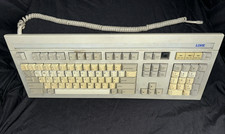
Vintage Link Terminal Mechanical Keyboard Alps Black Switches 840352-30
$59.95

Vintage AutoCAD 2000i Upgrade Boxed CD & Key Code
$144.45
Vintage Ampex Chip Boards Memory Processor Other
$299.99
Sanyo DM 5012CM Solid State Data Display Monitor Working Vintage 1980s 80s
$169.99
RARE Vintage Radius Apple MAC II Full Page Display board NOS Andy Hertzfeld
$500.00
Socket 3 PCI Motherboard, DTK PKM-0033S E-0, 486DX4-100 +32MB Vintage, Working
$119.99
VINTAGE Apple 3.5 Drive External 3½" Floppy Drive DB-19 Beige | P/N A9M0106
$159.00
VINTAGE Apple 3.5 Drive External 3½" Floppy Drive DB-19 Beige | P/N A9M0106
$159.00
Dell Inspiron E1505 Vintage Laptop – Windows XP – Working
$50.00
Vintage 90s PC Intel Pentium, cards, no HDD
$80.00



 Reply With Quote